Understanding the Evolution | JPEG XL vs JPEG XR
What is JPEG XR? (The Microsoft Legacy)
- Excellent support for 16-bit per channel images, making it great for professional photo editing.
- Lossless compression options that save space compared to traditional TIFF files.
- Transparency support (Alpha channel), which the original JPEG lacks completely.
- Tile-based decoding, allowing systems to load parts of an image without processing the whole file.
- Deep integration with older Windows versions and Internet Explorer.
- Limited browser support in the modern era, as most developers shifted toward WebP or AVIF.
What is JPEG XL? (The Future Standard)
- Legacy Recompression 📌 JPEG XL can "shrink" existing JPEGs by 20% without losing any data. This is a game-changer for web storage.
- Ultra-High Quality 📌 It supports wide color gamuts and high bit depths, making it perfect for HDR displays and professional photography.
- Fast Decoding 📌 Unlike AVIF, which can be slow to process, JPEG XL is designed to be extremely fast on both CPUs and mobile devices.
- Responsive Features 📌 It handles progressive rendering beautifully, showing a low-res version of the image while the rest downloads.
- Lossless & Lossy 📌 You can choose perfect mathematical accuracy or high-efficiency compression depending on your needs.
- Universal Goal 📌 It aims to replace all web formats, including those mentioned in our guide on WebP vs JPEG quality.
- Animation Support 📌 It handles animated sequences much more efficiently than the ancient GIF format.
- Royalty-Free 📌 Developers can use it without paying expensive licensing fees, encouraging rapid adoption.
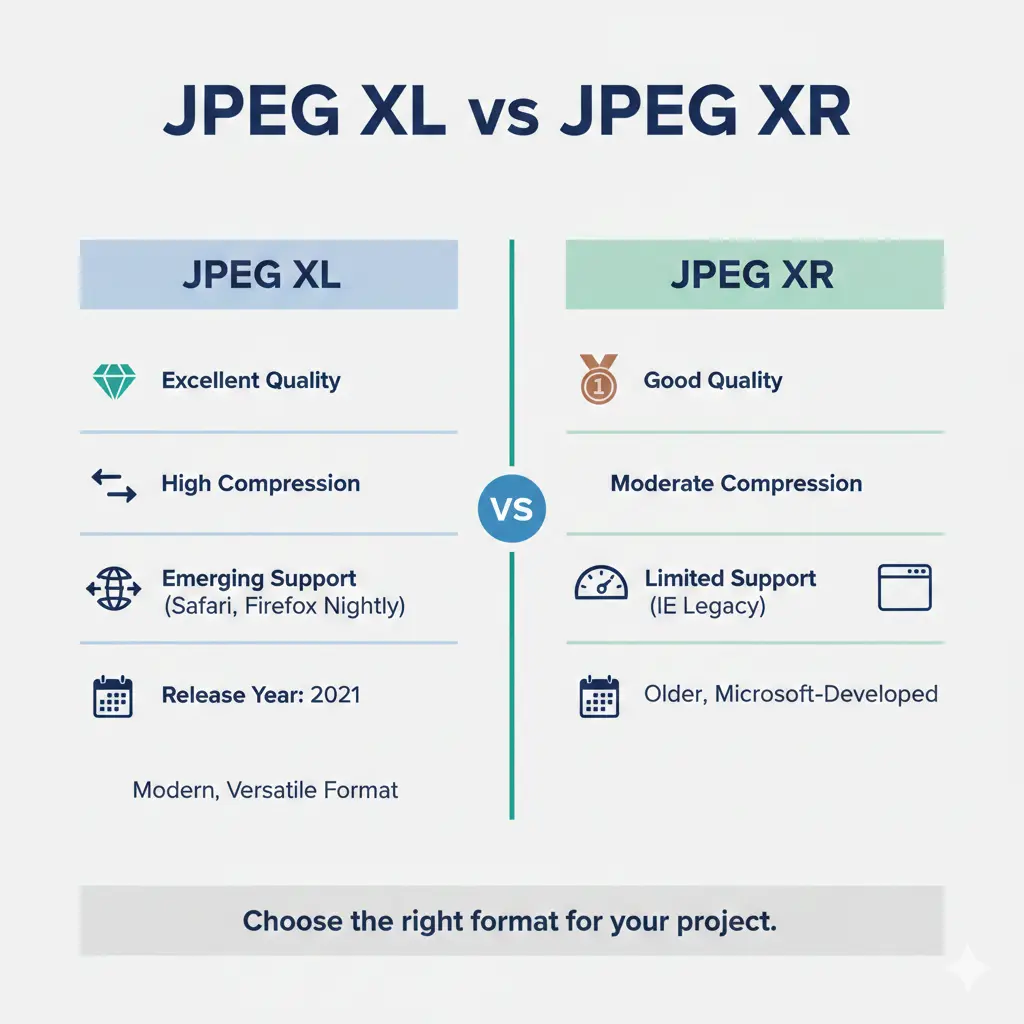
Direct Comparison: JPEG XL vs JPEG XR
| Feature | JPEG XR | JPEG XL |
|---|---|---|
| Release Year | 2009 | 2021 |
| Compression Efficiency | Moderate (Better than JPEG) | Excellent (Top Tier) |
| Legacy JPEG Support | None (Requires conversion) | Lossless transcoding (20% smaller) |
| Browser Support | Very Low (Mostly IE/Edge Legacy) | Growing (Safari, Firefox Nightly) |
| Speed | Fast | Ultra-Fast |
| HDR Support | Yes | Yes (Advanced) |
Quality and Performance Factors
- Bit Depth JPEG XL supports up to 32 bits per component, providing unmatched color accuracy for professional workflows.
- Artifacting At low bitrates, JPEG XR can show blockiness, whereas JPEG XL uses advanced "Modular" and "VarDCT" modes to keep images looking smooth.
- Transparency Both formats support alpha channels, but JPEG XL is much more efficient at compressing the transparency data.
- Generation Loss JPEG XL is designed to handle multiple saves without destroying the image quality, unlike the disadvantages of traditional JPEG.
- Hardware Acceleration Because JPEG XL is lightweight, it doesn't require specialized chips to run smoothly on your phone.
- Web Compatibility Always check current support. While JPEG XL is the future, you may still need to use a PNG to JPEG converter for older browsers.
Current Browser Support Status
Google Chrome famously removed experimental support for JPEG XL, citing a lack of interest, which sparked a huge protest from the developer community. However, Apple recently added full support for JPEG XL in Safari and across the iOS/macOS ecosystem.
This means millions of users can now view JPEG XL images natively. By paying attention to these shifts, you can decide when it is safe to switch. If you are worried about compatibility, you can always learn how to convert images to JPEG as a fallback option.
Quick Tip: Always provide a "fallback" in your HTML code. Use the <picture> tag to serve JPEG XL to users who can see it, and a standard JPEG to those who can't.
When to Choose Each Format
Determining which format to use depends on your specific goals and audience. Building a strong relationship with your users means ensuring they can actually see the content you post. Here are some guidelines on when to use JPEG XL vs JPEG XR:
- Use JPEG XL for Web Design: If you want the smallest file sizes with the highest possible quality on modern Apple devices.
- Use JPEG XL for Archiving: It is the only format that can losslessly shrink your existing JPEG library.
- Use JPEG XR for Legacy Systems: Only if you are working within an old Windows-based corporate environment that requires it.
- Use JPEG XL for Photography: When you need to preserve HDR data and wide color gamuts without the massive file size of a RAW file.
- Avoid JPEG XR for Public Websites: Modern browsers like Chrome and Firefox do not support it, meaning your images won't show up.
- Transitioning: If you are currently using PNG for graphics, consider the quality benefits of converting PNG to JPEG or JPEG XL to save space.
How to Convert Your Images Today
- No Registration You don't need to create an account or give your email.
- Unlimited Use Convert as many images as you need without restrictions.
- Fast Processing Upload, click "Convert," and download your file in seconds.
- Privacy Focused Your images are handled securely and deleted after conversion.
Stay Ahead of the Curve
Continuing to learn about new technologies is the key to success in the digital age. The imaging landscape changes fast. One day WebP is the king, and the next, everyone is talking about JPEG XL vs JPEG XR. By staying informed, you can make better decisions for your brand or business.
Invest time in reading about the latest updates in SEO and image compression. Participate in developer forums to see which formats are gaining traction. Staying updated allows you to offer more value to your visitors through faster load times and clearer pictures.
Final Thought: JPEG XL is objectively superior to JPEG XR in every technical category. While support is still growing, it is the format of the future.
Be Patient and Persistent
- Wait for wider browser adoption.
- Keep experimenting with new codecs.
- Stay dedicated to quality.
- Overcome technical hurdles one by one.
- Trust in the growth of web standards.