TIFF vs PSD: Differences, Pros, Cons & Best Use Cases
When you work with high-quality images, the choice between file formats can be surprisingly tricky. TIFF (Tagged Image File Format) and PSD (Photoshop Document) are both heavyweight champions that preserve massive amounts of image data, but they were built for very different jobs.
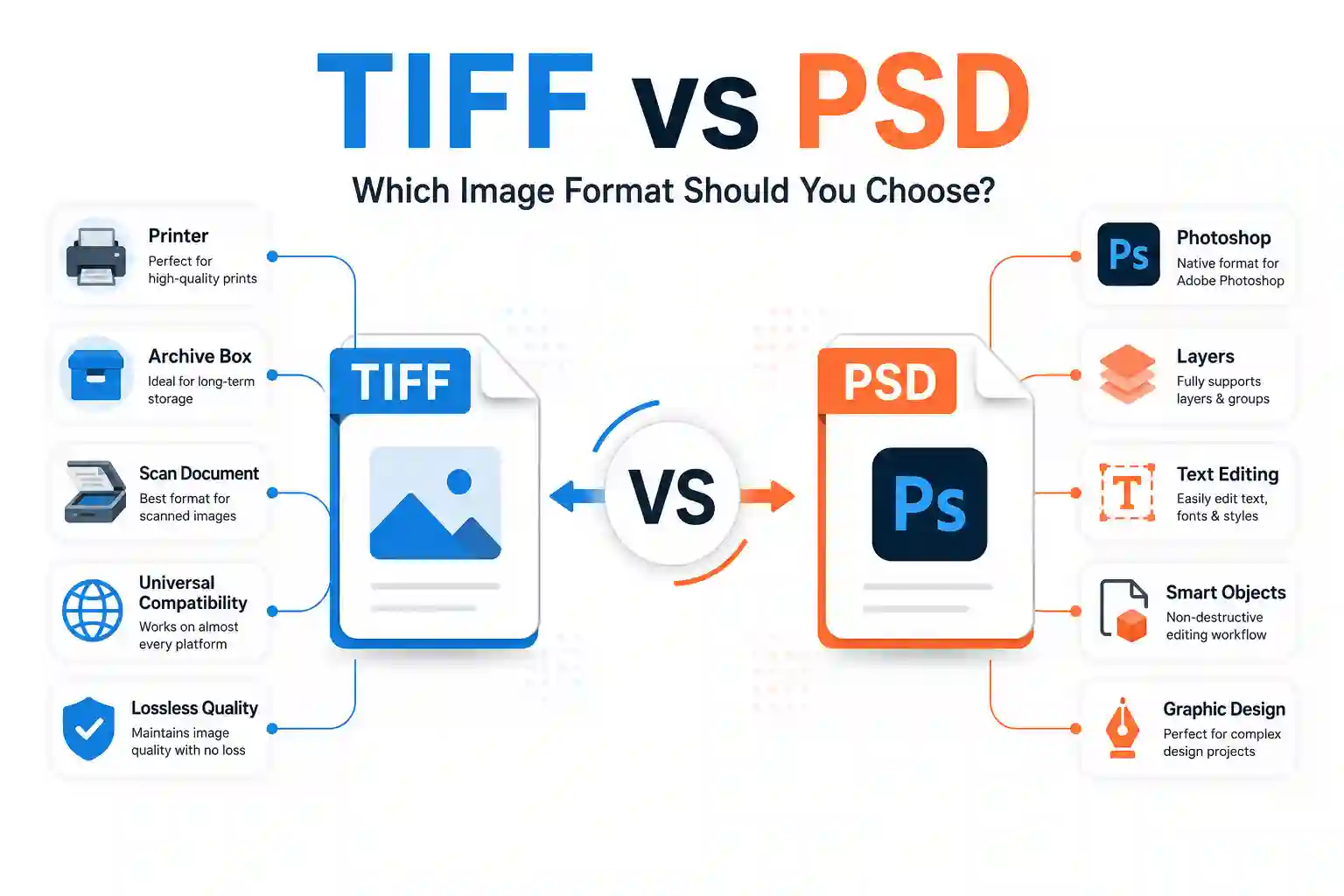
The short answer: Use TIFF as a versatile, universally compatible, lossless archival format for printing, scanning, and sharing master images across different applications and operating systems. Use PSD when you need to preserve complex, editable Photoshop layers, text, filters, and smart objects for ongoing design work. If you need to convert between them or other formats quickly, a browser-based image converter is the most efficient way to handle the job without opening a full editing suite.
In this guide, we will break down the core differences between TIFF and PSD, explore their advantages and disadvantages in practical terms, and help you decide which one genuinely fits your specific workflow. You will also learn how to convert between them efficiently using straightforward online tools.
What Exactly Are TIFF and PSD?
Before we compare them, it helps to understand what each format actually stores and why they exist.
What is a TIFF File?
A TIFF file is a raster image format designed for high-quality, professional-grade graphics. It was created in the 1980s as a standard for storing scanned images, digital photographs, and desktop publishing assets. Because TIFF files are incredibly flexible and supported by virtually every image editing program, printing service, and operating system, they remain the gold standard for archival storage and print production. In fact, the U.S. Library of Congress's Digital Formats documentation describes TIFF as a fully-documented, tag-based wrapper format for raster images, which is one of the main reasons it is trusted as a long-term preservation standard by libraries, archives, and government institutions worldwide.
TIFF supports several compression methods, including lossless compression like LZW and ZIP, allowing you to reduce file size without sacrificing a single pixel of quality. It also supports layers, transparency, and a wide range of color spaces (from grayscale to CMYK).
What is a PSD File?
A PSD file is the native format for Adobe Photoshop. Think of it as a digital workbench rather than a finished product. PSD files preserve every element of your design separately: layers, layer masks, adjustment layers, smart objects, text layers, blend modes, and more. This makes them invaluable during the editing process because you can go back and tweak individual components without starting over. As Adobe's own official Photoshop file formats documentation confirms, PSD is purpose-built to retain full editing flexibility, making it the recommended format whenever a project is still in an active design or revision stage.
Because PSD files are heavily tied to Adobe's ecosystem, they are not universally compatible. Opening a PSD in a non-Adobe program often results in a flattened image, meaning you lose all the layered editing capabilities that make the format useful in the first place.
Key Differences Between TIFF and PSD
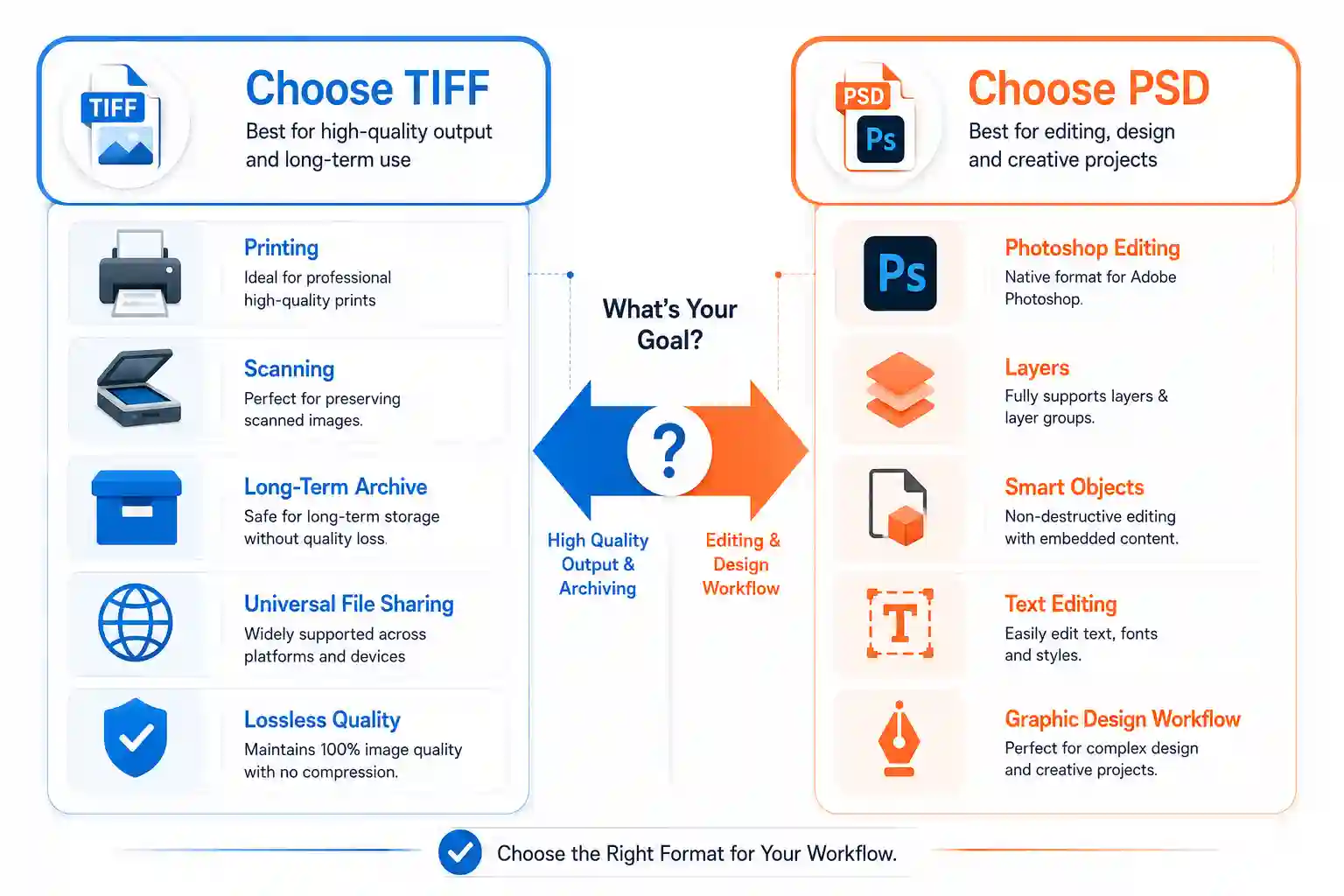
While both formats support layers and high-quality image data, they serve fundamentally different purposes. The table below summarizes the most important distinctions at a glance.
| Feature | TIFF (.tif, .tiff) | PSD (.psd) |
|---|---|---|
| Primary Use | Archival, printing, scanning, image sharing | Active design work, editing, compositing |
| Layer Preservation | Yes, but limited and not widely supported | Yes, full complex layer support |
| Compatibility | Very high – nearly all software and OS | Primarily Adobe products; partial elsewhere |
| Compression | Lossless (LZW, ZIP) or uncompressed | RLE (lossless) or uncompressed; limited compression |
| File Size | Often large, but manageable with compression | Usually very large, especially with many layers |
| Color Spaces | RGB, CMYK, Grayscale, Lab | RGB, CMYK, Grayscale, Lab |
| Best For | Final output, print, sharing master files | Editing, compositing, ongoing projects |
TIFF: A Deep Dive into Pros and Cons
Advantages of TIFF
TIFF is often described as a "master" format because it is designed to be the final, pristine copy of your image. Here is why it excels:
- Universal Compatibility: TIFF files open reliably on Windows, macOS, and Linux without any special software. You will find support in everything from image viewers to CAD programs.
- Lossless Compression: The compression methods used in TIFF (LZW, ZIP, and PackBits) reduce file size but preserve every single pixel perfectly. This is critical for archival, legal, and medical imaging, where even minor data loss is unacceptable.
- Wide Color Support: TIFF supports CMYK, RGB, and Lab color spaces, making it a reliable choice for professional printing workflows.
- Broad Depth: It supports 8-bit, 16-bit, and 32-bit floating-point channels, allowing for enormous tonal and color precision in high-end photography and scientific imaging.
Disadvantages of TIFF
- Large File Sizes: Even with lossless compression, TIFF files can be significantly larger than JPEGs or PNGs. If you are storing thousands of high-resolution images, storage and transfer become real issues.
- Limited Layer Support Outside Adobe: While the TIFF specification supports layers, many applications ignore them or flatten the image on import. If layer editing is your priority, TIFF might frustrate you.
- Not Web-Friendly: Browsers do not natively render TIFF files, so you cannot use them directly on websites without converting them to formats like JPEG, PNG, or WebP.
For a deeper breakdown of these pros and cons, take a look at our dedicated guide on TIFF Advantages and Disadvantages.
PSD: A Deep Dive into Pros and Cons
Advantages of PSD
If you live inside Photoshop, PSD is your native language. Its strengths align perfectly with active creative work:
- Complete Layer Fidelity: PSD stores every layer, mask, adjustment, blend mode, and smart object with complete fidelity. You can open a complex PSD file from years ago and edit each component independently.
- Text Editing: Text layers remain fully editable with their fonts, styles, and formatting intact.
- Smart Objects: You can embed other files (including TIFFs and Illustrator vector graphics) as smart objects, and they remain scalable and editable inside your PSD.
- Seamless Workflow: If you collaborate with other designers or use Adobe Lightroom, Illustrator, and After Effects, PSD files integrate smoothly across the Creative Cloud ecosystem.
Disadvantages of PSD
- Proprietary Format: PSD is owned by Adobe, which means compatibility outside Adobe software is limited or unpredictable.
- Massive File Sizes: PSD files are notorious for being storage hogs. If you work with high-resolution images and many layers, a single file can easily exceed several gigabytes.
- Vendor Lock-In: If you decide to switch to a different design tool (like Affinity Photo or GIMP), you may struggle to open your old PSD files correctly.
For a comparison in a related archival context, check our article on Tiff vs PNG for Scanning Documents and Images.
Practical Use Cases: Which Format Should You Choose?
Choosing between TIFF and PSD ultimately depends on your stage in the production process and what you plan to do with the file.
When TIFF Is the Clear Winner
- Printing and Prepress: Commercial printers universally accept TIFF files because they handle CMYK color spaces perfectly and deliver lossless quality.
- Scanning Documents and Photographs: TIFF is the archival standard for scans, ensuring every detail is preserved in a widely recognized format.
- Sharing Master Files Across Platforms: Need to send a high-quality image to a client who might not have Photoshop? TIFF is safe, reliable, and opens anywhere.
- Long-Term Archival: Because TIFF is an open standard with broad support, your images will likely be accessible for decades to come.
When PSD Is the Clear Winner
- Active Design Projects: If you are still editing, compositing, or retouching, you need the flexibility of layers. PSD is purpose-built for this.
- Collaboration with Adobe Users: If your team works in Photoshop, PSD keeps everything native and compatible.
- Need to Preserve Specific Photoshop Features: Adjustment layers, vectors, text, and smart objects are often lost or flattened in other formats. Stick with PSD to keep them intact.
How to Convert TIFF to PSD (and Vice Versa) Quickly and Safely
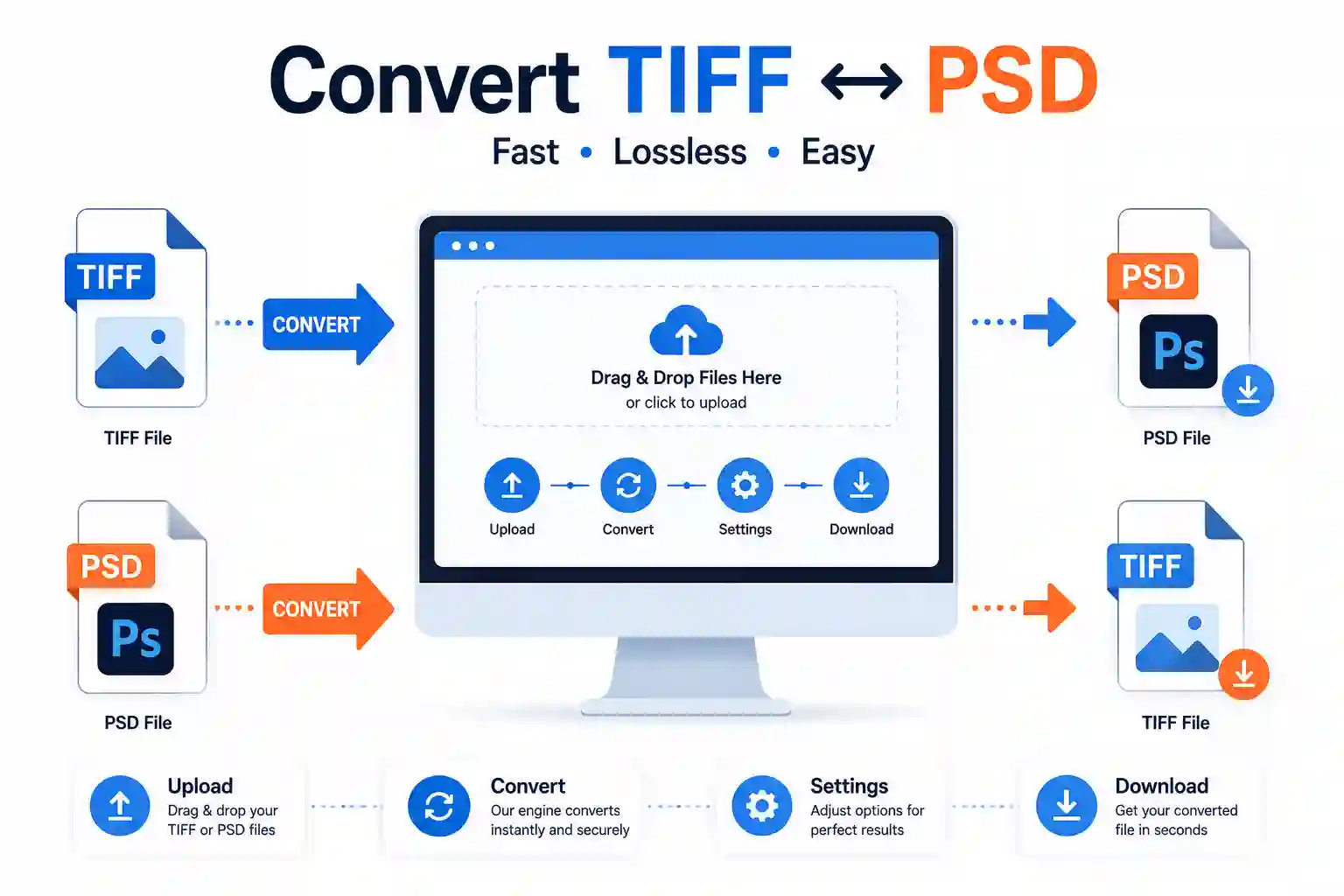
Once you decide which format you need, you will often find yourself needing to convert from one to the other. The most direct way to actually do this is by using a browser-based image conversion tool that handles both formats without requiring you to install heavy desktop software.
A reliable image converter 24 offers a fast, straightforward way to convert TIFF to PSD, PSD to TIFF, or any combination of popular image formats. Here is exactly what it looks like in practice.
When you visit the tool's page, you will see a clear upload area where you can drag and drop your file or click to browse your computer. Once the file is uploaded, the interface displays a preview thumbnail, allowing you to confirm you have the right file before proceeding. You then select your target format—in this case, either PSD or TIFF—from a dropdown menu that lists all supported output types.
After clicking the convert button, the processing typically takes just a few seconds for standard-sized files. Once finished, the tool generates a download link directly on the screen. You can also access a download via the email option if you want to send it to yourself for later. The entire process feels seamless and is clearly designed for people who do not want to fiddle with complex software or command-line utilities.
This approach is particularly well-suited for format conversion because it preserves the original file's quality. The conversion engine uses lossless processing where possible, so you are not degrading your image unnecessarily just to switch formats.
Honest limitation to keep in mind: When converting from PSD to TIFF, note that certain Photoshop-specific features like text layers, adjustment layers, and smart objects will be flattened into the TIFF image. You will lose the ability to edit them later. If you need to preserve those layers, TIFF may not be the best destination format for your active project.
One realistic issue you might run into is that a very large PSD file (say, over 2 GB) can take a bit longer to process and may hit browser upload limits. If you encounter this, you can try reducing your PSD file size by flattening some layers or saving a copy without certain adjustments before uploading. Alternatively, consider splitting the conversion into smaller sessions.
Frequently Asked Questions
Do TIFF files lose quality?
No, TIFF files do not lose quality when saved with lossless compression (like LZW or ZIP) or left uncompressed. Each time you save or reopen a TIFF, the pixels remain exactly as they were. This is what makes TIFF a reliable archival format.
What is TIFF best for?
TIFF is best for high-quality printing, professional scanning, long-term archival, and any situation where you need to share a lossless master image across different platforms and applications.
What are the disadvantages of a TIFF?
The main disadvantages include large file sizes (which can be problematic for storage and sharing), limited layer support outside certain applications, and the fact that web browsers do not display TIFF files natively.
Is TIFF outdated?
No, TIFF is not outdated. While it is not used on the web, it remains one of the most trusted formats in printing, publishing, and professional photography. Its open specification and broad compatibility ensure it remains relevant for archival and production work.
Is TIFF better quality than JPEG?
Yes, TIFF offers better quality than JPEG because TIFF uses lossless compression, preserving every pixel of your image. JPEG uses lossy compression, which discards some data to reduce file size, often resulting in visible artifacts, especially in areas with high contrast or fine detail.
What is so special about PSD?
What makes PSD special is its ability to preserve complex, multi-layer editing information. It stores everything from individual pixel layers to adjustment layers, text, masks, and smart objects, allowing you to go back and modify any component of your design at any time.
How to tell fake PSD?
A fake PSD is often just another image format (like JPEG or PNG) that has been renamed with a .psd extension. You can check by trying to open it in Photoshop. If the file opens as a single, flattened layer and lacks any editable text or layer structure, it is likely a fake. You can also view the file properties; a genuine PSD will usually have metadata indicating Photoshop as the creator.
Is TIFF better than PSD?
It depends on your needs. TIFF is better for final output, printing, and long-term archiving because of its broad compatibility and lossless compression. PSD is better for active editing, as it preserves the full layered structure of a Photoshop file. For sharing finished work, TIFF is often the safer choice.
Is PSD high quality?
Yes, PSD can store extremely high-quality images, supporting up to 30,000 pixels in each dimension and multiple color channels. It uses lossless storage methods (RLE compression), so your image data stays intact. However, the quality of a PSD file is only as good as the source data you put into it.
Is TIFF the highest quality?
TIFF is considered one of the highest-quality image formats available. It stores images without any lossy compression, supports deep color depths (16-bit and 32-bit), and preserves all original pixel data. For archival and professional print work, TIFF is widely regarded as the top-tier quality format.
Is TIFF a Photoshop file?
No, TIFF is not a Photoshop file. It is an independent, open format created for desktop publishing and scanning. However, Photoshop can open and save TIFF files, and Photoshop even allows you to store layers within a TIFF. But TIFF is a universal format, not exclusive to Adobe.
If you want to explore how TIFF compares to other formats in specific contexts, you might also find value in our comparison of TIFF vs PDF for Printing.
Conclusion
Choosing between TIFF and PSD does not have to be difficult. TIFF is your go-to for finished, high-quality, universally accessible images that will stand the test of time in printing and archival. PSD is your best friend while you are still designing, editing, and experimenting.
To make the most of both formats, you need a reliable way to convert between them without sacrificing quality or wasting time. Visit image converter 24 for a straightforward, browser-based solution that handles TIFF, PSD, and many other formats with ease. Give it a try with your next file conversion and experience a smooth, no-fuss workflow that gets you back to work in seconds.
For a broader look at other conversion options, you can also read our guide to the Best Free Image Converter Online to see how different tools compare.