JPG vs WebP | A comprehensive guide with everything you need to know
If you want a faster website and better search engine rankings, the debate of JPG vs WebP is one you can't ignore. While JPEG has been the industry standard for decades, WebP offers modern compression techniques designed for the future of the web. We’ve created this guide to compare these formats head-to-head, ensuring you choose the right one to optimize your site’s load times.
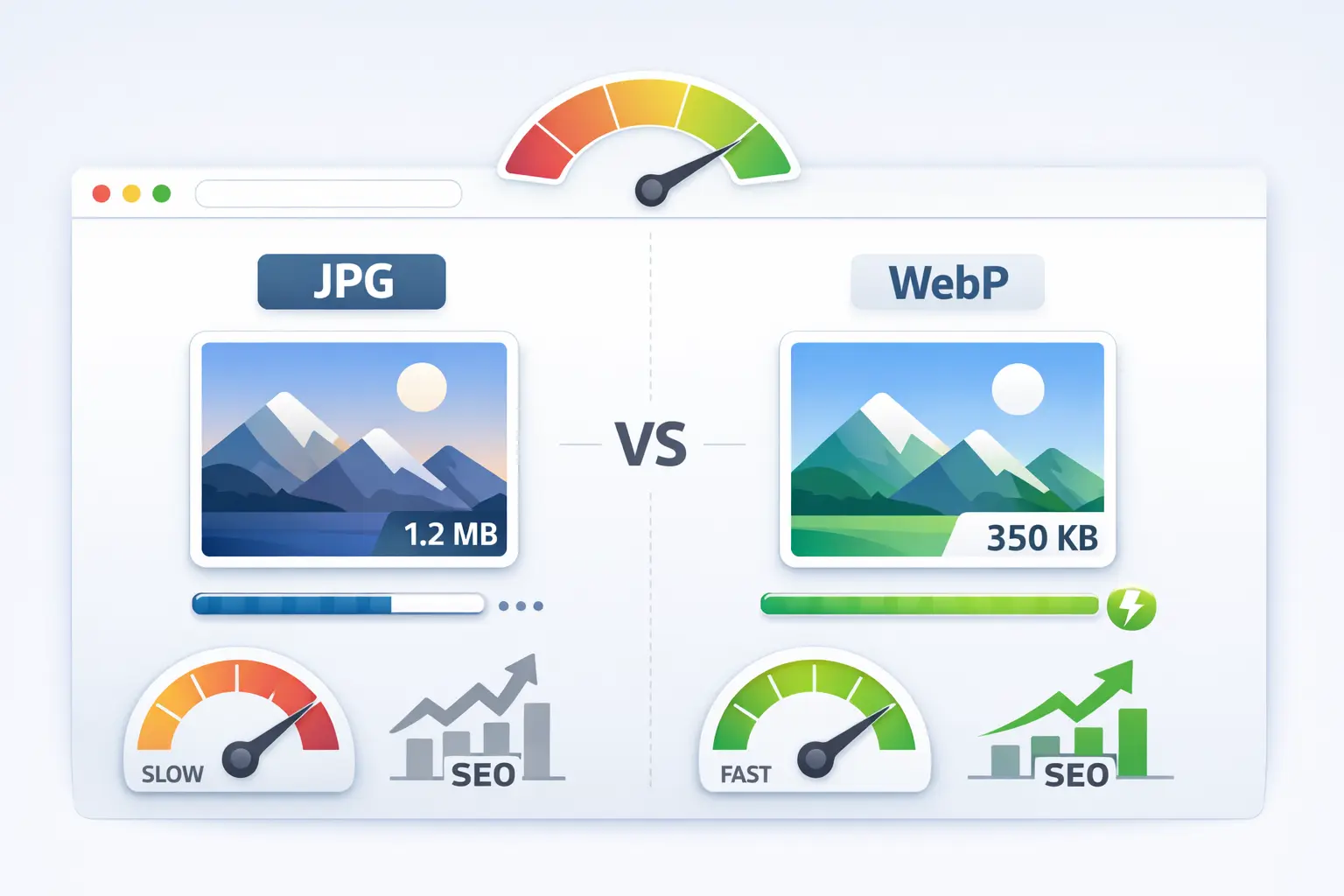
At its core, the battle between JPG and WebP is about balancing quality and file size. JPG is a lossy compression format great for photographs, while WebP is a modern format developed by Google that provides superior lossless and lossy compression. Think of JPG as a reliable, universal tool and WebP as a newer, more efficient multi-tool designed for the modern web. The main difference lies in how they compress data: WebP uses more advanced techniques to create smaller files with comparable, and sometimes better, visual quality than JPG.
Is WebP Better Quality Than JPEG?
This is the first question on everyone's mind. The answer isn't a simple yes or no—it depends on the compression settings. At comparable file sizes, WebP often produces better visual quality with fewer noticeable compression artifacts (like blurring or blocky patterns) than JPG. WebP's secret weapon is its use of more sophisticated prediction and encoding methods.
- Visual Fidelity: In side-by-side comparisons at the same file size, WebP images typically retain sharper edges and more detail in textured areas where JPG might look smudged.
- Artifact Control: The "ringing" and "blocking" artifacts common in highly compressed JPGs are less pronounced in WebP images.
- The Catch: To see a significant quality advantage, you must tune the compression settings. A poorly encoded WebP can look worse than a well-encoded JPG. For a deep dive on this topic, see our detailed analysis on PNG vs JPG vs WebP quality.
So, can WebP be better quality than JPEG? Absolutely, especially when file size is a constraint. But the quality of any compressed image always depends on the encoder's skill and the chosen settings.
Quality Showdown: The Technical Comparison
Let's look at how these formats handle the core task of representing your images. The following table summarizes the key technical differences that impact quality.
| Feature | JPG (JPEG) | WebP |
|---|---|---|
| Compression Type | Lossy (primarily) | Lossy + Lossless |
| Color Profiles | Supports ICC profiles | Supports ICC profiles |
| Transparency | No | Yes (alpha channel) |
| Animation | Not supported | Supported |
Note for Photographers: For archival purposes where every detail matters, lossless formats like TIFF or RAW are still king. However, for web display where bandwidth is key, WebP's lossy compression offers a better quality/size trade-off than JPG in most cases.
File Size and Compression: The Biggest Win for WebP
This is where WebP truly shines. The primary goal of modern image formats is to deliver excellent visuals in the smallest possible package. WebP's advanced compression algorithms routinely create files 25-35% smaller than equivalent-quality JPGs. For lossless compression, WebP images can be 26% smaller than PNGs.
- Predictive Coding: WebP uses predictive technology to guess pixel values, encoding only the difference. This is more efficient than JPG's method of processing blocks independently.
- Adaptive Block Sizes: It can use different block sizes for different parts of the image, applying the most efficient compression locally.
- The Real-World Impact: Smaller files mean faster page loads, less bandwidth usage for you and your visitors, and improved Core Web Vitals scores (like Largest Contentful Paint), which are direct SEO ranking factors.
Is WebP High Quality?
Yes, WebP is absolutely a high-quality format. The misconception that "smaller file size means lower quality" is broken by WebP. It is engineered to be a high-fidelity format. You can produce WebP images that are visually indistinguishable from the original source, especially when using its lossless mode or a high-quality lossy setting.
The key is to use proper conversion tools and settings. A high-quality WebP image will have:
- Crisp details without blurring.
- Accurate and vibrant colors.
- No jagged edges or visible block patterns.
- Smooth gradients without banding.
For critical images, always start with the highest quality source (like a PNG or TIFF) and use a reliable tool to convert image to WebP without losing quality.
Browser and Platform Support
JPG's greatest strength has been its universal support. Every browser, device, and operating system made in the last 25 years can display a JPG. WebP support is now excellent but not quite absolute.
- Excellent Support: Chrome, Firefox, Edge, and Opera have fully supported WebP for years.
- Good Support: Safari added support in version 14 (2020), meaning all major modern browsers now handle WebP.
- The Gap: Very old browsers (like Internet Explorer) do not support WebP. The practical solution is to use HTML's
<picture>element to serve WebP to supporting browsers and provide a JPG fallback for others. This ensures everyone sees an image.
For all intents and purposes, in 2024, you can safely use WebP for the vast majority of your web visitors.
Should I Convert WebP to JPG?
Generally, no. Converting a WebP back to JPG is usually a step backward. You'll likely lose quality (if going from lossy WebP to lossy JPG) or end up with a much larger file (if going from lossless WebP). Only do this if you have a specific compatibility requirement for a system that absolutely cannot handle WebP.
Valid reasons to convert WebP to JPG might include:
- Submitting to a print service or archaic CMS that only accepts .jpg/.jpeg.
- Editing in very old image software that lacks WebP plugins.
- If the original WebP was saved at very low quality and you want to attempt salvage (though results are often poor).
If you must convert, use a high-quality converter and set the JPG quality high to minimize further degradation. Learn the proper steps in our guide on how to convert an image to JPEG format.
Why Convert JPG to WebP?
This is the direction you should be moving. Converting your existing site's JPGs to WebP is one of the fastest and most effective website optimizations you can perform.
- Speed Boost: Smaller images load faster, directly improving page speed and user experience.
- SEO Advantage: Google prioritizes fast websites. Faster load times can improve your search rankings.
- Bandwidth Savings: Reduces data transfer costs for you and makes your site more accessible to users on slow connections or metered data.
- Modern Features: Gain the ability to have transparency and animation in a single, efficient format.
"For most websites, systematically converting JPG and PNG images to WebP is the single biggest image optimization win available today. The performance payoff is immediate and significant."
Impact on Website Loading Speed
Images are often the largest resources on a web page. Switching from JPG to WebP directly reduces the amount of data the browser needs to download. This has a cascading positive effect:
- Faster First Render: The page can start displaying content quicker because critical images arrive sooner.
- Improved Core Web Vitals: Metrics like Largest Contentful Paint (LCP)—which measures how long it takes for the main content to load—get better instantly.
- Lower Resource Burden: Your server can handle more traffic with the same resources because it's sending smaller files.
Think of it as replacing heavy, bulky crates with compact, lightweight boxes. The same content arrives, but the delivery is much more efficient.
How to Use WebP on Your Website
Adopting WebP doesn't mean deleting all your JPGs. Follow this practical strategy:
- Audit & Convert: Use a bulk image converter or a build tool (like Sharp for Node.js or WebP plugins for WordPress) to convert your existing JPGs/PNGs to WebP.
- Implement the <picture> Element: This is the professional, fail-safe method.
The browser picks the WebP if it can; otherwise, it falls back to the JPG seamlessly.<picture> <source srcset="image.webp"
type="image/webp"> <img src="image.jpg"
alt="Description"> </picture> - Configure Your Server: For advanced users, you can set up content negotiation (using `.htaccess` on Apache or NGINX config) to automatically serve WebP when the browser supports it, without changing your HTML.
- Future-Proof Your Workflow: Start saving and exporting new images directly as WebP from your image editing software or conversion tools.
When to Stick with JPG
WebP isn't always the automatic choice. JPG is still preferable in a few scenarios:
- Maximum Compatibility: For email newsletters, as many email clients still have spotty WebP support. JPG is the safer bet. For document scanning intended for email, we still recommend PDF or JPG as the best format to scan documents for email.
- Print-Ready Graphics: Most professional print shops expect high-resolution JPG or TIFF files.
- Legacy Systems: Internal systems or software that haven't been updated in a decade may require JPG.
The Verdict: Is WebP a Better Alternative to JPG for the Web?
Yes, for the vast majority of use cases, WebP is a superior alternative to JPG for website images.
The evidence is clear: WebP provides smaller file sizes, equal or better visual quality, and bonus features like transparency. The browser support gap has effectively closed for modern users. The benefits for site speed, user experience, and SEO are tangible and significant.
The smart approach is a hybrid one: use the `
Start your optimization journey today. Audit your site's images, convert your galleries and hero images to WebP, and feel the difference in speed. Your visitors—and Google—will thank you for it.
Final Summary: JPG is the dependable, universal format of the past. WebP is the efficient, feature-rich format of the present and future. For any website owner or developer focused on performance, adopting WebP is no longer an optional upgrade—it's an essential best practice for modern web development.
Convert images faster, without complexity.
Open Image Converter With Image Converter 24, you can switch between TIFF, JPG, PNG, and WebP formats in seconds. No downloads, no setup — just simple and reliable image conversion directly in your browser.