TIFF vs JPEG2000 for Photos: Which Format Should You Use?
If you shoot or archive photos professionally, you have probably run into both TIFF and JPEG2000 and wondered which one actually deserves your storage space. They solve similar problems — keeping image quality intact — but they go about it in very different ways, and picking the wrong one can cost you either disk space or image fidelity down the line.
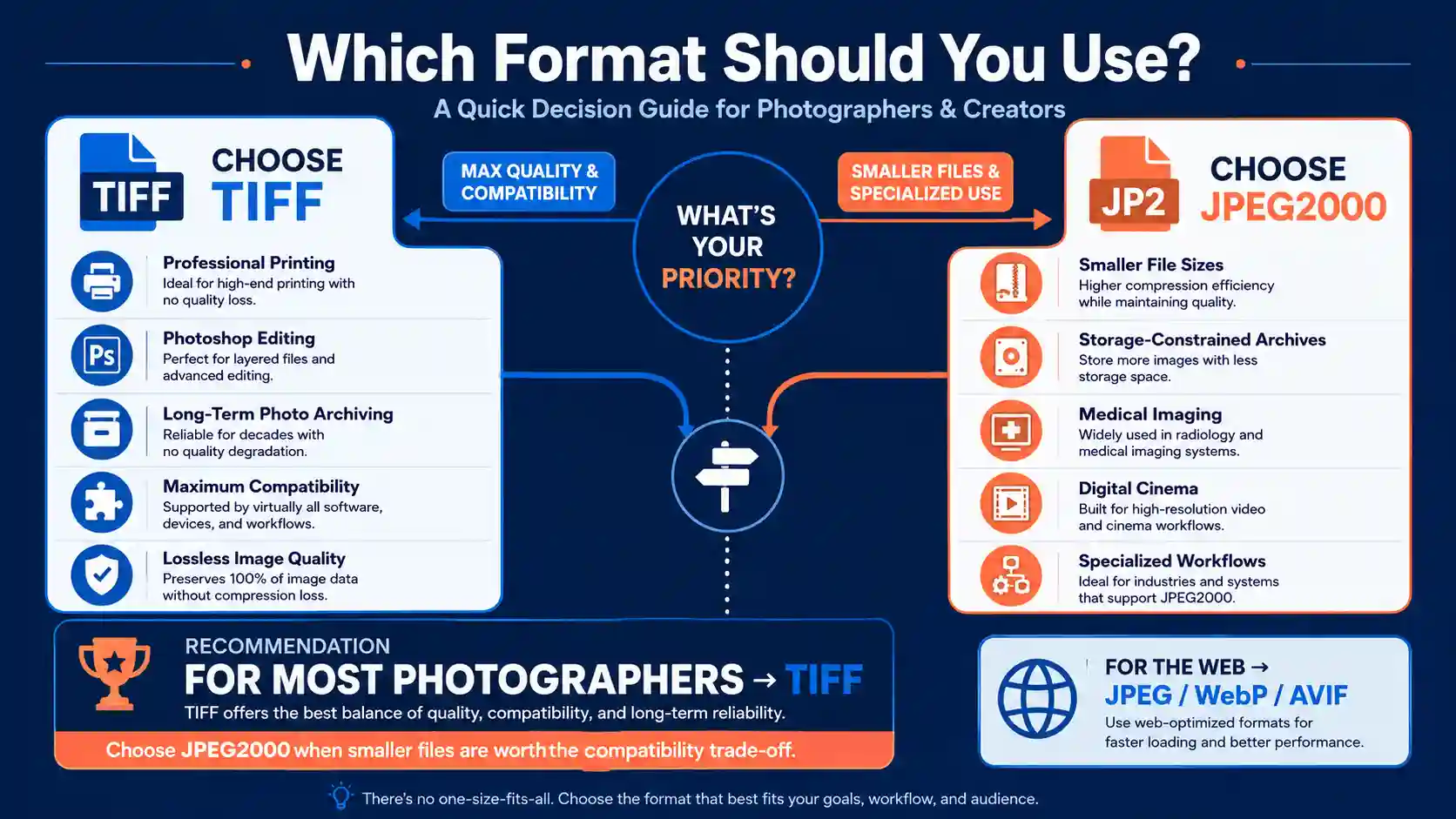
For most photographers and archivists, TIFF is the safer default for photos because it is universally supported, can be fully lossless, and works with virtually every editing and printing workflow. JPEG2000 can match or beat TIFF on file size at similar quality, but its narrower software support makes it a riskier long-term choice. If you need to convert between the two quickly, a browser-based image converter is the fastest way to test both and compare the results yourself.
This guide walks through how each format actually works, where they differ in quality and file size, how to convert between them without losing data, and which one fits specific use cases like printing, Photoshop workflows, video, and the web.
What TIFF and JPEG2000 Actually Are
TIFF (Tagged Image File Format) has been around since the mid-1980s and is the closest thing photography and publishing have to a universal standard for high-fidelity image storage. It is a container format, meaning a single .tiff file can hold uncompressed pixel data, losslessly compressed data (typically using LZW or ZIP compression), layers, multiple pages, color profiles, and extensive metadata. Because it does not force any particular compression scheme, a TIFF file can be enormous or moderately sized depending on how it was saved.
JPEG2000 is a newer format, standardized in 2000, built specifically to fix weaknesses in the original JPEG standard. It uses wavelet-based compression instead of the block-based DCT compression that regular JPEG uses, which avoids the blocky artifacts JPEG produces at high compression ratios. JPEG2000 can be either lossy or fully lossless, and it supports progressive decoding, meaning a viewer can load a low-resolution preview first and refine it as more data streams in. It is used heavily in medical imaging, digital cinema (DCP files), and some archival institutions, but it never achieved mainstream adoption outside those niches.
The core distinction to remember: TIFF prioritizes universal compatibility and flexible compression, while JPEG2000 prioritizes compression efficiency at the cost of software support.
TIFF vs JPEG2000: Quality Comparison
When both formats are set to lossless mode, there is no meaningful quality difference between them — every pixel value is preserved exactly, so a lossless TIFF and a lossless JPEG2000 of the same source image are visually and mathematically identical once decoded.
The real difference shows up when compression is introduced. Standard TIFF compression (LZW or ZIP) is always lossless, so quality is never a variable — you either get the full file or you don't save space. JPEG2000, on the other hand, offers a lossy mode that compresses far more aggressively than lossless TIFF while preserving noticeably more detail than a comparably sized regular JPEG. At moderate lossy compression ratios, JPEG2000 tends to hold onto fine detail and gradients better than JPEG, with fewer of the blocky artifacts that show up in shadows and skies. Where TIFF still wins is in fine control: because TIFF's compression is always lossless, there is no risk of accidentally introducing artifacts through an aggressive quality setting, which matters for archival work where the file may be re-edited or re-printed years later.
TIFF vs JPEG2000: File Size Comparison
This is where JPEG2000 has a real, measurable advantage. A lossless JPEG2000 file is typically 20-30% smaller than the equivalent lossless TIFF, because wavelet compression is simply more efficient at squeezing out redundancy than the LZW or ZIP algorithms TIFF relies on. In lossy mode, the gap widens dramatically — a JPEG2000 file compressed to a visually similar quality level to a full-resolution TIFF can be a fraction of the size, sometimes under 10% depending on the source image's detail and noise levels.
For a photographer archiving thousands of high-resolution images, that size difference adds up to real storage cost. The tradeoff is that TIFF's larger files come with a guarantee: any software from the last three decades can open them. JPEG2000's smaller files come with a dependency on having the right decoder installed, which is a bigger practical risk than it sounds.
| Factor | TIFF | JPEG2000 |
|---|---|---|
| Lossless option | Yes, always available | Yes, both modes supported |
| Typical file size | Larger, especially uncompressed | Smaller at equal quality |
| Software compatibility | Near-universal | Limited, needs specific plugins/apps |
| Best use case | Print, editing, general archiving | Medical imaging, cinema, space-constrained archives |
| Progressive loading | No | Yes |
If you want a deeper breakdown of TIFF's strengths and weaknesses on their own, this TIFF Advantages and Disadvantages guide covers that in more detail.
Converting Between TIFF and JPEG2000
The most direct way to actually move between these two formats — without opening a full desktop editor just to run an export — is a browser-based image converter. Instead of installing dedicated JPEG2000 plugins for your operating system or editing software, you can upload a file, choose the target format, and get a converted image back in seconds.
A free tool worth using for this is the Free unlimited image converter online. Here's how the conversion generally works with a tool like this:
- Open the converter and drag your TIFF or JPEG2000 file into the upload area, or use the file picker if you're on mobile.
- Select your target format from the dropdown — TIFF if you're converting from JPEG2000, or JPEG2000 if you're going the other way.
- If the tool offers a quality or compression setting, choose lossless if you're archiving or plan to re-edit the file later, or a lossy setting if file size is the priority and the image is for final delivery.
- Start the conversion. For a single high-resolution photo this typically takes only a few seconds; batches of large TIFFs will take longer depending on file size and your connection.
- Download the converted file once it's ready, and open it in your usual viewer or editor to confirm the colors and detail look right before you delete the original.
This kind of tool fits this specific problem well because it removes the software-compatibility barrier that makes JPEG2000 painful to work with day to day — you don't need a codec pack or a specialized viewer just to check whether a converted file opened correctly.
Honest limitation: browser-based converters, including this one, generally recompress the image during conversion rather than doing a byte-for-byte lossless transcode in every case. For most photography use this is not noticeable, but if you need a guaranteed bit-perfect lossless conversion for scientific or legal archiving, verify the output with a checksum or visual diff before relying on it, and consider a desktop tool with an explicit lossless transcode mode as a backup option.
Common issue: if a converted JPEG2000 file won't open in your usual photo viewer, it's almost always because that viewer lacks a JPEG2000 codec, not because the conversion failed. Try opening the file in a browser tab, a codec-agnostic viewer, or an editor known to support JPEG2000 (like recent versions of Photoshop) to confirm the file itself is intact before troubleshooting further.
JPEG2000 vs TIFF for Printing
For professional and commercial printing, TIFF remains the industry default. Print shops, prepress software, and RIP (raster image processor) systems are built around TIFF and CMYK-flattened PDF workflows, and most will not accept JPEG2000 files at all. TIFF's support for embedded ICC color profiles and its lossless compression options make it the safer choice when color accuracy on the final printed piece matters.
JPEG2000 can technically hold enough quality for print, and it is used in some specialized workflows like large-format scanning and digital cinema printing masters, but you should confirm with your specific print vendor before submitting JPEG2000 files. If there's any doubt, converting to TIFF first removes the risk entirely. For a closer look at how each format handles print-specific concerns like color profiles and DPI, see this guide on jpeg2000 vs tiff for printing.
JPEG2000 vs TIFF for Photoshop
Recent versions of Adobe Photoshop support both formats natively, but the day-to-day experience differs. TIFF opens and saves near-instantly, preserves layers, and integrates cleanly with Photoshop's own compression options in the save dialog. JPEG2000 support in Photoshop is more limited — layers are typically flattened on export, and not every Photoshop plugin or third-party extension handles JPEG2000 correctly, especially older ones.
If you're doing active retouching, compositing, or multi-layer work, TIFF is the more practical working format — save your working file as TIFF, and only convert to JPEG2000 at the final export stage if storage efficiency matters for delivery. A full breakdown of Photoshop-specific behavior for both formats is available in this jpeg2000 vs tiff for photoshop comparison.
JPEG2000 vs TIFF for Web
Neither format is a good fit for the web in its raw form. TIFF files are far too large for web delivery and are not natively supported by any major browser without a plugin. JPEG2000 has slightly better browser support in specific cases (Safari has some native decoding support), but it is not reliably supported across Chrome, Firefox, and Edge, which makes it an unsafe choice for a public-facing website.
For web use, standard JPEG, WebP, or AVIF are almost always the better choice — they're universally supported and built for exactly this purpose. If your source photos are stored as TIFF or JPEG2000 for archival reasons, convert them down to a web-friendly format only at the point of publishing, keeping the high-quality originals untouched in storage. More detail on this specific tradeoff is covered in jpeg2000 vs tiff for web.
If you also work with video assets, it's worth knowing that JPEG2000 shows up there too, particularly in digital cinema packages. That's a different comparison than photography, and it's covered separately in jpeg2000 vs tiff for video. And if you're weighing JPEG2000 against standard JPEG rather than TIFF, that comparison is broken down in JPEG2000 vs JPEG.
Frequently Asked Questions
What is the main difference between TIFF and JPEG2000?
TIFF is a flexible container format that supports uncompressed or losslessly compressed image data and is supported by nearly all image software. JPEG2000 is a wavelet-based compression format that can be lossless or lossy, generally produces smaller files than TIFF at similar quality, but has much narrower software support.
Is TIFF better than JPEG2000 in terms of image quality?
In lossless mode, quality is identical between the two formats. In lossy mode, JPEG2000 generally preserves more detail than standard JPEG at the same file size, but TIFF avoids the question entirely since its compression is always lossless.
Which format is better for long-term photo archiving, TIFF or JPEG2000?
TIFF is generally the safer choice for long-term archiving because of its universal software support — a file you save today will almost certainly still be openable decades from now. JPEG2000's smaller file sizes are appealing for large archives, but the risk of future software dropping support makes it a less certain long-term bet.
Does JPEG2000 support lossless compression like TIFF?
Yes. JPEG2000 has a dedicated lossless compression mode that preserves every pixel exactly, in addition to its more commonly used lossy mode.
Which file format takes up more storage space, TIFF or JPEG2000?
TIFF files are typically larger. A lossless JPEG2000 file is usually 20-30% smaller than an equivalent lossless TIFF, and the gap grows much larger when JPEG2000's lossy mode is used.
Can JPEG2000 be used for professional printing like TIFF?
It can technically hold sufficient quality, but most commercial print shops and prepress systems are built around TIFF and do not accept JPEG2000 files. Always confirm accepted formats with your specific print vendor before submitting JPEG2000.
What software supports opening and editing TIFF and JPEG2000 files?
TIFF is supported by virtually every image editor, operating system preview tool, and print workflow. JPEG2000 support is more limited — recent Photoshop versions handle it, along with some medical imaging and GIS software, but many general-purpose viewers and older editing tools do not support it without an additional codec.
Which is better for professional photographers: TIFF or JPEG2000?
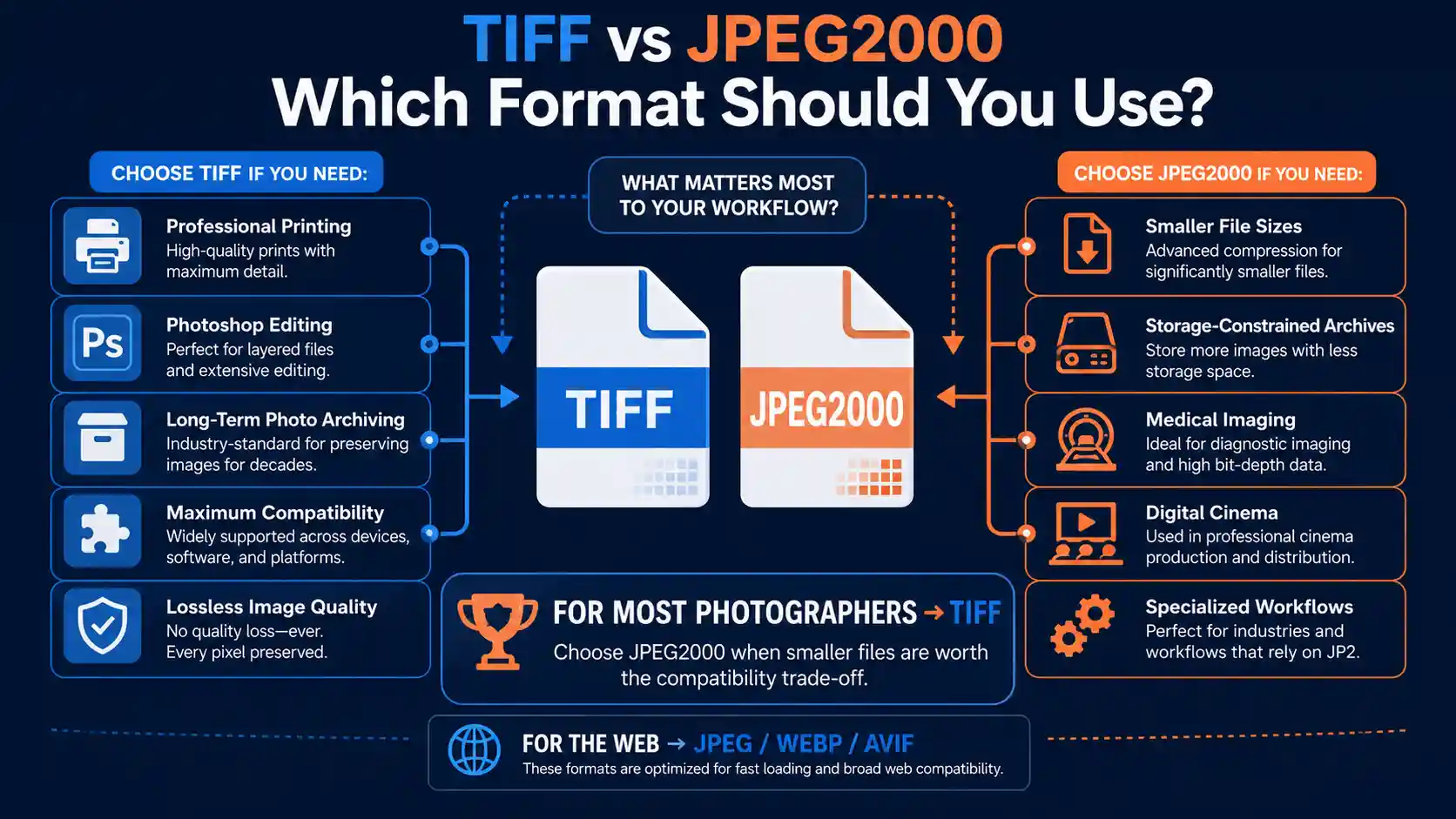
TIFF is the more practical everyday choice for photographers because of its editing compatibility, print-industry support, and guaranteed lossless option. JPEG2000 is worth considering only if storage space is a serious constraint and you're confident every part of your workflow can handle the format.
Conclusion
TIFF and JPEG2000 both solve the problem of preserving image quality, but they make different tradeoffs to get there. TIFF trades file size for near-universal compatibility and editing flexibility, which is why it remains the default for photography, printing, and archiving. JPEG2000 trades that compatibility for meaningfully smaller files, which makes sense in specific niches like medical imaging and digital cinema, but is a riskier bet for everyday photo work.
For most photographers, the practical approach is to keep your working and archival files in TIFF, and only reach for JPEG2000 if you have a specific, confirmed need for its smaller footprint. When you do need to move between the two, the fastest way to solve it is with the Free unlimited image converter online — upload your file, pick the target format, and download the result in seconds, with no software to install.