The Ultimate APNG vs WebP Full Comparison Guide
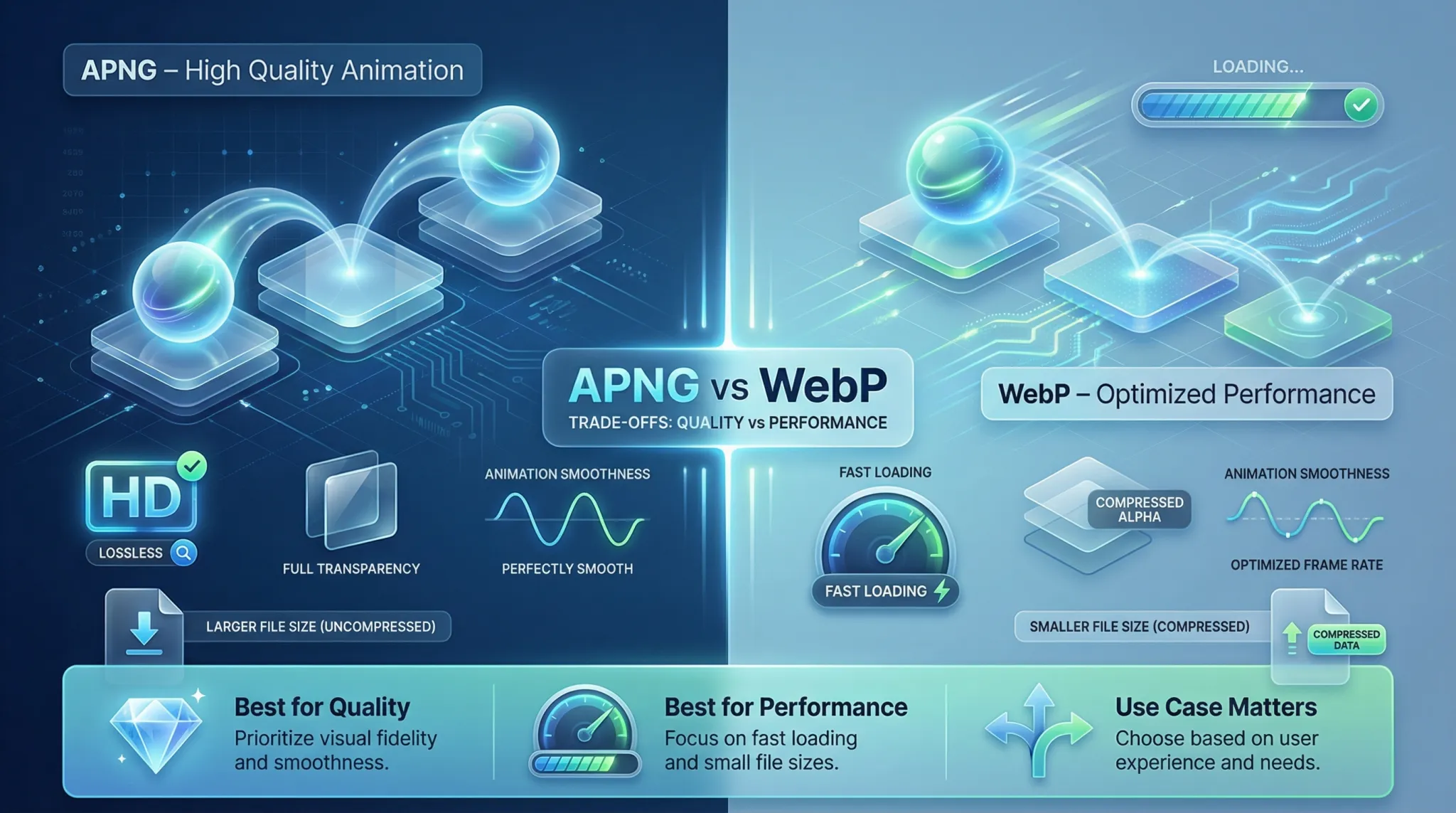 |
| A detailed visual comparison of APNG vs WebP for modern web animation. |
What is an APNG file?
Developers created APNG to offer a higher quality alternative to older animation formats. When you define your needs, you will find that APNG provides millions of colors and perfect transparency. Because it builds upon standard PNG structures, browsers that do not support animation will simply display the first frame as a static image. You can learn more about the technical structure and the correct MIME type for PNG to ensure your server handles these files correctly. Furthermore, you can follow these key points to understand APNG better:
- It delivers lossless compression, meaning the animation loses zero quality during the saving process.
- It supports 24-bit color depth, which allows for vibrant and highly detailed animated graphics.
- It includes 8-bit alpha transparency, letting developers create smooth edges without the ugly white halos found in older formats.
- You can use it for high-end UI elements, loading spinners, and detailed digital stickers.
- It requires more storage space compared to lossy formats because it preserves every pixel of data.
- Many modern browsers support it seamlessly, making it a reliable choice for premium web design.
Can WebP files be animated?
- Smaller File Sizes 📌 WebP animations usually take up significantly less space than their alternatives, reducing server load.
- Faster Loading Speeds 📌 Because the files are smaller, pages load much faster, which directly improves user experience.
- Lossy and Lossless Options 📌 You can compress the image heavily for speed, or keep it lossless for better detail.
- Alpha Transparency 📌 Just like APNG, WebP supports transparent backgrounds even in its animated form.
- Google Ecosystem Support 📌 Google heavily pushes WebP, making it a standard for SEO and web performance.
- Mobile Optimization 📌 Smaller sizes mean less bandwidth usage, which is perfect for mobile users with limited data plans.
Are APNGs better than GIFs?
- Color Depth APNG handles 24-bit colors. You get photorealistic animations without the ugly color banding found in GIFs.
- Alpha Channel Support APNG allows for varying levels of transparency. You can create soft shadows and smooth borders that blend into any background.
- File Size Efficiency While APNGs are larger than WebP, they are often smaller or similarly sized to GIFs, despite offering exponentially better quality.
- Backward Compatibility If a browser fails to load the APNG animation, it gracefully degrades to a crisp, high-quality static PNG image.
- No Licensing Issues GIF used to have patent restrictions. APNG is open and free to use across any platform.
What format is better than WebP?
When you evaluate the apng vs webp discussion, you must also look at the future. AVIF uses the AV1 video codec to compress images. It outperforms WebP in almost every compression test. However, "better" depends on your specific use case. If you need flawless, uncompressed animation with zero data loss, APNG is better than WebP. If you need maximum compatibility and tiny file sizes today, WebP remains the king.
You can boost your site in search engine results and make it more popular by choosing the format that balances quality and speed. Focus on improving your image delivery, and you can increase traffic, improve conversion rates, and build a strong online reputation. Do not ignore this vital aspect of your digital marketing strategy. Dedicate the necessary time and effort to optimize your media for sustainable online success.
APNG vs WebP: Support for Animated Images
Both formats excel at handling animated images, but they do so using different technical approaches. Your success in web development depends on understanding how these formats render motion on a screen.
- Frame Rate Handling 👈 APNG processes frames identically to standard PNGs, ensuring crisp, frame-by-frame perfection. WebP uses video compression techniques to predict motion between frames.
- Looping Capabilities 👈 Both formats allow infinite looping or specific loop counts. You can easily set your animations to play once or repeat endlessly.
- CPU Processing Power 👈 APNG generally requires less CPU power to decode because it uses simpler algorithms. WebP requires slightly more processing power to decode its complex predictive frames.
- Visual Artifacts 👈 Because APNG is lossless, you will never see compression blocks or artifacts. Lossy animated WebP might show slight blockiness during fast-moving scenes.
- Color Accuracy 👈 APNG maintains absolute color accuracy across all frames. WebP might slightly shift colors if you apply heavy lossy compression to save space.
APNG vs WebP: Image Quality and Transparency
- Absolute Lossless Quality APNG is strictly lossless. It preserves every single pixel exactly as you designed it. WebP offers a lossless mode, but developers typically use its lossy mode to save space.
- Smooth Alpha Transparency Both formats support 8-bit alpha channels. However, APNG handles translucent gradients with slightly more mathematical precision, making it ideal for soft shadows over complex backgrounds.
- Text and Sharp Edges If your animation includes readable text or sharp vector-style logos, APNG keeps the edges incredibly sharp. Lossy WebP can sometimes blur fine text edges.
- Color Bleeding Avoidance APNG prevents color bleeding entirely. WebP, when compressed aggressively, might show slight color blending along high-contrast borders.
- Photographic Animation For animations made from real photographs (like short video clips), WebP is vastly superior because its lossy algorithm blends photographic noise beautifully.
- Consistency Across Devices Because APNG retains all data, it looks identical on a 4K retina display and a standard monitor. WebP looks great, but heavy compression might become visible on ultra-high-definition screens.
APNG vs WebP: File Size and Compression Efficiency
Continuing your learning and evolution is essential to achieve success in web optimization. Modern web standards require you to keep your file sizes as small as possible without destroying the visual experience. In the apng vs webp comparison, file size is where the battle truly happens.
Invest time in understanding compression. APNG uses standard Deflate compression. It only saves the pixels that change from one frame to the next, which is a smart way to reduce size compared to saving full static images sequentially. However, it still holds a massive amount of data. If you have a complex animation with many moving parts, an APNG file will become very large, very fast.
On the other hand, WebP uses predictive coding based on the VP8 video codec. This means WebP looks at surrounding pixels and predicts what the next frame will look like, only storing the mathematical differences. This results in incredibly tiny file sizes. An animated WebP can easily be 50% to 80% smaller than the exact same animation saved as an APNG. If page speed is your main goal, WebP wins this category effortlessly.
Ultimately, the web developer's commitment to continuous learning reflects their true desire to grow and provide added value to their users. Building strong, fast-loading websites leads to sustained success in the digital landscape.
Browser Compatibility and Best Use Cases
Browser Compatibility Overview:
- Google Chrome supports both formats natively.
- Mozilla Firefox offers full support for both formats.
- Apple Safari supports APNG perfectly and added WebP support in recent updates.
- Microsoft Edge handles both formats without any issues.
- Mobile browsers (iOS Safari and Android Chrome) render both efficiently.
Best Use Cases for APNG:
- High-resolution digital art and illustrations.
- Logos with complex transparent backgrounds.
- UI elements where pixel-perfect accuracy is mandatory.
Best Use Cases for WebP:
- Website hero banners and large animated backgrounds.
- E-commerce product animations where loading speed directly impacts sales.
- General blog graphics and social media sharing thumbnails.
How to Convert and Optimize Your Images
Instead of downloading heavy software, developers recommend using reliable online platforms. You can easily drag and drop your files into a free unlimited image converter to transform your heavy animations into lightweight, web-ready formats instantly. These tools apply the best compression algorithms automatically, saving you hours of manual tweaking.
For switching an old GIF to WebP, or extracting frames from an APNG, using a dedicated online tool ensures you maintain perfect transparency and smooth framerates. Make it a habit to run all your website media through a trusted image converter 24 platform before uploading them to your server. This simple step guarantees faster loading times and happier visitors.
Quick Comparison Table
Additionally, the site owner must adopt effective strategies to improve site visibility through search engine optimization (SEO) techniques, and selecting the right media formats is central to this. By utilizing the apng vs webp knowledge in a balanced and thoughtful manner, web creators can build a wide audience and achieve massive success and influence in the digital space.