HEIF vs HEVC - What Is the Difference?
HEIF is a file container for images, while HEVC (also called H.265) is a compression codec. They are often used together—HEIF files can use HEVC compression to create smaller, higher-quality images. But they are not the same thing.
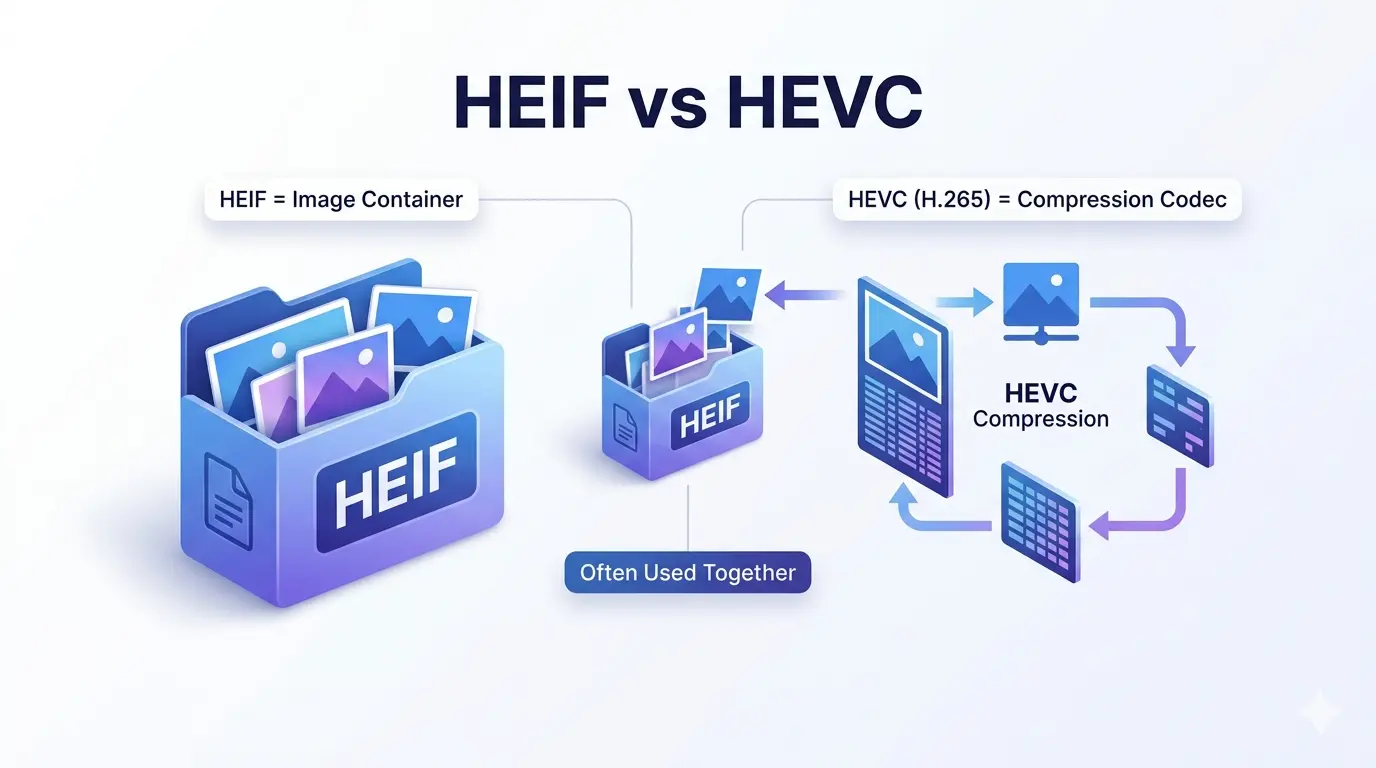
This guide explains the difference between HEIF and HEVC in plain English. You will learn what each term means, how they work together, and why your iPhone uses them.
If you own an iPhone, you have probably seen HEIC files. You might have also heard of HEVC. Many people confuse these terms or think they are the same thing. They are not.
Let us clear up the confusion once and for all.
What is HEIF?
HEIF stands for High Efficiency Image File Format. It is a container format for storing images and image sequences.
Key things to know about HEIF:
Key things to know about HEIF:
- It is a container, not a compression method
- It can store multiple images in one file (like bursts or live photos)
- It supports image sequences, thumbnails, and metadata
- It can use different compression codecs internally
- HEIC files are HEIF files that typically use HEVC compression
- Apple adopted HEIF as the default format on iPhones starting with iOS 11
Think of HEIF as a digital envelope that can hold one or more pictures, along with information about those pictures.
What is HEVC?
HEVC stands for High Efficiency Video Coding. It is also known as H.265. It is a compression codec used for both video and images.
Key things to know about HEVC:
Key things to know about HEVC:
- It is a compression algorithm (codec), not a file format
- It compresses data much more efficiently than older standards like H.264
- For images, HEVC can create files about 50% smaller than JPEG at the same quality
- It requires more processing power to encode and decode
- It is used in HEIF files (HEIC) for image compression
- It is also widely used for 4K video and streaming
Think of HEVC as the method for squeezing the picture data into a smaller size.
Is HEIC better than HEIF?
This question is a bit like asking "Is a car better than a vehicle?" HEIC is a type of HEIF file.
HEIF is the overall container format standard.
HEIC is the specific file extension used for HEIF files that contain HEVC-compressed images. When Apple uses HEIF with HEVC compression, they call the resulting files .heic.
So HEIC files are HEIF files. They are not different formats—HEIC is just a specific implementation of HEIF.
HEIF is the overall container format standard.
HEIC is the specific file extension used for HEIF files that contain HEVC-compressed images. When Apple uses HEIF with HEVC compression, they call the resulting files .heic.
So HEIC files are HEIF files. They are not different formats—HEIC is just a specific implementation of HEIF.
Does HEIF reduce image quality?
No, HEIF itself does not reduce quality. The quality depends on the compression codec and settings used inside the HEIF container.
When HEIF uses HEVC compression, it can actually maintain better quality at smaller file sizes compared to JPEG. At the same file size, HEIC images look better than JPEG. At the same quality, HEIC files are about half the size.
HEIF can also store lossless images (like PNG) without any quality loss at all.
When HEIF uses HEVC compression, it can actually maintain better quality at smaller file sizes compared to JPEG. At the same file size, HEIC images look better than JPEG. At the same quality, HEIC files are about half the size.
HEIF can also store lossless images (like PNG) without any quality loss at all.
What is HEIC HEIF format?
HEIC is the file extension used for HEIF files that contain images compressed with HEVC. When you take a photo on an iPhone (with settings set to High Efficiency), you get a .heic file.
These files are:
These files are:
- About half the size of equivalent JPEGs
- Higher quality than JPEG at the same size
- Capable of storing multiple images (like Live Photos)
- Supporting 16-bit color and transparency
For a comparison with other modern formats, read HEIC vs JPEG XL.
What does HEIF mean on photos?
When you see HEIF on your photos, it means the image is stored in the High Efficiency Image File Format. On iPhones, this appears as .heic files.
It means your photos are:
It means your photos are:
- Taking up less space on your device
- Potentially higher quality than JPEGs of the same size
- Capable of storing Live Photos and bursts in a single file
- Less compatible with older software and websites
Many people convert HEIC to JPEG for sharing because JPEG is more universally supported.
What is the difference between HEVC and HEIF?
This is the most important distinction:
In simple terms: HEIF is the box, HEVC is the packing method that makes the contents smaller.
Is HEVC better than JPEG?
For compression efficiency, yes, HEVC is much better than JPEG. HEVC can produce images that are about 50% smaller than JPEG at the same quality.
For image quality, HEVC images look better than JPEG at the same file size. They have fewer artifacts and better detail preservation.
However, JPEG has universal support. HEVC images (like in HEIC files) may not open in older software or on some websites. You often need to convert them.
For image quality, HEVC images look better than JPEG at the same file size. They have fewer artifacts and better detail preservation.
However, JPEG has universal support. HEVC images (like in HEIC files) may not open in older software or on some websites. You often need to convert them.
Is HEVC better quality?
At the same file size, yes, HEVC delivers better quality than older codecs like H.264 or JPEG. Its advanced compression algorithms preserve more detail while using less data.
At the same quality level, HEVC files are significantly smaller—about half the size of JPEG.
The trade-off is that HEVC requires more processing power to encode and decode, which is why older devices may struggle with HEVC content.
At the same quality level, HEVC files are significantly smaller—about half the size of JPEG.
The trade-off is that HEVC requires more processing power to encode and decode, which is why older devices may struggle with HEVC content.
What is better than HEIF?
"Better" depends on your needs. Several modern formats compete with HEIF:
- JPEG XL: Offers similar or better compression than HEIF, is royalty-free, and supports lossless JPEG recompression. It is designed as a true successor to JPEG.
- AVIF: Based on the AV1 video codec, offers excellent compression, is royalty-free, and has growing browser support.
- WebP: Google's format, widely supported, offers good compression but not as efficient as HEIF or AVIF.
HEIF's main advantage is its adoption by Apple. But for cross-platform use, other formats may be better. For a comparison with one alternative, read HEIC vs JPEG XL.
Why does Apple use HEIF?
Apple adopted HEIF (with HEVC compression) for several good reasons:
- Smaller file sizes: HEIC images are about half the size of JPEGs, allowing users to store twice as many photos on their devices.
- Better quality: At the same size, HEIC images look better than JPEGs.
- Live Photos: HEIF can store image sequences easily, making Live Photos work seamlessly.
- Burst mode: Multiple images can be stored in a single file.
- Depth information: Portrait mode data can be stored efficiently.
Apple balances this by automatically converting to JPEG when sharing with non-Apple devices or uploading to websites that don't support HEIC.
Practical example - How they work together
Let us walk through what happens when you take a photo on an iPhone:
- The camera captures image data
- The HEVC codec compresses that data efficiently
- The compressed data is placed inside a HEIF container (the .heic file)
- If it is a Live Photo, multiple frames are stored in the same container
- Metadata like location, date, and depth info are also stored
- You get a small, high-quality .heic file
HEVC does the compression work. HEIF organizes and stores the results.
Compatibility considerations
While HEIF/HEVC is excellent for storage, compatibility is the main issue:
- Apple devices: Full support (iOS, macOS)
- Windows: Requires HEVC extensions (some free, some paid)
- Android: Support varies by version and device
- Web browsers: Limited support (Safari supports HEIC, others may not)
- Websites: Most social media platforms convert HEIC to JPEG on upload
- Email: Many email clients don't support HEIC attachments
This is why many people still convert HEIC to JPEG for sharing.
The bottom line | HEIF vs HEVC
HEIF is a container format. It holds images, sequences, and metadata. Think of it as a digital photo album.
HEVC is a compression codec. It makes the image data smaller. Think of it as a way to fold the photos to fit in the album.
They work together beautifully, especially on iPhones, giving you smaller, higher-quality photos. But they are not the same thing, and understanding the difference helps you make better decisions about your images.
HEVC is a compression codec. It makes the image data smaller. Think of it as a way to fold the photos to fit in the album.
They work together beautifully, especially on iPhones, giving you smaller, higher-quality photos. But they are not the same thing, and understanding the difference helps you make better decisions about your images.
Simple rule: HEIF is the box. HEVC is the packing method. You need both to get the smaller, better-quality photos on your iPhone.
Summary: HEIF is a file container for images. HEVC (H.265) is a compression codec. They are often used together—HEIC files are HEIF containers with HEVC compression. This combination gives you smaller, higher-quality photos, especially on iPhones. The difference matters when you need to share or convert images across different platforms.