JPEG 2000 vs PNG | What Is the Difference?
PNG is better for everyday use, web graphics, and images that need transparency. JPEG 2000 offers better compression and lossless options, but its limited support makes it practical only for specialized fields like digital cinema and medical imaging.
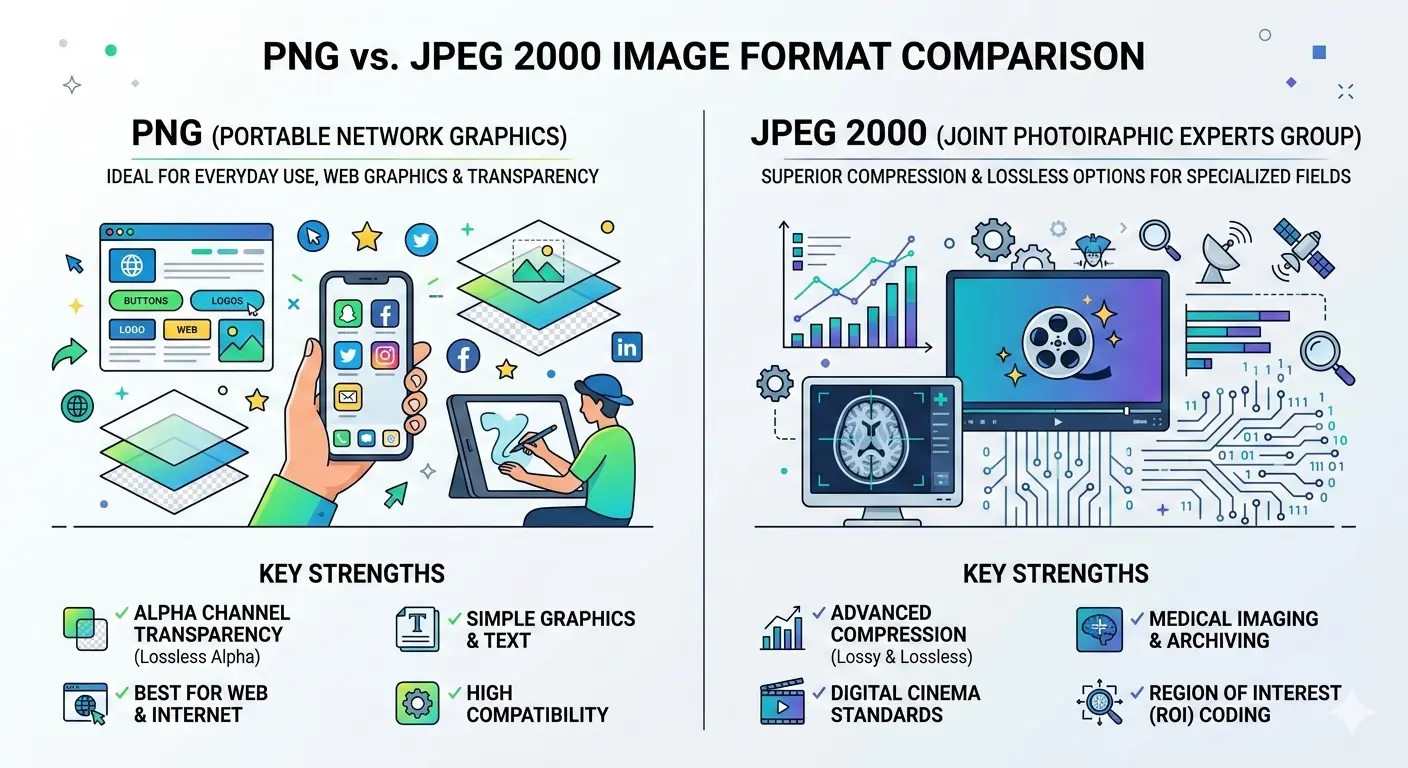
This guide compares JPEG 2000 vs PNG across image quality, compression, file size, transparency support, and real-world use cases. You will learn when to use each format and why PNG remains the more practical choice for most people.
PNG has been a trusted format for over 25 years. It is reliable, supports transparency, and works everywhere. JPEG 2000 promised to be the future but never gained widespread adoption. So which one should you use?
Let us break down the differences honestly.
Let us break down the differences honestly.
What is PNG?
PNG (Portable Network Graphics) was created in 1996 as a free, open alternative to GIF. It is a lossless format, meaning it preserves every pixel exactly as it was.
Key features of PNG:
Key features of PNG:
- Lossless compression – no quality loss ever
- Full alpha channel transparency (smooth, gradual transparency)
- Supports 24-bit color (16.7 million colors)
- Universal support – every browser, every software opens PNG
- Ideal for screenshots, logos, graphics, and images with text
The main drawback of PNG is file size. PNG files are much larger than lossy formats like JPEG, especially for photographs. For more details, read about the main drawback of the PNG file format.
What is JPEG 2000?
JPEG 2000 was created in 2000 as a successor to the original JPEG format. It uses wavelet-based compression instead of the DCT (discrete cosine transform) used in JPEG.
Key features of JPEG 2000:
Key features of JPEG 2000:
- Both lossy and lossless compression in one format
- Superior compression efficiency (20-30% smaller than JPEG at same quality)
- Support for higher bit depths (up to 16-bit per channel)
- Region of interest coding (encode parts at higher quality)
- Progressive decoding by resolution or quality
- Transparency support (alpha channels)
Despite these advantages, JPEG 2000 never became popular on the web due to patent issues, slow encoding, and lack of browser support. It found success in specialized fields like digital cinema, medical imaging, and archiving.
Is JPEG 2000 better than PNG?
Technically, yes, JPEG 2000 has advantages over PNG in several areas:
- Better compression 📌 JPEG 2000 can produce smaller files than PNG at the same quality, especially for complex images.
- Lossy option 📌 PNG is lossless only. JPEG 2000 offers both lossy and lossless, giving you more flexibility.
- Higher bit depth 📌 JPEG 2000 supports 16-bit color, while PNG is limited to 8-bit (though 16-bit PNG exists, it is rarely used).
- Progressive decoding 📌 JPEG 2000 can load in waves, showing a low-quality preview then improving.
However, "better" is not just about features. PNG has universal support. JPEG 2000 does not. For practical use, PNG is often the better choice because it works everywhere.
Is JPEG 2000 better than JPEG?
Yes, JPEG 2000 is technically better than the original JPEG in almost every way:
- Better compression (20-30% smaller files at same quality)
- No blocking artifacts (wavelet compression is smoother)
- Lossless mode available
- Higher bit depth support
- Region of interest coding
But again, adoption matters. JPEG is everywhere. JPEG 2000 is not. For most practical purposes, JPEG remains the better choice because of universal support.
For a detailed comparison focused on printing, read our guide on JPEG vs JPEG2000 for printing.
For a detailed comparison focused on printing, read our guide on JPEG vs JPEG2000 for printing.
Is a JPEG better quality than a PNG?
For lossless quality, PNG is better because it preserves every pixel. JPEG is lossy, so it discards some data to save space.
However, at high quality settings (90-100%), JPEG is visually identical to PNG for photographs. You cannot see the difference with your eyes.
For images with text, sharp lines, or solid colors, PNG is visibly better. JPEG can introduce blurring and artifacts around text and sharp edges.
However, at high quality settings (90-100%), JPEG is visually identical to PNG for photographs. You cannot see the difference with your eyes.
For images with text, sharp lines, or solid colors, PNG is visibly better. JPEG can introduce blurring and artifacts around text and sharp edges.
Is JPEG 2000 still used?
Yes, JPEG 2000 is still used in several professional fields:
- Digital cinema: DCP (Digital Cinema Package) uses JPEG 2000 for movie distribution. Every film you see in theaters is compressed with JPEG 2000.
- Medical imaging: The DICOM standard includes JPEG 2000 for high-quality medical images like X-rays and MRIs.
- Archiving and libraries: Some museums and libraries use JPEG 2000 for archiving because of its lossless compression and high bit depth.
- Geospatial imaging: Satellite and mapping systems sometimes use JPEG 2000.
- Professional photography: Some high-end cameras offer JPEG 2000 as an option, though it is rare.
For consumer use—web, social media, everyday photos—JPEG 2000 is almost never used. You will rarely encounter it.
JPEG 2000 vs PNG | Head-to-head comparison
Transparency support
Both formats support full alpha channel transparency. PNG does it with 8-bit alpha (256 levels of transparency). JPEG 2000 also supports alpha channels, which is rare for a JPEG-family format.
For everyday transparency needs, both work perfectly. PNG is more widely supported, so it is the safer choice for web graphics.
For everyday transparency needs, both work perfectly. PNG is more widely supported, so it is the safer choice for web graphics.
File size comparison
Let us look at real file sizes for a typical image:
JPEG 2000 consistently produces smaller files than PNG, especially in lossy mode. But the trade-off is compatibility.
When to use PNG
Choose PNG when:
- You need universal compatibility (web, email, sharing)
- You are creating screenshots, logos, or graphics with text
- You need simple, reliable transparency
- File size is not your primary concern
- Your audience uses standard web browsers and software
- You want guaranteed lossless quality without complexity
When to use JPEG 2000
Choose JPEG 2000 when:
- You work in digital cinema, medical imaging, or archival fields where it is standard
- You need lossless compression but want smaller files than PNG
- You control the entire workflow and all software supports it
- You need 16-bit color depth for professional work
- You want progressive decoding features
- File size is critical and you can accept compatibility trade-offs
Simple rule: For everyday use, choose PNG. For specialized professional work, JPEG 2000 may be better.
The verdict - JPEG 2000 vs PNG
PNG is the practical winner for most users. It offers excellent lossless quality, universal support, and simple transparency. For web graphics, screenshots, and everyday images, PNG is the right choice.
JPEG 2000 is the technical winner for specialized fields. It offers better compression, higher bit depth, and progressive features. But its lack of mainstream support makes it impractical for general use.
The smart choice depends on your needs:
JPEG 2000 is the technical winner for specialized fields. It offers better compression, higher bit depth, and progressive features. But its lack of mainstream support makes it impractical for general use.
The smart choice depends on your needs:
The future of both formats
PNG will remain a staple for years to come. Its universal support and simplicity ensure its continued use.
JPEG 2000 will stay in its specialized niches. Newer formats like JPEG XL and AVIF offer similar technical advantages with better support, so they may eventually replace JPEG 2000 in some fields.
For now, understanding both formats helps you make informed decisions based on your specific needs.
JPEG 2000 will stay in its specialized niches. Newer formats like JPEG XL and AVIF offer similar technical advantages with better support, so they may eventually replace JPEG 2000 in some fields.
For now, understanding both formats helps you make informed decisions based on your specific needs.
Summary: PNG is best for everyday use with universal support and lossless quality. JPEG 2000 offers better compression and professional features but lacks mainstream support. Choose PNG for web and general use. Choose JPEG 2000 only for specialized professional applications where it is the standard.