JPEG 2000 vs TIFF | Which Image Format Is Better?
TIFF is the industry standard for archiving, printing, and professional photography. It is simple, widely supported, and offers lossless quality. JPEG 2000 offers better compression and modern features, but its limited support makes it practical only in specialized fields like digital cinema and medical imaging.
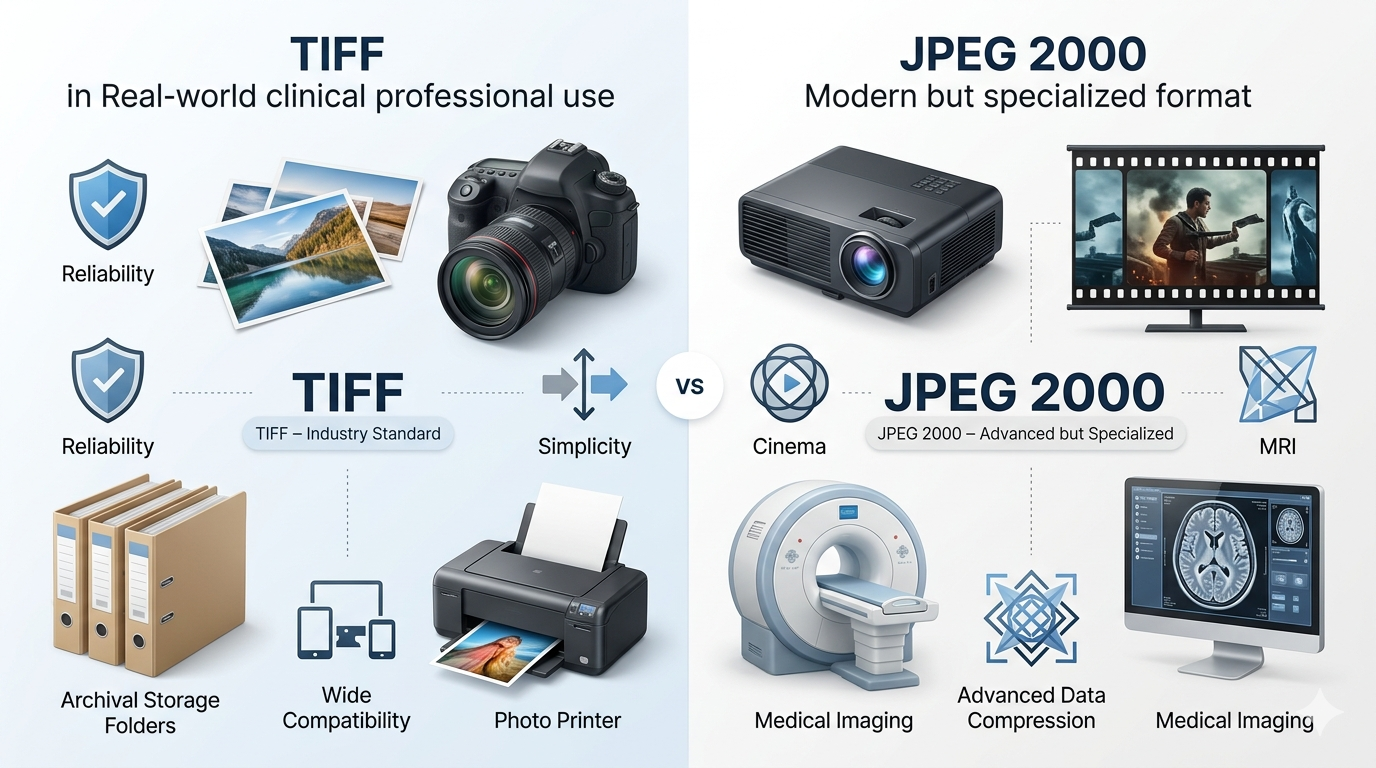
This guide compares JPEG 2000 vs TIFF across image quality, compression, file size, and real-world use cases. You will learn when to use each format and why TIFF remains the trusted choice for most professionals.
If you work with professional photography, printing, or archiving, you have likely used TIFF. It has been the gold standard for decades. JPEG 2000 promised to be a worthy successor with better compression and modern features. But did it deliver?
Let us break down the differences honestly.
Let us break down the differences honestly.
What is TIFF?
TIFF (Tagged Image File Format) was created in the 1980s as a flexible format for storing raster images. It has become the standard for professional photography, printing, and archiving.
Key features of TIFF:
Key features of TIFF:
- Lossless compression (LZW, ZIP) or uncompressed options
- Support for multiple color spaces (RGB, CMYK, grayscale)
- High bit depth support (8-bit, 16-bit, even 32-bit per channel)
- Layers and transparency support
- Multi-page support (one file can contain multiple images)
- Extensive metadata support (EXIF, IPTC, XMP)
- Universal support in professional software
The main drawback of TIFF is file size. TIFF files are enormous, especially when uncompressed. For a complete overview, read TIFF advantages and disadvantages.
What is JPEG 2000?
JPEG 2000 was created in 2000 as a successor to the original JPEG format. It uses wavelet-based compression instead of the DCT (discrete cosine transform) used in JPEG.
Key features of JPEG 2000:
Key features of JPEG 2000:
- Both lossy and lossless compression in one format
- Superior compression efficiency (20-30% smaller than JPEG at same quality)
- Support for higher bit depths (up to 16-bit per channel)
- Region of interest coding (encode parts at higher quality)
- Progressive decoding by resolution or quality
- Transparency support (alpha channels)
- Lossless compression more efficient than TIFF
Despite these advantages, JPEG 2000 never became popular outside specialized fields due to patent issues, slow encoding, and lack of widespread software support.
What is the difference between JPEG 2000 and TIFF?
The differences are significant. Here is a direct comparison:
Is JPEG 2000 better?
Technically, JPEG 2000 has advantages over TIFF in several areas:
- Better compression 📌 JPEG 2000 can produce files 20-30% smaller than TIFF with lossless compression, and much smaller with lossy compression.
- Lossy option 📌 TIFF is primarily lossless. JPEG 2000 offers both, giving you flexibility.
- Progressive decoding 📌 JPEG 2000 can load images in waves, showing a low-quality preview then improving.
- Region of interest 📌 You can encode parts of an image at higher quality than others.
However, "better" is not just about features. TIFF has universal support in professional software. JPEG 2000 does not. For practical use, TIFF is often the better choice because it works everywhere.
Is a TIFF file high quality?
Yes, TIFF files offer the highest quality available for raster images. They are lossless, meaning they preserve every pixel exactly as captured. They support high bit depths (16-bit and even 32-bit) which capture more tonal information than 8-bit formats.
For professional photography, printing, and archiving, TIFF is considered the gold standard for quality. No quality is lost when saving, editing, or re-saving.
For information about multi-page TIFF files, see TIFF vs multi TIFF.
For professional photography, printing, and archiving, TIFF is considered the gold standard for quality. No quality is lost when saving, editing, or re-saving.
For information about multi-page TIFF files, see TIFF vs multi TIFF.
What is TIFF file size?
TIFF files are famously large. Here are typical sizes:
- 8-bit TIFF (uncompressed): About 25-30 MB for a 10-megapixel photo
- 8-bit TIFF (LZW compressed): About 15-20 MB for the same photo
- 16-bit TIFF (uncompressed): About 50-60 MB for the same photo
- 16-bit TIFF (LZW compressed): About 30-40 MB
For a 100-page document scanned at 300 DPI, a multi-page TIFF could be hundreds of megabytes or even gigabytes.
JPEG 2000 can produce significantly smaller files:
JPEG 2000 can produce significantly smaller files:
- JPEG 2000 lossless: 20-30% smaller than TIFF LZW
- JPEG 2000 lossy (high quality): 70-80% smaller than TIFF
The trade-off is compatibility versus storage space.
Where JPEG 2000 excels
JPEG 2000 is the preferred format in several specialized fields:
- Digital cinema: DCP (Digital Cinema Package) uses JPEG 2000 for movie distribution. Every film you see in theaters is compressed with JPEG 2000.
- Medical imaging: The DICOM standard includes JPEG 2000 for high-quality medical images like X-rays and MRIs. The smaller file sizes are crucial for storing thousands of images.
- Archiving and libraries: Some museums and libraries use JPEG 2000 for archiving because of its lossless compression and smaller file sizes.
- Geospatial imaging: Satellite and mapping systems sometimes use JPEG 2000 for large image datasets.
In these fields, the entire workflow is built around JPEG 2000, so compatibility is not an issue.
Where TIFF remains the standard
TIFF is still the preferred format for:
- Professional photography: Photographers use TIFF for master copies and delivery to clients who need maximum quality.
- Printing and prepress: Print shops expect TIFF for high-quality work, especially with CMYK color.
- Scanning and archiving: Libraries and archives often use TIFF for preservation because of its simplicity and wide support.
- General professional work: When you need to ensure compatibility with all software, TIFF is the safe choice.
Simple rule: Use TIFF for general professional work where compatibility matters. Use JPEG 2000 only in specialized fields where it is the standard.
Compression comparison - Quality vs size
Let us compare a 10-megapixel image in different formats:
The file size savings with JPEG 2000 are substantial, especially in lossy mode.
When to use TIFF
Choose TIFF when:
- You need universal compatibility with professional software
- You are preparing images for commercial printing (especially with CMYK)
- You need lossless quality and don't mind large files
- You are archiving master copies for long-term preservation
- You are working with clients who expect TIFF files
- You need multi-page document support
When to use JPEG 2000
Choose JPEG 2000 when:
- You work in digital cinema, medical imaging, or archival fields where it is standard
- You need lossless compression but want smaller files than TIFF
- You control the entire workflow and all software supports it
- Storage space is critical and you need maximum quality per megabyte
- You want progressive decoding features
- You need region of interest coding
Practical considerations
Software support
TIFF opens in virtually every image viewer and editor. JPEG 2000 requires plugins or specialized software. If you send a JPEG 2000 file to a client, they may not be able to open it.
CMYK support
TIFF fully supports CMYK color for professional printing. JPEG 2000 has limited CMYK support, making it less suitable for print workflows.
Multi-page documents
Both formats support multi-page files. TIFF does it with multi-page TIFF, while JPEG 2000 uses the JP2 file format with multiple frames.
Encoding speed
TIFF encoding is fast. JPEG 2000 encoding is slow, especially at high quality settings. For large batches, this can be a significant factor.
The verdict | JPEG 2000 vs TIFF
TIFF is the practical winner for most professional work. It offers universal support, excellent quality, and simplicity. For photography, printing, and general professional use, TIFF is the trusted standard.
JPEG 2000 is the technical winner for specialized fields. It offers better compression, progressive features, and region of interest coding. But its lack of mainstream support makes it impractical for general use.
The smart choice depends on your field:
JPEG 2000 is the technical winner for specialized fields. It offers better compression, progressive features, and region of interest coding. But its lack of mainstream support makes it impractical for general use.
The smart choice depends on your field:
Final thought: TIFF has been the professional standard for over 30 years for good reason. JPEG 2000 offers technical advantages, but unless you work in a field where it is already the standard, TIFF is the safer, more practical choice.
Summary: TIFF offers universal support, lossless quality, and is the standard for professional photography and printing. JPEG 2000 offers better compression and modern features but lacks mainstream support. Choose TIFF for most professional work. Choose JPEG 2000 only for specialized fields where it is the standard, like digital cinema and medical imaging.