TGA vs PNG | Which Image Format Should You Use?
You have probably worked with PNG files hundreds of times. They power your website icons, store your screenshots, and handle transparency beautifully. But TGA? That name feels old, maybe even unfamiliar. Yet TGA files are still the secret workhorse inside many professional game engines and video production Pipelines.
This article compares TGA vs PNG honestly and clearly. You will learn why one format dominates the web while the other quietly rules inside 3D software and game development. We will look at image quality, compression, transparency support, and the real reasons professionals keep TGA in their workflow. By the end, you will know exactly which format fits your next project.
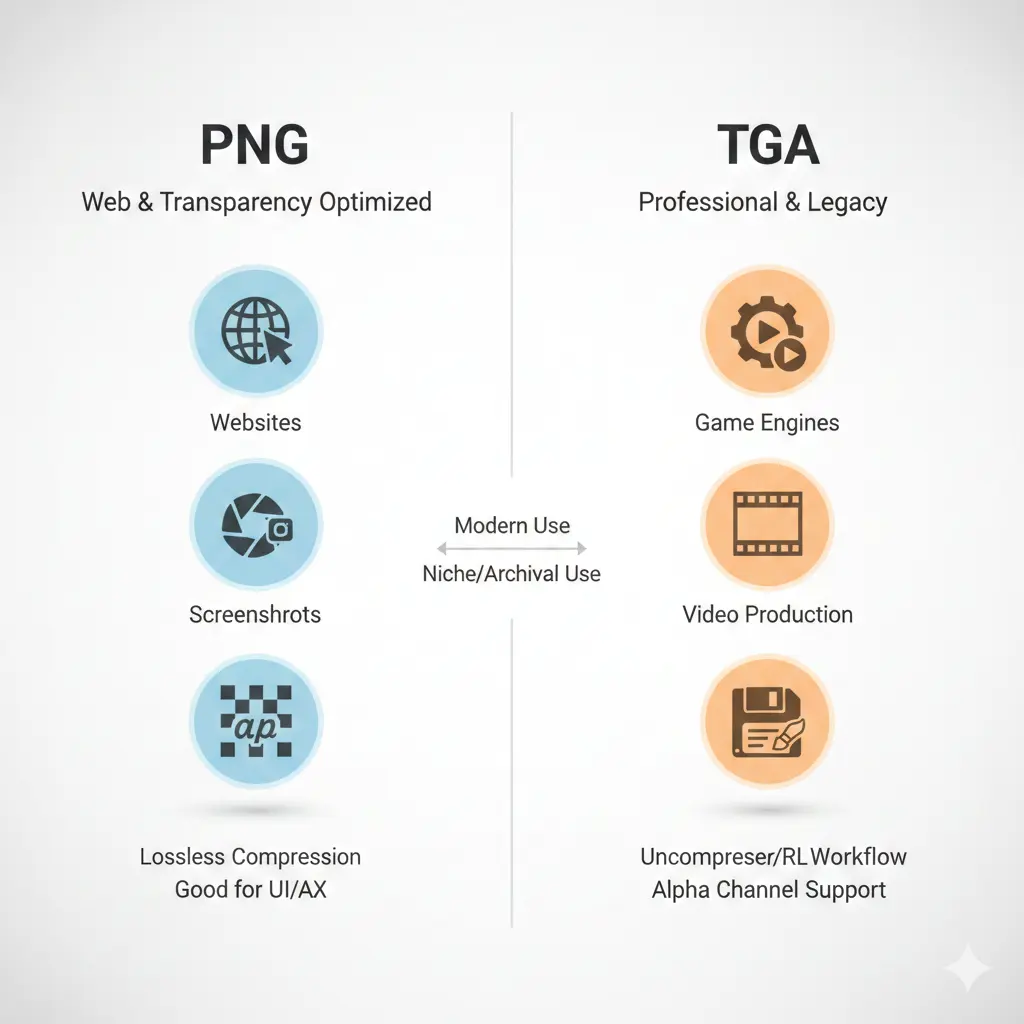
Let us start with a simple truth: TGA and PNG are both lossless formats that preserve original pixel data. Yet they were designed for very different eras and purposes. TGA (Truevision Graphics Adapter) dates back to 1984. It was built for professional video and digital painting. PNG (Portable Network Graphics) arrived in 1996 as a free, open alternative to GIF. It was optimized for the emerging world of web browsers and online images.
These different origins explain almost every difference between them. TGA cares about software and hardware flexibility. PNG cares about file size and internet transmission. Neither is "better" overall—they are better at different jobs.
These different origins explain almost every difference between them. TGA cares about software and hardware flexibility. PNG cares about file size and internet transmission. Neither is "better" overall—they are better at different jobs.
Is TGA higher quality than PNG?
No. Both TGA and PNG are lossless formats. When you save an image as TGA or PNG without compression, every pixel stays exactly the same as the source.
Why people think TGA is higher quality: TGA is often used in professional 3D, VFX, and game development workflows where artists work with 16‑bit or 32‑bit per channel data. PNG officially supports 8‑bit per channel (24‑bit color) and 8‑bit alpha. TGA can handle higher bit depths in some implementations, but standard 24‑bit TGA and 24‑bit PNG store identical color information.
If you compare a standard 24‑bit TGA and a 24‑bit PNG saved from the same source image, their visual quality is identical. Neither is "higher quality" than the other.
Why people think TGA is higher quality: TGA is often used in professional 3D, VFX, and game development workflows where artists work with 16‑bit or 32‑bit per channel data. PNG officially supports 8‑bit per channel (24‑bit color) and 8‑bit alpha. TGA can handle higher bit depths in some implementations, but standard 24‑bit TGA and 24‑bit PNG store identical color information.
If you compare a standard 24‑bit TGA and a 24‑bit PNG saved from the same source image, their visual quality is identical. Neither is "higher quality" than the other.
Visual quality is equal. The difference is not in how they look—it is in how they behave inside different software environments.
Is PNG 100% lossless?
Yes. PNG uses DEFLATE compression, which is completely lossless. When you save an image as PNG, every pixel's exact color value is preserved. Opening and re‑saving a PNG does not degrade quality.
Important clarification: Some image editors allow you to export PNG with "compression" settings. This affects file size, not pixel data. A PNG saved at maximum compression still looks identical to the original. The trade‑off is only in how long the software takes to encode the file.
This lossless guarantee is why PNG became the standard for screenshots, logos, and any image where precision matters. However, this perfection has a cost: PNG files are often larger than lossy formats like JPEG. That is the main drawback of the PNG file format—size, not quality.
Important clarification: Some image editors allow you to export PNG with "compression" settings. This affects file size, not pixel data. A PNG saved at maximum compression still looks identical to the original. The trade‑off is only in how long the software takes to encode the file.
This lossless guarantee is why PNG became the standard for screenshots, logos, and any image where precision matters. However, this perfection has a cost: PNG files are often larger than lossy formats like JPEG. That is the main drawback of the PNG file format—size, not quality.
What's better quality than PNG?
If you define "quality" as visual fidelity, nothing is better than PNG—it is mathematically lossless. But if you define quality as the ability to preserve more data per pixel, some formats surpass PNG.
Formats with higher data fidelity:
Formats with higher data fidelity:
- OpenEXR (.exr): Supports 16‑bit and 32‑bit floating point data. Used in visual effects and high dynamic range imaging. Can store more color information than the human eye can see.
- TIFF (16‑bit): Supports 16‑bit per channel. Used in photography and print publishing.
- Photoshop (PSD): Supports layers, channels, and 16‑bit or 32‑bit color.
Is BMP better than PNG?
No. BMP is also lossless, but it uses little to no compression. BMP files are much larger than PNG files for the same visual quality.
PNG was literally designed to replace BMP and GIF as a superior format for the web. PNG compresses images more efficiently than BMP, supports transparency better, and is universally supported. There is no practical reason to use BMP over PNG for almost any modern application.
The only exception: some legacy industrial software or embedded systems only read BMP. For everyone else, PNG is the clear winner.
PNG was literally designed to replace BMP and GIF as a superior format for the web. PNG compresses images more efficiently than BMP, supports transparency better, and is universally supported. There is no practical reason to use BMP over PNG for almost any modern application.
The only exception: some legacy industrial software or embedded systems only read BMP. For everyone else, PNG is the clear winner.
TGA vs PNG - The technical breakdown
| Feature | TGA (Truevision Targa) | PNG (Portable Network Graphics) |
|---|---|---|
| Year introduced | 1984 | 1996 |
| Compression | None or RLE (lossless) | DEFLATE (lossless) |
| File size | Large (often 2–4x larger than PNG) | Smaller (good compression) |
| Transparency | Alpha channel (8‑bit) or binary mask | Alpha channel (8‑bit) |
| Color depth | 8, 16, 24, 32‑bit | 24, 32‑bit (48‑bit limited support) |
| Metadata support | Very basic | Extensive (text, ICC profiles, gamma) |
| Primary use | Game development, 3D texturing, video | Websites, apps, screenshots, sharing |
| Browser support | None (cannot be displayed natively) | Universal |
Why is TGA still used in design and games despite PNG?
This is the central question. PNG is smaller, more widely supported, and equally lossless. Yet open any 3D texturing software—Substance Painter, Blender, Unreal Engine—and you will see artists exporting TGA files. Why?
Four reasons professionals keep TGA alive:
Four reasons professionals keep TGA alive:
- Extremely fast to read and write 📌 TGA has a dead‑simple header and no complex compression. Game engines can load TGA textures faster than PNG because they do not need to decompress DEFLATE. Speed matters when you are loading hundreds of textures into a level.
- No patent or licensing baggage 📌 Some older game consoles and embedded systems have native TGA decoders in hardware. PNG support is not always guaranteed in proprietary environments.
- Works predictably with video capture 📌 TGA was the standard format for video frame sequences before DPX became common. Many visual effects pipelines still expect TGA sequences.
- Can store unrelated data in unused bytes 📌 TGA's simple structure allows developers to pack custom data (like material IDs or depth info) into channels. This is a hack, but a widely used one in game development.
Inside game engines: TGA is often used as an intermediate format. Artists paint in Photoshop or Substance, save as TGA, and import into the engine. The engine may then compress the texture into a platform‑specific format (like DDS or ASTC). TGA acts as the clean, universally readable source.
Transparency: Both handle it, but differently
Both TGA and PNG support an 8‑bit alpha channel. This gives you 256 levels of transparency, from fully solid to fully invisible.
PNG transparency: Clean, well‑standardized, and displays perfectly in every modern browser and image viewer. PNG also supports gamma correction, which helps maintain consistent brightness across different monitors.
TGA transparency: Works perfectly inside design and game tools. But if you try to open a TGA with transparency in a web browser, it will not display at all. TGA was never intended for the web.
PNG transparency: Clean, well‑standardized, and displays perfectly in every modern browser and image viewer. PNG also supports gamma correction, which helps maintain consistent brightness across different monitors.
TGA transparency: Works perfectly inside design and game tools. But if you try to open a TGA with transparency in a web browser, it will not display at all. TGA was never intended for the web.
Compression - The real difference
TGA supports two modes: uncompressed and RLE (Run‑Length Encoding). RLE is a simple lossless compression that works well on images with large areas of solid color. But it performs poorly on photographs or complex textures.
PNG uses DEFLATE, a much more sophisticated compression algorithm. DEFLATE analyzes patterns across the entire image and typically reduces file size far more than RLE. For web delivery, PNG is dramatically more efficient.
File size example: A 1024x1024 32‑bit TGA with RLE might be 2–3 MB. The same image as PNG could be 700 KB–1.2 MB. Same quality, half the size.
PNG uses DEFLATE, a much more sophisticated compression algorithm. DEFLATE analyzes patterns across the entire image and typically reduces file size far more than RLE. For web delivery, PNG is dramatically more efficient.
File size example: A 1024x1024 32‑bit TGA with RLE might be 2–3 MB. The same image as PNG could be 700 KB–1.2 MB. Same quality, half the size.
When to use TGA
You should choose TGA if:
- You are working in 3D or game development and your pipeline expects TGA.
- You need extremely fast load times in a custom engine or application.
- You are outputting image sequences from video or compositing software.
- You are working in an older production environment that standardized on TGA years ago.
When to use PNG
You should choose PNG if:
- You are publishing anything on the web—PNG is the only universal choice here.
- You are sending images to clients or colleagues who may not have specialized software.
- You care about file size and want to save bandwidth or storage space.
- You need metadata support like text descriptions, creation date, or color profiles.
- You are creating screenshots, UI assets, or logos for apps and websites.
Smart workflow tip:
Many professionals use both formats. They keep TGA as a working format inside their game or design tools, then convert deliverables to PNG for documentation, portfolios, or client review. If you need to switch between formats quickly, using a free image converter online with no signup saves time without installing software.
Many professionals use both formats. They keep TGA as a working format inside their game or design tools, then convert deliverables to PNG for documentation, portfolios, or client review. If you need to switch between formats quickly, using a free image converter online with no signup saves time without installing software.
Can TGA replace PNG on the web?
No. Web browsers do not support TGA natively. You cannot embed a TGA file in an HTML page and expect it to display.
Even if browsers added TGA support tomorrow, it would be a bad idea. TGA files are much larger than PNGs, offer no visual advantage, and lack the metadata features that make PNG useful for responsive images and accessibility.
Even if browsers added TGA support tomorrow, it would be a bad idea. TGA files are much larger than PNGs, offer no visual advantage, and lack the metadata features that make PNG useful for responsive images and accessibility.
Can PNG replace TGA in game development?
Yes and no. Many modern game engines accept PNG textures without issue. Unreal Engine and Unity both import PNG files and compress them internally.
The catch: PNG decompression takes CPU time. When you load a level, the engine must decompress the PNG before sending it to the GPU. TGA loads almost instantly because it is either uncompressed or uses very simple RLE. For large open worlds with thousands of textures, this CPU overhead adds up. Some studios still prefer TGA for this reason, though PNG is becoming more common as CPUs get faster.
The catch: PNG decompression takes CPU time. When you load a level, the engine must decompress the PNG before sending it to the GPU. TGA loads almost instantly because it is either uncompressed or uses very simple RLE. For large open worlds with thousands of textures, this CPU overhead adds up. Some studios still prefer TGA for this reason, though PNG is becoming more common as CPUs get faster.
The verdict - TGA vs PNG
For web, apps, and everyday use: Choose PNG. It is smaller, universally compatible, and lossless. There is no reason to use TGA for anything you intend to publish or share online.
For game development, 3D texturing, and professional video: TGA remains a valid, fast, and widely supported option. It is not better than PNG—it is different. It prioritizes loading speed and software compatibility over file size.
The two formats are not really competitors. They evolved for different ecosystems. Understanding these ecosystems helps you pick the right tool for the job.
For game development, 3D texturing, and professional video: TGA remains a valid, fast, and widely supported option. It is not better than PNG—it is different. It prioritizes loading speed and software compatibility over file size.
The two formats are not really competitors. They evolved for different ecosystems. Understanding these ecosystems helps you pick the right tool for the job.
Summary: TGA and PNG are both lossless, both support alpha transparency, and both preserve perfect image quality. TGA loads faster and is deeply embedded in game and video pipelines. PNG compresses better and is the undisputed king of web graphics. Match the format to your workflow and you cannot go wrong.