JPEG Stereo vs JPEG - What Is the Difference?
Regular JPEG stores a single image. JPEG Stereo stores two images side by side to create a 3D effect when viewed with special glasses or VR headsets. They use the same compression technology, but JPEG Stereo is designed for stereoscopic 3D content.
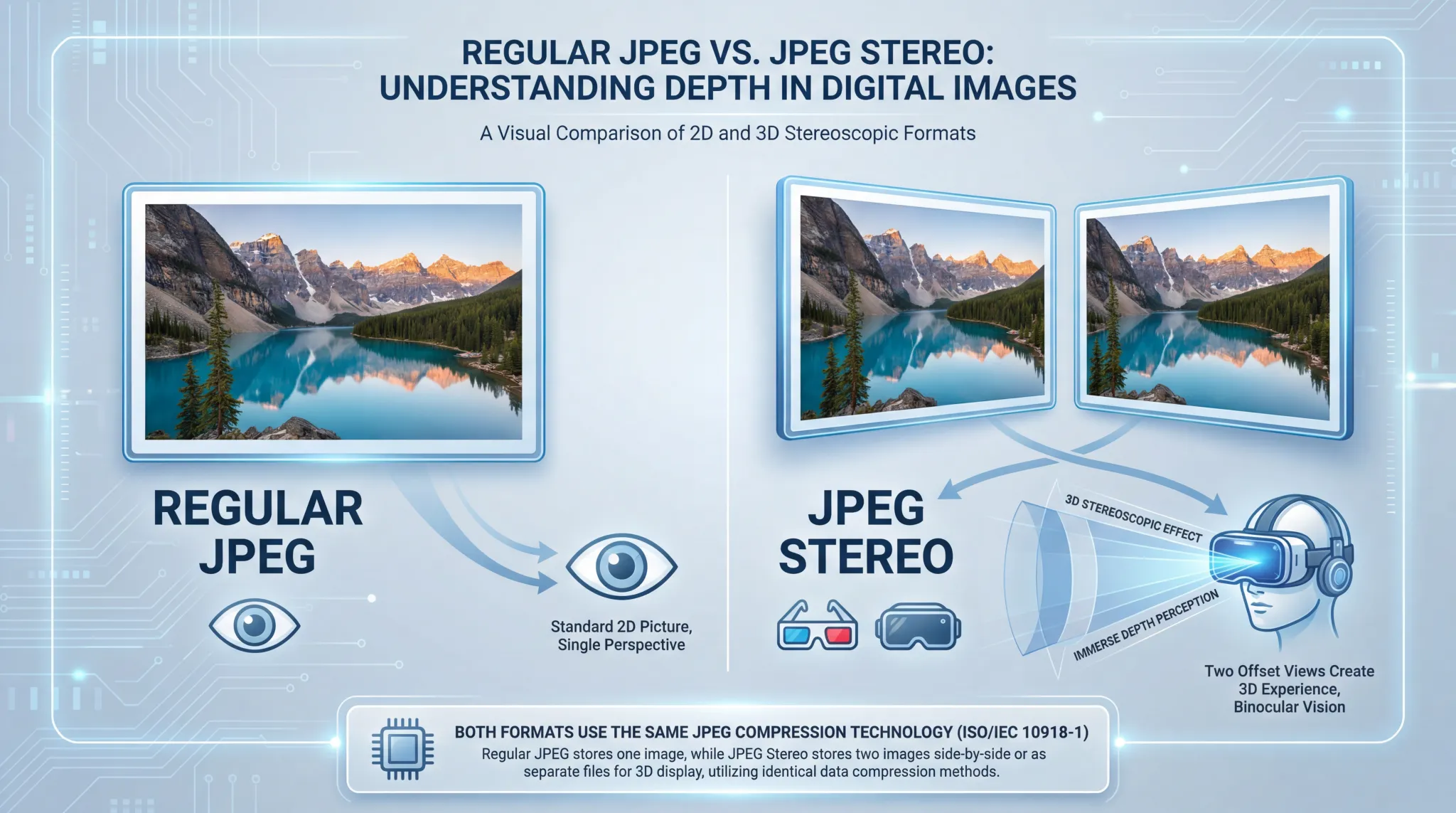
This guide explains the difference between JPEG Stereo vs JPEG in plain English. You will learn what stereo images are, how JPEG Stereo works, and when you might need it.
If you have ever seen 3D movies or used a VR headset, you have experienced stereo imaging. The same concept applies to still photos. JPEG Stereo is simply a way to store two images in one file so that your brain can combine them into a single 3D picture.
Let us break down how it works.
Let us break down how it works.
What is regular JPEG?
JPEG (Joint Photographic Experts Group) is the most common image format in the world. Created in 1992, it uses lossy compression to create small file sizes while maintaining good visual quality.
Key features of regular JPEG:
Key features of regular JPEG:
- Stores a single 2D image
- Lossy compression (adjustable quality)
- 24-bit color (16.7 million colors)
- Universal support – every device, every browser
- Excellent for photographs
- File extension: .jpg or .jpeg
For a complete overview, read about JPEG advantages and disadvantages.
What is JPEG stereo?
JPEG Stereo (also called Stereoscopic JPEG) is a variation of the JPEG format designed to store stereoscopic 3D images.
How it works:
How it works:
- It stores two images in a single file – one for the left eye and one for the right eye
- The two images are slightly offset, mimicking how human eyes see the world
- When viewed with special glasses or a VR headset, your brain combines them into a single 3D image
- The compression is the same as regular JPEG – the only difference is the content
JPEG Stereo files typically use the same .jpg extension, but they contain twice the image data. Some specialized formats use .jps (JPEG Stereo) to distinguish them.
What is the difference between JPEG Stereo and regular JPEG?
The main difference is what they store:
Think of JPEG Stereo as a regular JPEG that happens to contain two pictures instead of one.
How does stereo imaging work?
To understand JPEG Stereo, you need to understand how human vision works:
- Your eyes are about 2.5 inches apart, so each eye sees the world from a slightly different angle
- Your brain combines these two views to create depth perception (3D vision)
- Stereoscopic photography mimics this by taking two photos with a slight offset
- When you view the left image with your left eye and the right image with your right eye, your brain creates a 3D effect
JPEG Stereo simply stores both images in one file so they stay together.
What is JPEG stereo used for?
JPEG Stereo is used in several specialized applications:
- 3D photography: Some cameras can take stereoscopic photos
- Virtual reality: VR content often uses stereo images
- 3D viewers: Old-fashioned stereoscopes and modern 3D displays
- Scientific imaging: Microscopy and aerial photography sometimes use stereo pairs
- 3D movies: Film frames are often stored as stereo pairs
For everyday use, you will rarely encounter JPEG Stereo. Most photos are regular 2D JPEGs.
Is JPEG 2000 better quality than JPEG?
Yes, JPEG 2000 is technically better than regular JPEG. It offers:
- Better compression (20-30% smaller files at same quality)
- Lossless compression option
- Higher bit depth support (up to 16-bit)
- No blocking artifacts
- Region of interest coding
However, JPEG 2000 never gained widespread adoption. Regular JPEG is still the universal standard because it works everywhere.
Which JPEG quality is best?
The "best" JPEG quality depends on your needs:
- For maximum quality: Use 100% quality. Files are large but visually perfect.
- For excellent quality with reasonable size: Use 90-95% quality. Visually identical to 100% for most images.
- For web use: Use 80-85% quality. Great balance of quality and file size.
- For thumbnails or previews: Use 60-70% quality. Smaller files, acceptable quality.
Most photographers save at 90-95% for a good balance. The human eye cannot tell the difference between 95% and 100% in normal viewing.
Is JPEG 2000 lossy or lossless?
JPEG 2000 supports both lossy and lossless compression in the same format. This is one of its advantages over regular JPEG, which is lossy only.
You can choose:
You can choose:
- Lossy mode: For smaller files with excellent quality
- Lossless mode: For perfect preservation, like archiving
Regular JPEG has no lossless option. Every save degrades quality slightly.
How to view JPEG Stereo images
To view JPEG Stereo images, you need special equipment:
- VR headsets: Oculus, HTC Vive, etc., can display stereo images
- 3D glasses: Anaglyph (red-blue) glasses work with specially prepared images
- 3D monitors: Some displays support stereoscopic viewing
- Stereoscopes: Old-fashioned viewers for stereo cards
- Cross-eyed viewing: Some people can view stereo pairs without equipment by crossing their eyes
If you just open a JPEG Stereo file in a regular image viewer, you will see two images side by side, not a 3D effect.
How to create JPEG Stereo images
Creating stereo images requires capturing two photos with a slight offset:
- Use a stereo camera 📌 Some cameras have two lenses specifically for stereo photography.
- Take two photos with a single camera 📌 Take one photo, then move the camera about 2.5 inches to the side and take another. This mimics eye separation.
- Combine them 📌 Use software to combine the left and right images into a single stereo file.
- Save as JPEG Stereo 📌 Save as .jpg (or .jps) with the two images side by side.
For help with conversion, see how to convert an image to JPEG format.
Practical example | What a JPEG Stereo file looks like
Imagine you take a photo of a tree. A regular JPEG shows one tree from one angle.
A JPEG Stereo file contains:
A JPEG Stereo file contains:
- Left image: The tree as seen from your left eye position
- Right image: The tree as seen from your right eye position (slightly offset)
When viewed in a regular image viewer, you see two trees side by side. When viewed with a stereoscope or VR headset, your brain combines them into one tree with depth—you can see which branches are closer and which are farther away.
When to use regular JPEG
Choose regular JPEG for:
- Everyday photos
- Websites and social media
- Email attachments
- Printing at home or at labs
- Sharing with others
- Any situation where you need a simple 2D image
When to use JPEG Stereo
Choose JPEG Stereo for:
- 3D photography and stereoscopic imaging
- Virtual reality content
- Scientific or technical imaging that requires depth perception
- Archiving stereo pairs
- Creating content for 3D viewers or VR headsets
Simple rule: Use regular JPEG for normal photos. Use JPEG Stereo only when you need a 3D effect with special viewing equipment.
The bottom line | JPEG Stereo vs JPEG
Regular JPEG stores a single 2D image. It is the universal standard for photos, web graphics, and everyday imaging.
JPEG Stereo stores two images (left and right eye views) in one file. It uses the same compression as regular JPEG but is designed for 3D viewing with special equipment.
For 99% of users, regular JPEG is all you need. JPEG Stereo is a specialized format for stereoscopic photography, VR content, and 3D imaging applications.
JPEG Stereo stores two images (left and right eye views) in one file. It uses the same compression as regular JPEG but is designed for 3D viewing with special equipment.
For 99% of users, regular JPEG is all you need. JPEG Stereo is a specialized format for stereoscopic photography, VR content, and 3D imaging applications.
Can you convert JPEG Stereo to regular JPEG?
Yes, you can convert a JPEG Stereo file to a regular JPEG, but you will lose the 3D effect. The result will be either:
- The left image only
- The right image only
- A combined image showing both views side by side
To extract a single view, you can open the file in an image editor and crop to one side. This gives you a regular 2D JPEG.
The future of stereo imaging
With the rise of virtual reality and augmented reality, stereo imaging is becoming more relevant. Newer formats like HEIF and JPEG XL also support storing multiple images, which can be used for stereo content.
But for now, JPEG Stereo remains a simple, compatible way to store stereoscopic images using the ubiquitous JPEG format.
But for now, JPEG Stereo remains a simple, compatible way to store stereoscopic images using the ubiquitous JPEG format.
Summary: Regular JPEG stores a single 2D image. JPEG Stereo stores two images (left and right eye views) in one file to create a 3D effect when viewed with special equipment. They use the same compression technology. Use regular JPEG for everyday photos. Use JPEG Stereo only for stereoscopic photography, VR content, and 3D imaging applications.