JPEG vs JFIF | What Is the Real Difference?
JPEG is the compression method, and JFIF is a file format standard that stores JPEG-compressed images. When you save a ".jpg" file, you are most likely saving a JFIF file. They are not competing formats—JFIF is simply a container for JPEG data.
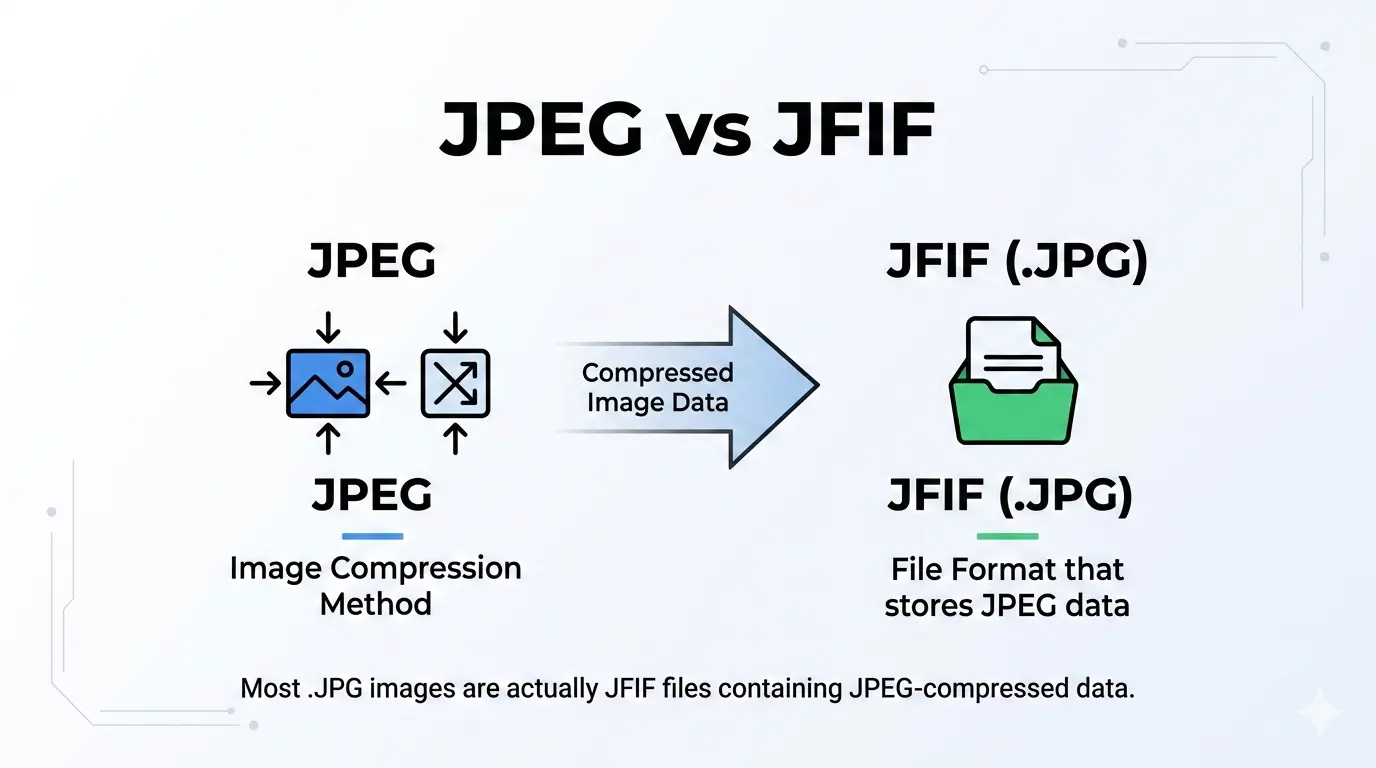
This guide explains the relationship between JPEG vs JFIF in plain English. You will learn what each term means, why you see JFIF files, and whether you need to worry about the difference.
If you have ever saved an image from certain software and seen a ".jfif" file extension, you might have wondered what it is. Is it different from JPEG? Do you need special software to open it?
Let us clear up the confusion once and for all.
Let us clear up the confusion once and for all.
What is JPEG?
JPEG stands for Joint Photographic Experts Group. It is the name of the committee that created the compression standard, but in common use, "JPEG" refers to:
- The compression algorithm used to reduce image file sizes
- The most common image format on the internet
- Files with .jpg or .jpeg extensions
Technically, JPEG is a compression method, not a file format. The JPEG standard defines how to compress image data, but it does not specify how to store that compressed data in a file.
What is JFIF?
JFIF stands for JPEG File Interchange Format. It was created in 1992 to provide a standard way to store JPEG-compressed images in files.
JFIF specifies:
JFIF specifies:
- How the compressed JPEG data is organized in the file
- Color space information (typically YCbCr)
- Resolution and aspect ratio data
- Optional thumbnail images
When you save a ".jpg" file, you are almost always saving a JFIF file. The ".jpg" extension hides the underlying JFIF structure.
Is JFIF better than JPEG?
This question is like asking "Is a car better than an engine?" They are not comparable. JFIF is a file format that contains JPEG data. There are no separate advantages and disadvantages of JFIF versus JPEG, because JFIF's only job is to store JPEG data in a file.
JPEG is the compression method. It determines how the image is compressed.
JFIF is the container. It holds the compressed JPEG data along with metadata.
You cannot have one without the other in most cases. The JPEG data needs a container like JFIF to be stored in a file.
JPEG is the compression method. It determines how the image is compressed.
JFIF is the container. It holds the compressed JPEG data along with metadata.
You cannot have one without the other in most cases. The JPEG data needs a container like JFIF to be stored in a file.
Analogy: Think of JPEG as the recipe for making a cake, and JFIF as the box you put the cake in. You need both to deliver the cake.
Is JFIF a JPEG?
Yes and no. JFIF files contain JPEG data, so in everyday language, people call them JPEG files. When you see a .jpg file, it is almost certainly a JFIF file.
The confusion comes from the fact that there are other ways to store JPEG data. The original JPEG standard did not define a file format, so multiple formats emerged:
The confusion comes from the fact that there are other ways to store JPEG data. The original JPEG standard did not define a file format, so multiple formats emerged:
- JFIF: The most common, used by almost all .jpg files
- EXIF: Used by digital cameras to store metadata
- SPIFF: Still Picture Interchange File Format (rare)
- JPEG-LS: A different compression method
Most ".jpg" files you encounter are actually JFIF files. They are "JPEG files" in the everyday sense.
Why do some images appear as JFIF files?
Some software, particularly older or simpler programs, may save images with the explicit ".jfif" extension instead of the more common ".jpg".
This can happen when:
This can happen when:
- You use a basic image editor that does not rename the extension
- You download images from certain websites
- You extract images from some databases or applications
Good news: You can simply rename a .jfif file to .jpg, and it will open normally in any image viewer. The file format is the same; only the extension differs.
Is JFIF outdated?
No, JFIF is not outdated. It remains the foundation of the JPEG file format we use every day. Every .jpg file you see is based on JFIF or the closely related EXIF format.
The JFIF standard was updated as recently as 2013 (JFIF 1.02). It continues to be the primary way JPEG images are stored.
So while the name "JFIF" is not commonly seen, the format itself is everywhere.
The JFIF standard was updated as recently as 2013 (JFIF 1.02). It continues to be the primary way JPEG images are stored.
So while the name "JFIF" is not commonly seen, the format itself is everywhere.
What is the MIME type of JFIF?
The MIME type for JFIF files is the same as for JPEG files:
This is because JFIF is just a container for JPEG data. From a web server or browser perspective, a JFIF file is treated exactly the same as any other JPEG image.
If you see a file with a .jfif extension, the correct MIME type to serve it is still
image/jpeg. This is because JFIF is just a container for JPEG data. From a web server or browser perspective, a JFIF file is treated exactly the same as any other JPEG image.
If you see a file with a .jfif extension, the correct MIME type to serve it is still
image/jpeg.JPEG vs JFIF | Head-to-head comparison
Are there quality differences between JPEG and JFIF?
No, there is no quality difference. The quality of an image is determined by the JPEG compression settings, not by whether it is stored in a JFIF container.
A high-quality JPEG saved as JFIF will look identical to the same JPEG saved in another compatible format like EXIF. The container does not affect the image data.
A high-quality JPEG saved as JFIF will look identical to the same JPEG saved in another compatible format like EXIF. The container does not affect the image data.
Are JFIF files bigger than JPEG?
No, JFIF files are not bigger than JPEG. Since a JFIF file simply contains JPEG-compressed data plus a small header, the file size is essentially identical to any other JPEG-based file.
The tiny JFIF header (a few dozen bytes) adds negligible size compared to the compressed image data itself, which can be megabytes. Any size difference you notice between two ".jpg" files comes from the JPEG compression quality setting, not from JFIF versus another container like EXIF.
The tiny JFIF header (a few dozen bytes) adds negligible size compared to the compressed image data itself, which can be megabytes. Any size difference you notice between two ".jpg" files comes from the JPEG compression quality setting, not from JFIF versus another container like EXIF.
Should I convert JFIF to JPEG?
If you have a file with a .jfif extension, you do not need to convert it. You can simply rename the file to .jpg, and it will work normally.
If you prefer to have all your image files with consistent .jpg extensions, you can:
If you prefer to have all your image files with consistent .jpg extensions, you can:
- Rename the file 📌 Right-click, select Rename, and change .jfif to .jpg. The image data remains unchanged.
- Convert using software 📌 If you want to be absolutely sure, you can open the file in an image editor and save it as .jpg. This will create a new file, potentially with slight changes if you recompress.
For help with conversion, see how to convert an image to JPEG format.
Why did someone send me a JFIF file instead of JPEG?
You likely received a JFIF file because the sender's browser, app, or operating system saved the image using the explicit .jfif extension instead of .jpg.
This commonly happens with images saved directly from a web browser, especially on Windows, where some browsers label downloaded images as .jfif by default.
The person receiving it does not need to worry: renaming the file to .jpg makes it open normally everywhere, with no loss of quality or compatibility.
This commonly happens with images saved directly from a web browser, especially on Windows, where some browsers label downloaded images as .jfif by default.
The person receiving it does not need to worry: renaming the file to .jpg makes it open normally everywhere, with no loss of quality or compatibility.
Why does this confusion exist?
The confusion between JPEG and JFIF exists for several reasons:
- People use "JPEG" to mean both the compression method and the file format
- The JFIF standard is hidden behind the .jpg extension in most software
- When you save a file as .jpg, you rarely see the underlying JFIF structure
- Some programs expose the .jfif extension, causing users to think it is different
The important thing to remember is that they are two parts of the same whole. JPEG is the "what" (compression), and JFIF is the "how" (storage).
What about EXIF JPEG?
EXIF (Exchangeable Image File Format) is another standard for storing JPEG data, commonly used by digital cameras. EXIF files contain the same JPEG compressed data but add extensive metadata like camera settings, date, and location.
Most .jpg files from cameras are actually EXIF files, not JFIF. But they still use the .jpg extension and are opened by the same software.
The good news is that you generally do not need to worry about the difference. All these formats store JPEG data and are compatible with image viewers.
Most .jpg files from cameras are actually EXIF files, not JFIF. But they still use the .jpg extension and are opened by the same software.
The good news is that you generally do not need to worry about the difference. All these formats store JPEG data and are compatible with image viewers.
Practical example - Saving in different software
In Photoshop
When you save as JPEG in Photoshop, you have options for the format:
- "Baseline Standard" uses JFIF
- "Baseline Optimized" uses a variation
- "Progressive" uses another variation
All create .jpg files that open everywhere.
In Microsoft Paint
Older versions of Paint saved as JFIF with .jpg extension. Newer versions save as standard JPEG.
In digital cameras
Cameras typically save as EXIF JPEG, preserving metadata about the shot.
The bottom line on JPEG vs JFIF
JPEG is the compression method. It defines how to reduce file size while maintaining visual quality.
JFIF is the file format. It provides a standard way to store JPEG-compressed images in files.
When you save a .jpg file, you are almost always saving a JFIF (or EXIF) file. The difference is technical and rarely matters in everyday use.
If you encounter a .jfif file, simply rename it to .jpg. It will work normally. There is no need for conversion or special software.
JFIF is the file format. It provides a standard way to store JPEG-compressed images in files.
When you save a .jpg file, you are almost always saving a JFIF (or EXIF) file. The difference is technical and rarely matters in everyday use.
If you encounter a .jfif file, simply rename it to .jpg. It will work normally. There is no need for conversion or special software.
Simple rule: JPEG is the recipe. JFIF is the plate. You need both to serve the image.
JPEG advantages and why it remains popular
For a complete overview of JPEG's strengths, read our guide on JPEG advantages and disadvantages.
Quick reference: JPEG vs JFIF
Summary: JPEG is the compression method. JFIF is the file format that stores JPEG data. When you save a .jpg file, you are saving a JFIF (or EXIF) file. The terms are often used interchangeably, but technically they refer to different things. If you see a .jfif file, just rename it to .jpg—it will work fine. No quality difference, no file size difference, no compatibility issues.