JPEG vs JPEG2000 for Printing | Which Format Is Better?
For most printing needs, JPEG is the better choice. It is universally supported, produces excellent quality at high settings, and works with every print service. JPEG2000 offers slightly better compression and lossless options, but its limited support makes it impractical for everyday printing.
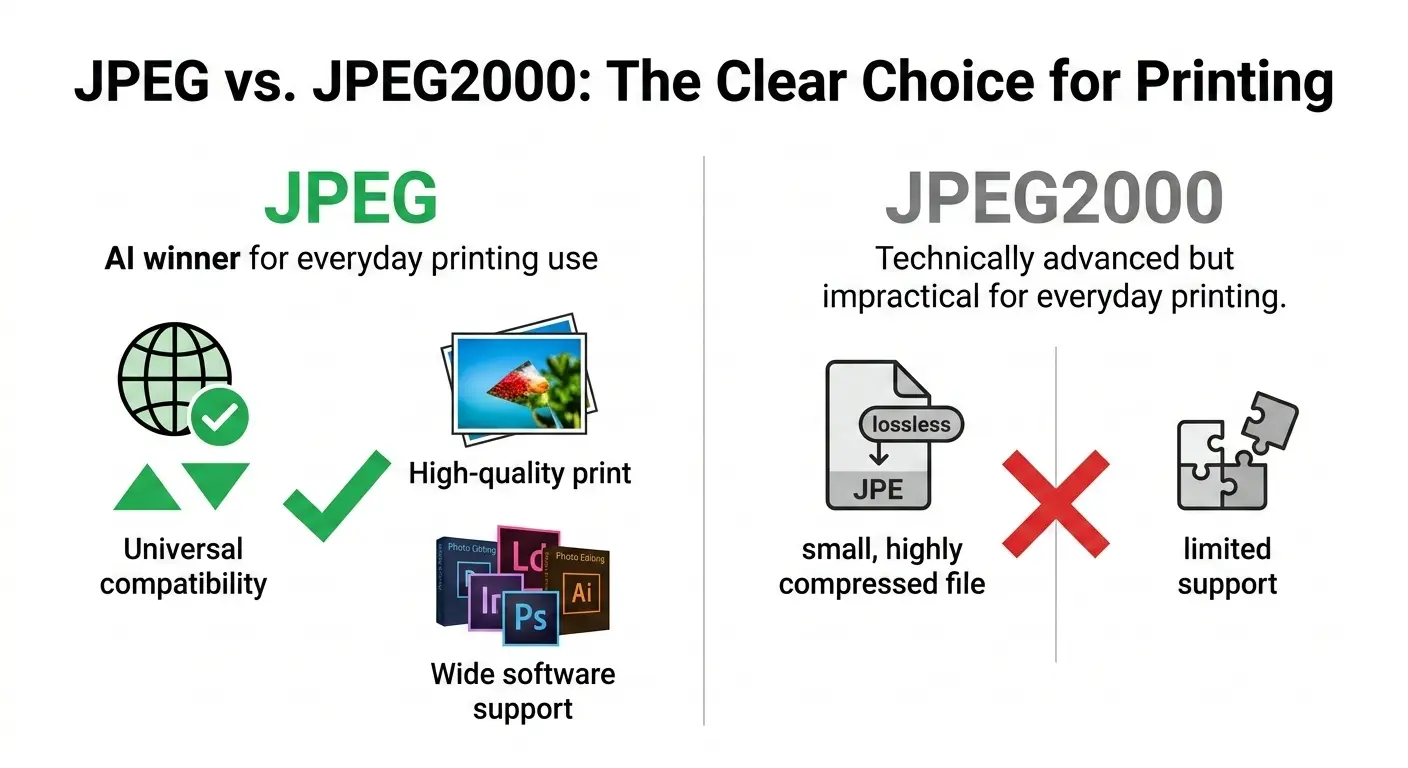
This guide compares JPEG vs JPEG2000 for printing across image quality, file size, resolution support, and real-world compatibility. You will learn when to use each format and why JPEG remains the standard for print.
If you are preparing images for print, you want the best possible quality. But you also need a format that print shops accept, that transfers easily, and that works with your software. JPEG has been the standard for decades. JPEG2000 promised more but never delivered on its potential.
Let us break down the differences and help you make the right choice.
Let us break down the differences and help you make the right choice.
What is JPEG?
JPEG (Joint Photographic Experts Group) is the most widely used image format in the world. Created in 1992, it uses lossy compression to create small file sizes while maintaining good visual quality.
Key features for printing:
Key features for printing:
- 24-bit color (16.7 million colors)
- Adjustable quality levels (you control the trade-off between quality and file size)
- Universal support – every printer, every print shop, every software accepts JPEG
- Fast encoding and decoding
- Progressive JPEG option for gradual loading
What is JPEG2000?
JPEG2000 was created in 2000 as a successor to the original JPEG. It uses wavelet-based compression instead of the DCT (discrete cosine transform) used in JPEG.
Key features for printing:
Key features for printing:
- Both lossy and lossless compression
- Superior compression efficiency (20-30% smaller files than JPEG at same quality)
- Support for higher bit depths (up to 16-bit per channel)
- Region of interest coding (you can encode parts of the image at higher quality)
- Progressive decoding by resolution or quality
Despite these advantages, JPEG2000 never gained widespread adoption due to patent issues and slow performance.
Is JPEG 2000 good for printing?
Technically, yes. JPEG2000 is excellent for printing. Its lossless mode preserves every detail perfectly. Its high bit depth support (up to 16-bit) captures more tonal information than standard 8-bit JPEG. And its compression efficiency means smaller files without quality loss.
However, there is a catch: Very few print services accept JPEG2000 files. Most consumer and professional print labs expect JPEG, TIFF, or PDF. If you send them a JPEG2000 file, they may not be able to open it.
For professional printing where you control the entire workflow, JPEG2000 can be excellent. For most printing needs, the compatibility issue makes it impractical.
However, there is a catch: Very few print services accept JPEG2000 files. Most consumer and professional print labs expect JPEG, TIFF, or PDF. If you send them a JPEG2000 file, they may not be able to open it.
For professional printing where you control the entire workflow, JPEG2000 can be excellent. For most printing needs, the compatibility issue makes it impractical.
Is JPEG 2000 better quality than JPEG?
At the same file size, yes, JPEG2000 generally offers better quality than JPEG. Its wavelet compression produces fewer artifacts and preserves detail more effectively.
At the same quality level, JPEG2000 files are 20-30% smaller than JPEG. This means you can store more high-quality images in the same space.
For lossless quality, JPEG2000 wins because JPEG does not offer a lossless mode at all. If you need pixel-perfect preservation, JPEG2000 is better.
But for practical printing, the quality difference matters less. A high-quality JPEG (90-95%) is visually indistinguishable from the original when printed. The extra quality of JPEG2000 is often unnecessary.
At the same quality level, JPEG2000 files are 20-30% smaller than JPEG. This means you can store more high-quality images in the same space.
For lossless quality, JPEG2000 wins because JPEG does not offer a lossless mode at all. If you need pixel-perfect preservation, JPEG2000 is better.
But for practical printing, the quality difference matters less. A high-quality JPEG (90-95%) is visually indistinguishable from the original when printed. The extra quality of JPEG2000 is often unnecessary.
What image format is best for printing?
The best format depends on your specific printing needs:
For a deeper dive into JPEG's strengths and weaknesses, read our guide on JPEG advantages and disadvantages.
What is JPEG 2000 used for?
Despite limited adoption in consumer markets, JPEG2000 is used in several professional fields:
- Digital cinema 📌 DCP (Digital Cinema Package) uses JPEG2000 for movie distribution. Every film you see in theaters is compressed with JPEG2000.
- Medical imaging 📌 The DICOM standard includes JPEG2000 for high-quality medical images like X-rays and MRIs.
- Archiving and libraries 📌 Some museums and libraries use JPEG2000 for archiving because of its lossless compression and high bit depth.
- Geospatial imaging 📌 Satellite and mapping systems sometimes use JPEG2000.
- Professional photography 📌 Some high-end cameras offer JPEG2000 as an option, though it is rare.
For consumer printing, you are unlikely to encounter JPEG2000.
JPEG vs JPEG2000 for printing: Head-to-head comparison
Resolution and DPI for printing
For printing, resolution matters more than format choice. Here are the recommended DPI settings:
- 150 DPI: Acceptable for large format prints viewed from a distance
- 200 DPI: Good for newsletters and simple documents
- 300 DPI: The standard for most photo printing. Excellent quality for 4x6 to 8x10 prints
- 600 DPI: High quality for detailed images, small prints, or professional work
- 1200 DPI+: Overkill for most purposes, but used for fine art reproduction
Recommendation: For printing photos, save at 300 DPI. Both JPEG and JPEG2000 can handle this resolution well.
JPEG settings for optimal print quality
If you choose JPEG for printing (which you probably should), follow these guidelines:
- Use maximum quality settings 📌 Save at 95-100% quality. The file size will be larger, but you will get the best possible print.
- Save at 300 DPI 📌 Ensure your image has the correct resolution for the print size.
- Avoid re-saving 📌 Each time you save a JPEG, you lose a little quality. Work from a master copy.
- Use sRGB color space 📌 Most consumer printers expect sRGB. Professional printers may use Adobe RGB.
For help with conversion, see how to convert an image to JPEG format.
JPEG2000 settings for printing
If your workflow supports JPEG2000 and you want to use it:
- For lossless archiving: Use lossless mode to preserve every detail
- For delivery: Use lossy mode at high quality settings (compression ratio 4:1 to 8:1)
- Color depth: Use 16-bit if your source has it, otherwise 8-bit is fine
- Resolution: Same 300 DPI recommendation applies
Real-world printing scenarios
Scenario 1: Printing family photos at home
Use JPEG. Your home printer, photo editing software, and operating system all expect JPEG. Save at 300 DPI with 95% quality for excellent results.
Scenario 2: Ordering prints from an online service
Use JPEG. Services like Shutterfly, Snapfish, and Mpix all accept JPEG. Check their requirements—most want sRGB color space and 300 DPI.
Scenario 3: Professional magazine or brochure printing
Use TIFF or high-quality JPEG. Most commercial printers accept both. Ask your printer for their specifications. They may prefer TIFF for CMYK images.
Scenario 4: Fine art printing, gallery exhibitions
Use TIFF (16-bit). For maximum quality, TIFF is the standard. JPEG2000 could work, but few fine art printers support it.
Scenario 5: Archiving master copies of your work
Use TIFF or JPEG2000 lossless. Both preserve every detail. JPEG2000 will save more space, but TIFF is more universally accessible.
Why JPEG remains the king for printing
Despite JPEG2000's technical advantages, JPEG dominates printing for several reasons:
- Universal support: Every printer, every print service, every piece of software accepts JPEG
- Good enough quality: At high settings, JPEG is visually indistinguishable from the original
- Fast and efficient: JPEG encoding and decoding is fast, making it practical for large batches
- Small files: High-quality JPEG files are reasonably sized for transfer and storage
- Familiarity: Everyone knows how to work with JPEG
For a comparison with modern formats, read is WebP better quality than JPEG.
The practical truth: For printing, the format matters less than the quality settings. A well-prepared high-quality JPEG will produce excellent prints. JPEG2000 offers theoretical advantages, but compatibility issues make it impractical for most printing needs.
When you might consider JPEG2000 for printing
There are specific situations where JPEG2000 makes sense:
- You control the entire workflow: If you are printing in-house and all your software supports JPEG2000
- Archiving before printing: You want lossless masters that take less space than TIFF
- Working with 16-bit images: JPEG2000 preserves the extra tonal information
- Medical or scientific imaging: Where JPEG2000 is already the standard
For most people, these situations are rare.
The verdict | JPEG vs JPEG2000 for printing
JPEG is the practical winner for printing. It offers excellent quality, universal support, and ease of use. For 99% of printing needs, JPEG is the right choice.
JPEG2000 is the technical winner. It offers better compression, lossless options, and higher bit depth. But its lack of support makes it impractical for most printing workflows.
If you are preparing images for print, follow this simple advice:
JPEG2000 is the technical winner. It offers better compression, lossless options, and higher bit depth. But its lack of support makes it impractical for most printing workflows.
If you are preparing images for print, follow this simple advice:
- Save at 300 DPI
- Use JPEG with 95-100% quality
- Use sRGB color space for consumer printing
- Ask your printer for specifications if in doubt
- Keep master copies in a lossless format like TIFF
This approach will give you excellent prints without compatibility headaches.
Summary: JPEG is the best format for most printing needs due to universal support and excellent quality at high settings. JPEG2000 offers technical advantages like better compression and lossless options, but compatibility issues make it impractical for everyday printing. For optimal prints, save JPEG at 300 DPI with 95-100% quality.