TIFF vs PNG for Scanning | The Ultimate Format Guide
Tiff vs PNG for Scanning is a key question for anyone handling scanned images or documents. Picking the right format can make a big difference in image quality, file size, and how easy it is to work with your files later. TIFF and PNG each bring their own strengths to the table, but which one really fits your needs? In this guide, we’ll walk you through the main differences—covering clarity, storage efficiency, text readability, and long-term archiving—so you can confidently choose the best format for your digital scans.
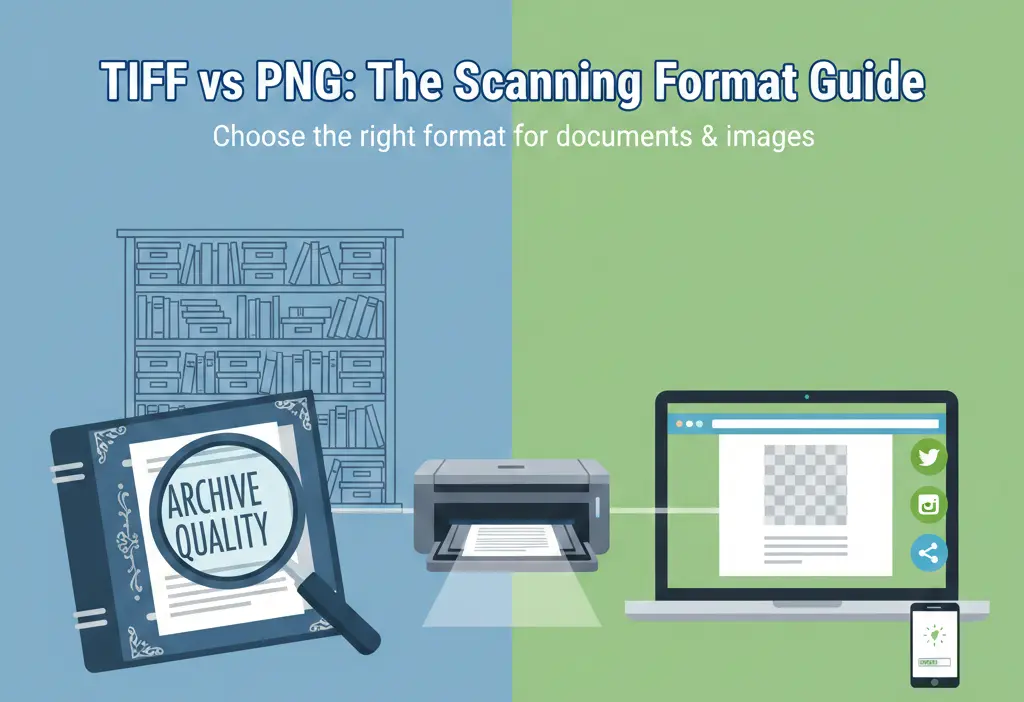
Both TIFF and PNG are lossless formats, meaning they preserve original image data without degradation. However, their underlying technology, compatibility, and typical use cases differ significantly. Whether you're digitizing family photos, archiving business records, or preparing images for the web, understanding this format showdown is key to optimizing your workflow.
Image Quality & Detail Preservation
When scanning, maintaining the original fidelity of documents and photographs is often the top priority. Let's see how each format handles quality.
- TIFF (Tagged Image File Format) is the industry standard for high-quality archival scanning. It supports multiple layers, color profiles, and can store images in various color depths (including 16-bit per channel). This makes it exceptionally good at preserving fine details, subtle gradients, and text clarity, especially for black-and-white documents.
- PNG (Portable Network Graphics) is also a lossless format, famous for its sharp edges and support for transparency. It excels at preserving graphics, logos, and images with text overlays without the "jagged" edges you might see in JPEGs. However, it typically uses 8-bit color, which can be a limitation for high-end photographic scans requiring extreme color depth.
Verdict: For critical archival scanning where every detail matters—such as legal documents, historical photos, or medical imaging—TIFF has a clear edge due to its robust support for higher bit depths and industry acceptance.
File Size & Storage Considerations
File size impacts storage costs, sharing speed, and backup efficiency. Here’s how TIFF and PNG compare.
| Feature | TIFF | PNG |
|---|---|---|
| Compression | Lossless (LZW, ZIP). Can also be uncompressed, leading to very large files. | Lossless (DEFLATE). Generally more efficient for simple graphics and images with large areas of solid color. |
| Typical File Size | Larger, especially for complex, multi-page, or high-bit-depth scans. | Smaller for screenshots, web graphics, and images with limited colors. Can be large for full-color photographs. |
| Impact on Archiving | High storage demands. Ideal for master copies where quality is paramount. | More storage-friendly for a digital library of mixed content intended for web or general use. |
A key point to remember is that the main drawback of the PNG file format for scanning can be its file size when dealing with complex, full-color photographic scans, as it lacks the more advanced compression options sometimes available in TIFF.
Text Clarity & Document Scanning
If your primary goal is scanning text documents, contracts, or books, legibility is non-negotiable.
- Bitonal (Black & White) Scans: 📌 For simple text documents, both formats perform well in lossless mode. However, TIFF is the traditional and preferred format in document management systems (DMS) and libraries due to its reliable compression (CCITT Group 4) specifically designed for bitonal images, which keeps file sizes incredibly small while keeping text razor-sharp.
- Grayscale & Color Documents: 📌 For documents with photos, signatures, or colored stamps, TIFF’s support for different compression types per page within a multi-page file is a powerful advantage. PNG files are single-image files, making them less convenient for multi-page documents without bundling them into a PDF or similar container.
- Long-Term Archiving: 📌 Institutions like museums and government bodies almost exclusively use TIFF for archival document scanning because of its open standard, lack of vendor lock-in, and proven stability over decades.
Software & Compatibility
Can you open and use the file easily? Widespread compatibility reduces future headaches.
Note for Readers: While most modern operating systems and basic image viewers can open both TIFF and PNG, professional-grade compatibility differs. Advanced graphic design, publishing, and archival software (like Adobe Photoshop, Lightroom, or LibTIFF-based systems) offer full support for TIFF's features. PNG is universally supported across all web browsers and basic applications, making it the undisputed king for web use.
If your workflow involves sharing scans via email, websites, or standard office software, PNG offers hassle-free compatibility. For professional publishing, printing, or archival work, TIFF's deep integration with industry software makes it the necessary choice. For more on the print-specific debate, see our analysis on TIFF vs PNG for printing.
Practical Use Cases | When to Choose Which
Let's translate the technical details into clear, actionable recommendations.
- Choose TIFF for Scanning If:
- You are creating a "master" or archival copy of irreplaceable items (old photos, deeds, artwork).
- You need to scan multi-page documents into a single file.
- You are working with professional printing or publishing workflows.
- Image quality and data integrity are the absolute highest priorities, and file size is a secondary concern.
- Choose PNG for Scanning If:
- You are scanning images primarily for use on websites, blogs, or presentations.
- Your scans contain graphics, logos, or images that require a transparent background.
- You need a good balance of lossless quality and manageable file size for general digital storage.
- You prioritize universal software compatibility for easy sharing and viewing.
How to Convert Between Formats Easily
You might start with one format and later need another. Perhaps you have archival TIFFs that need to be shared online as PNGs, or large PNGs that need to be optimized. Manually converting images, especially in bulk, can be time-consuming.
This is where a dedicated, user-friendly tool becomes invaluable. We encourage you to convert your scanned images quickly and without hassle using Image Converter 24. The process is straightforward: visit the website, upload your image (TIFF, PNG, JPG, etc.), select your desired output format, and click convert. You can then download the perfectly converted file immediately—no account required, no restrictions.
Whether you're standardizing a digital archive or preparing images for the web, having a reliable conversion tool in your workflow saves time and ensures consistent results.
Final Recommendation | TIFF or PNG?
The best format depends entirely on your "why" for scanning.
Summary: For long-term preservation, professional archiving, and capturing maximum detail, TIFF is the superior, unrivaled choice. For everyday digital use, web sharing, and graphics with transparency, PNG offers an excellent balance of quality and convenience.
A smart strategy is to use both: scan and save your irreplaceable master copies as high-quality TIFF files for your permanent archive. Then, create PNG copies (using a tool like Image Converter 24) from those masters for sharing, emailing, or posting online. This two-format approach gives you the best of both worlds: perfection for the future and practicality for the present.
Keep Your Digital Archive Future-Proof
Technology evolves, but the principles of good data management remain. Choosing the right file format is a foundational step. By understanding the core strengths of TIFF and PNG, you're not just saving a file—you're preserving information, memories, and work in the most appropriate and usable way possible.
Stay curious, keep your software updated to handle these standard formats, and remember that the most important step is to start scanning and preserving what matters to you.
Conclusion: In the end, the TIFF vs PNG for scanning debate doesn't have a single winner. It has a right tool for the right job. TIFF stands as the robust, feature-rich guardian of archival quality. PNG serves as the versatile, web-friendly champion of everyday digital use. By aligning your format choice with your specific goals for image quality, file size, and compatibility, you ensure that your scanned documents and images remain clear, accessible, and valuable for years to come.