TIFF vs PNG: What's the Difference and Which Should You Use?
TIFF and PNG are both lossless image formats, but they are built for different jobs. Use PNG for websites, apps, screenshots, and transparent graphics. Use TIFF for professional printing, scanning, photo editing, and long-term archiving. Neither is better in every case. The right choice depends on where the image will be used.
Quick answer: TIFF vs PNG at a glance
| Question | TIFF | PNG |
|---|---|---|
| Best for | Print, scanning, archiving, editing | Web, apps, screenshots, logos |
| Lossless? | Yes (unless saved with JPEG compression) | Always |
| File size | Usually much larger | Smaller |
| Transparency | Supported, but software handling varies | Full alpha channel, works everywhere |
| CMYK | Yes | No (RGB only) |
| Multi-page | Yes | No |
| Browser support | Very limited (Safari only) | All browsers |
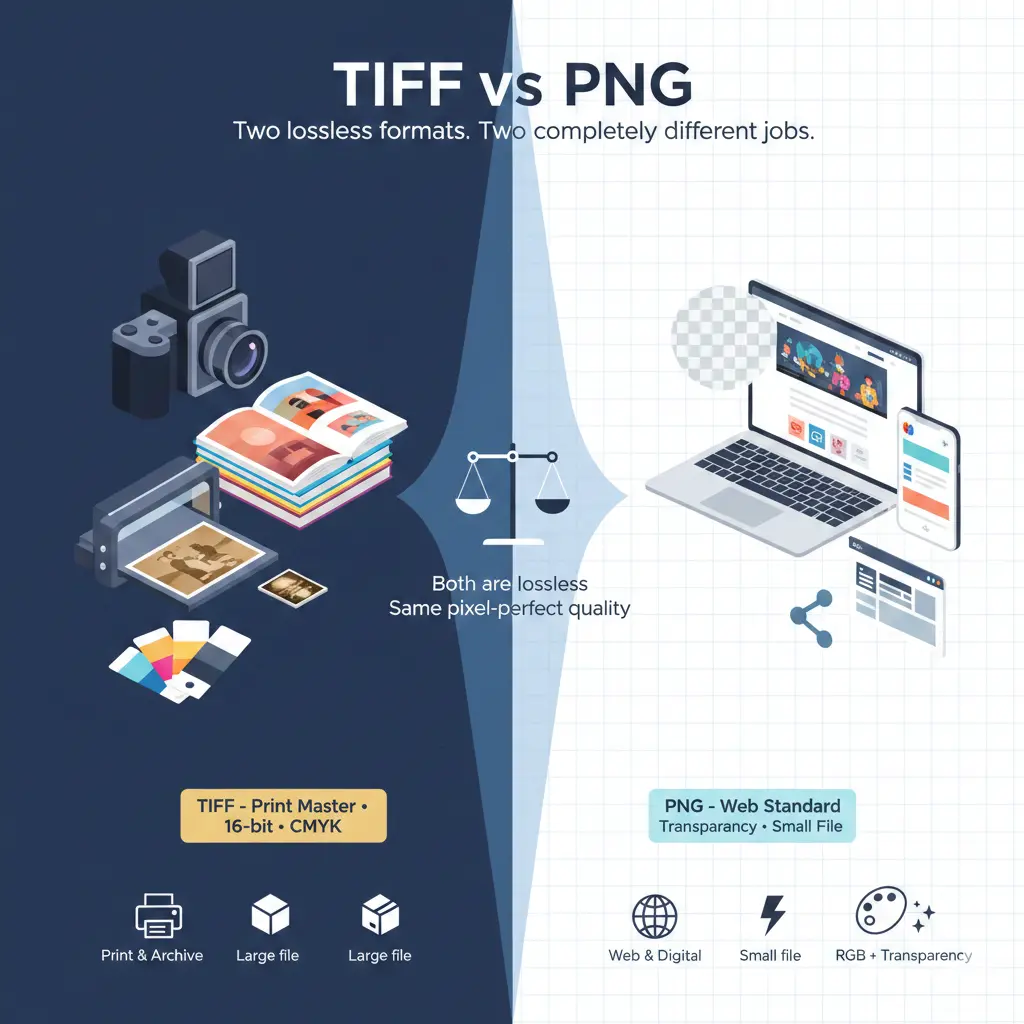
Both formats can keep every pixel of the original image. A TIFF saved without lossy compression and a PNG are visually identical on screen. The real differences are file size, color depth, color modes, transparency handling, metadata, and software support.
Is TIFF better quality than PNG?
At the same bit depth, TIFF and PNG look identical because both are lossless. TIFF has the edge only in professional workflows. It supports 16-bit and 32-bit per channel color, CMYK, Lab color, and rich metadata such as EXIF, IPTC, XMP, and embedded ICC profiles.
Extra bit depth will not look better on a normal monitor. It gives photographers more room to edit shadows, highlights, and gradients without visible banding. PNG does officially support 16-bit per channel (48-bit color), but many apps and browsers reduce it to 8-bit.
Which is better, PNG or TIFF?
PNG is better for the web and digital design. TIFF is better for print, scanning, and archiving. A PNG on a print magazine cover can cause color problems because it has no CMYK support. A TIFF on a website hero image will load slowly and may not display at all.
Rule of thumb: choose the format by where the image will live, not by which one sounds more advanced.
What is TIFF used for?
TIFF (Tag Image File Format) is a flexible, lossless image format introduced in 1986 and used mainly in professional imaging. Common uses:
- Print publishing: magazines, books, and brochures that need CMYK and high resolution.
- Photography: 16-bit TIFFs exported from RAW files for retouching in Photoshop.
- Document scanning: libraries and archives use TIFF because it is lossless and non-proprietary.
- Medical imaging: many devices store scans as TIFF.
- GIS and mapping: GeoTIFF stores georeferencing data inside the file.
TIFF is rarely used on websites. Safari can open TIFF files, but Chrome, Firefox, and Edge cannot display them, so visitors usually see a broken image or a download prompt. For more detail, read TIFF advantages and disadvantages.
What is PNG used for?
PNG (Portable Network Graphics) is a lossless format introduced in 1996 and designed for the web. It uses DEFLATE compression and supports full alpha transparency, so it is the default choice for logos, icons, UI elements, screenshots, and graphics with sharp edges or text.
Is TIFF transparent? Does TIFF support transparency?
Yes, TIFF supports transparency through an alpha channel, but PNG handles it more reliably. PNG has an 8-bit alpha channel (256 levels of transparency) that every modern browser and image viewer displays correctly. Some programs ignore TIFF transparency or fill it with a solid color. If you need transparency on a website or app, use PNG.
TIFF vs PNG file size
TIFF files are usually much larger than PNG files. Even with LZW or ZIP compression, a high-resolution TIFF photo can reach tens of megabytes, and uncompressed TIFFs are larger still. For screenshots, logos, and flat graphics, PNG compresses very efficiently.
PNG is not ideal for photos though. For photographs on the web, JPEG or WebP gives far smaller files. That is the main drawback of the PNG file format: perfect quality, but large files for complex images.
TIFF vs PNG for printing
For professional printing, TIFF is the safer choice because it supports CMYK, high resolution, and embedded ICC color profiles. Commercial printers usually ask for TIFF, PDF, or PSD. For home printing or a local photo kiosk, a PNG at 300 DPI works fine. See the full guide: TIFF vs PNG for printing.
TIFF vs PNG for scanning
TIFF is the standard for scanning documents, photos, and film. It keeps full scan detail, supports multi-page files, and is widely used for digital preservation. PNG works for a quick single-page scan you only need on screen. More here: TIFF vs PNG for scanning.
JPG vs PNG vs TIFF: how do they compare?
JPG is best for small photos, PNG for sharp graphics and transparency, and TIFF for high-quality masters and print. JPG is lossy and gives the smallest files. PNG and TIFF are lossless and keep every pixel.
When to use TIFF
- You are sending files to a commercial printer.
- You are scanning documents or film negatives.
- You are archiving images for the long term.
- You need 16-bit color for serious retouching.
- You need multi-page files, such as scanned books.
When to use PNG
- You are publishing images on a website.
- You are designing icons, apps, or UI elements.
- You need transparency for digital use.
- You are taking screenshots.
- You are sharing images that must open on any device.
Tip for photographers: shoot RAW, edit in 16-bit TIFF or PSD, then export PNG or WebP for the web, JPEG for email, and TIFF for print clients.
Is BMP better than TIFF or PNG?
No. BMP is lossless, but it uses little or no compression, so files are very large and it has no real advantage over PNG or TIFF. It is only useful for very old software or embedded systems. See BMP vs TIFF quality.
Can you convert TIFF to PNG?
Yes. Converting TIFF to PNG is common and gives you a much smaller, browser-friendly file. Be aware of what you lose and gain:
- Lost: CMYK color (converted to RGB), 16-bit depth (reduced to 8-bit), print profiles, and multi-page structure.
- Gained: smaller file size, universal compatibility, and reliable transparency.
Keep your original TIFF as the master. You can convert with a free online image converter with no signup.
Frequently asked questions
Is TIFF or PNG better?
PNG is better for the web and transparent graphics. TIFF is better for printing, scanning, and archiving.
Is TIFF higher quality than PNG?
Not at the same bit depth, since both are lossless. TIFF can store higher bit depth and CMYK, which matters for professional editing and print.
Can browsers display TIFF?
Only Safari does. Chrome, Firefox, and Edge do not display TIFF files, so use PNG, JPEG, or WebP for websites.
Which format should I use for printing?
Use TIFF for professional printing. PNG at 300 DPI is fine for home or kiosk prints.
The verdict: TIFF vs PNG
Keep TIFF for master files, scans, and print work. Use PNG for everything you publish on screen. Both preserve quality, so the decision comes down to file size, color mode, and where the image will be used.