Difference Between TIFF and PNG: Which Format Is Better?
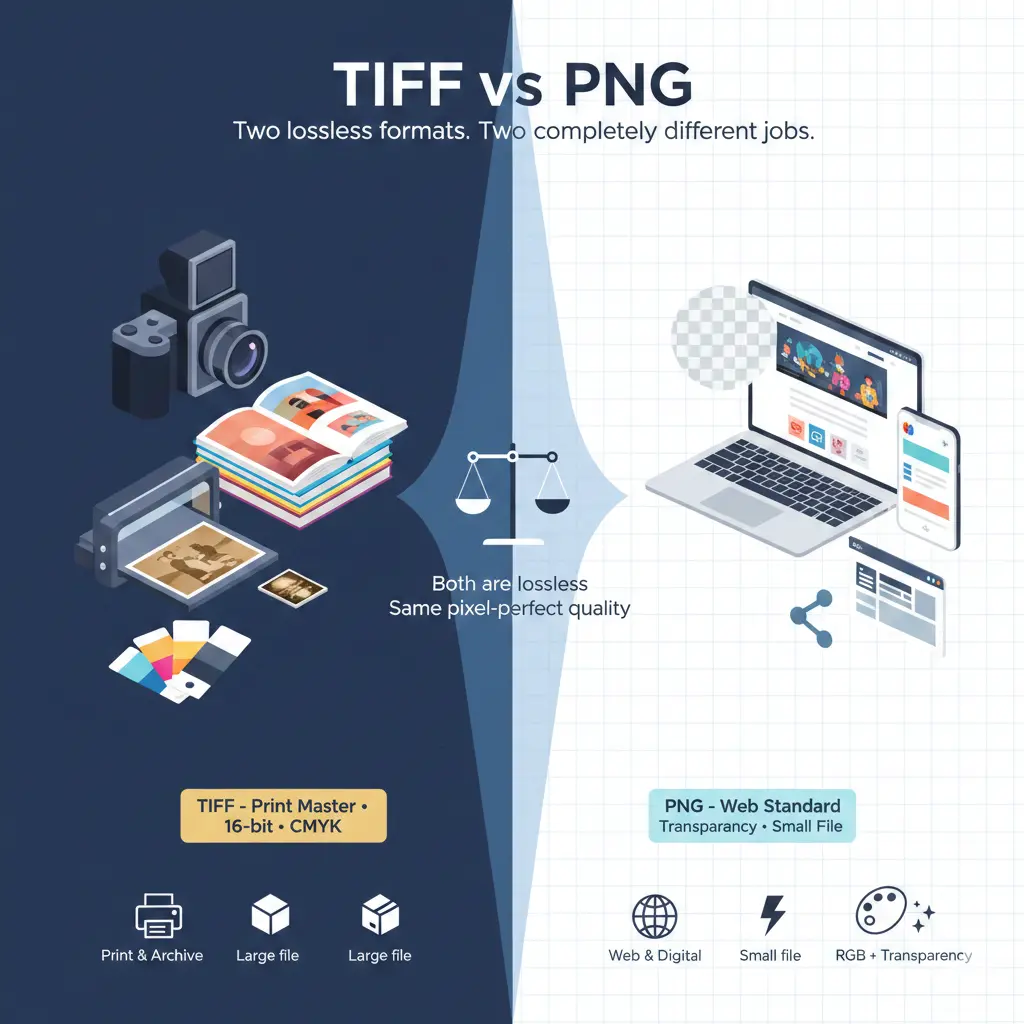
Choosing the right one depends entirely on where the image is going and how it will be used. This guide explains the difference between TIFF and PNG across quality, file size, transparency, and real-world use cases. You will learn exactly when to use TIFF, when to stick with PNG, and why your decision matters for print versus screen.
The differences are everything else: file size, metadata support, color depth, transparency handling, and software compatibility. These differences determine whether a format is a joy to use or completely wrong for your project.
Which is better, PNG or TIFF?
For printing, scanning, and archiving: TIFF is better. It supports CMYK color, higher bit depths (16‑bit per channel), and can embed ICC profiles for accurate print reproduction. TIFF is also the preferred format for professional scanners and digital archives.
Neither is objectively "better." They are optimized for different industries. Using PNG for a print magazine cover would cause color and resolution problems. Using TIFF for a website hero image would slow down your page dramatically.
Honest take: PNG wins on the web. TIFF wins in print and professional photography. Choose based on where the image lives, not which format sounds more advanced.
Is TIFF better quality?
Where TIFF pulls ahead: TIFF supports higher bit depths. You can save 16‑bit or even 32‑bit per channel TIFF files. These contain far more color information than standard 8‑bit PNGs. This extra data does not look better on a normal monitor—you cannot see 16‑bit color on an 8‑bit screen. But it gives photographers and retouchers much more flexibility when editing shadows, highlights, and color gradients without banding.
TIFF also supports CMYK color mode, which is essential for commercial printing. PNG only works in RGB.
What is TIFF used for?
- Print publishing: Magazines, books, and brochures. TIFF files preserve CMYK color and high resolution for offset printing.
- Photography: Professional photographers often shoot RAW, then export 16‑bit TIFFs for editing in Photoshop before final delivery as JPEG.
- Document scanning: Libraries, governments, and archives scan historical documents as TIFF. It is the standard for digital preservation because it is lossless and non‑proprietary.
- Medical imaging: Many medical devices save scans as TIFF due to its reliable lossless compression and metadata support.
- GIS and mapping: GeoTIFF is a variant that stores georeferencing data inside the file.
TIFF is rarely used on the web. No major browser displays TIFF files natively. If you upload a TIFF to a website, visitors will see a broken image icon or be prompted to download the file. For a deeper look at its pros and cons, this guide covers TIFF advantages and disadvantages in detail.
Is PNG the best quality?
But if your definition of "best quality" includes:
- 16‑bit color depth
- CMYK color space
- Embedded print profiles
- Multi‑page documents
TIFF vs PNG | Head‑to‑head comparison
| Feature | TIFF (Tag Image File Format) | PNG (Portable Network Graphics) |
|---|---|---|
| Year introduced | 1986 | 1996 |
| Compression | LZW, ZIP, JPEG (lossy), or uncompressed | DEFLATE (lossless only) |
| Color depth | 8‑bit, 16‑bit, 32‑bit per channel | 8‑bit per channel (24‑bit), 48‑bit limited |
| Color space | RGB, CMYK, Grayscale, Lab, indexed | RGB, indexed, grayscale |
| Transparency | Alpha channel (in RGB), some limitations | Full alpha channel (8‑bit) |
| File size | Very large (often 2–10x larger than PNG) | Small to moderate |
| Metadata support | Extensive (EXIF, IPTC, XMP, ICC) | Basic text chunks, ICC profiles |
| Multi‑page support | Yes (can store multiple images in one file) | No |
| Web browser support | None (cannot be displayed natively) | Universal |
| Primary use | Print, photography, scanning, archiving | Websites, apps, UI design, screenshots |
Transparency- PNG wins for the web
TIFF also supports alpha channels, but implementation is inconsistent. Some software reads TIFF transparency; other software ignores it or replaces it with a solid color. More importantly, web browsers do not display TIFF at all, so transparency is irrelevant for online use.
If you need transparency on a website or app, PNG is the only logical choice.
File size - The massive difference
TIFF: Even with LZW or ZIP compression, TIFF files are huge. A 24‑megapixel photo saved as TIFF with ZIP compression can easily exceed 40–50 MB. Uncompressed TIFFs are even larger. This is acceptable for professional printing and archiving, where storage is cheap and quality is absolute.
PNG: PNG uses DEFLATE compression, which is highly efficient for images with solid colors, sharp lines, and limited palettes. A full‑color photograph saved as PNG will still be large, but significantly smaller than TIFF. For screenshots, logos, and UI elements, PNG files are often 70–90% smaller than equivalent TIFFs.
However, PNG was never designed for photographs. For photos, JPEG or WebP offer much better compression. This is the main drawback of the PNG file format—it preserves quality perfectly, but at the cost of large file sizes for complex images.
Color depth and professional editing
16‑bit editing: PNG officially supports 48‑bit color (16‑bit per channel), but support is inconsistent. Many web browsers and apps display 48‑bit PNGs incorrectly, mapping them down to 8‑bit. TIFF 16‑bit is the industry standard for professional image editing. You can push shadows and highlights aggressively without creating visible banding.
CMYK: PNG does not support CMYK. If you send a PNG to a print shop, they will reject it or convert it to CMYK, which may shift colors unpredictably. TIFF supports CMYK natively, with embedded ICC profiles for precise color matching.
When to use TIFF
- You are sending files to a commercial printer. Magazines, books, and professional print shops expect TIFF or PSD.
- You are scanning documents or film negatives. TIFF preserves every detail from the scan without generation loss.
- You are archiving images for long‑term storage. TIFF is a non‑proprietary, widely supported format that will still be readable decades from now.
- You need 16‑bit color editing. For serious photo retouching, TIFF gives you the headroom you need.
- You are working with multi‑page documents. A single TIFF can store hundreds of pages, which is useful for faxes and scanned books.
For a detailed look at how TIFF performs specifically for scanning, read this comparison of TIFF vs PNG for scanning.
When to use PNG
- You are publishing images on the web. PNG is the only lossless, transparency‑capable format with universal browser support.
- You are designing apps, icons, or UI elements. PNG preserves sharp edges and perfect colors.
- You need transparency for digital use. Logos, product mockups, and overlay graphics are perfect for PNG.
- You are taking screenshots. PNG compresses screenshots efficiently without losing text clarity.
- You are sharing images with non‑technical clients or colleagues. PNG opens on every device without special software.
TIFF vs PNG for printing
If you are printing at home or at a local photo kiosk, PNG at 300 DPI will look fine. But for offset printing, magazines, or fine art reproduction, always use TIFF. You can learn more in this dedicated guide on TIFF vs PNG for printing.
Important note for photographers: Shoot in RAW, edit in 16‑bit TIFF or PSD, and export to PNG for web, JPEG for email, and TIFF for print clients. Do not use PNG as your working format—it lacks the bit depth and color space flexibility you need for serious editing.
Is BMP better than TIFF or PNG?
BMP is essentially obsolete for professional work. The only reason to use BMP today is for compatibility with very old software or embedded systems. For a direct comparison, see this article on BMP vs TIFF quality.
Can you convert TIFF to PNG?
What you lose:
- CMYK color (converted to RGB)
- 16‑bit depth (downsampled to 8‑bit)
- Embedded print profiles
- Multi‑page structure
- Much smaller file size
- Universal browser compatibility
- Clean transparency support
The verdict - Difference Between TIFF and PNG
PNG is a digital native format. It is perfect for websites, apps, screenshots, and any image that lives on a screen. It cannot replace TIFF in professional print workflows, and it was never designed to.
The difference between TIFF and PNG is not about which format is "better." It is about using the right tool for the job. Keep TIFF for your master files and print work. Use PNG for everything you publish online. Your future self—and your website visitors—will thank you.