JPEG MIME Type | What Is the Correct Content Type?
The short answer: The correct MIME type for JPEG files is
image/jpeg. Not image/jpg. Not image/JPG. Always use image/jpeg in your HTML, server configuration, and HTTP headers. 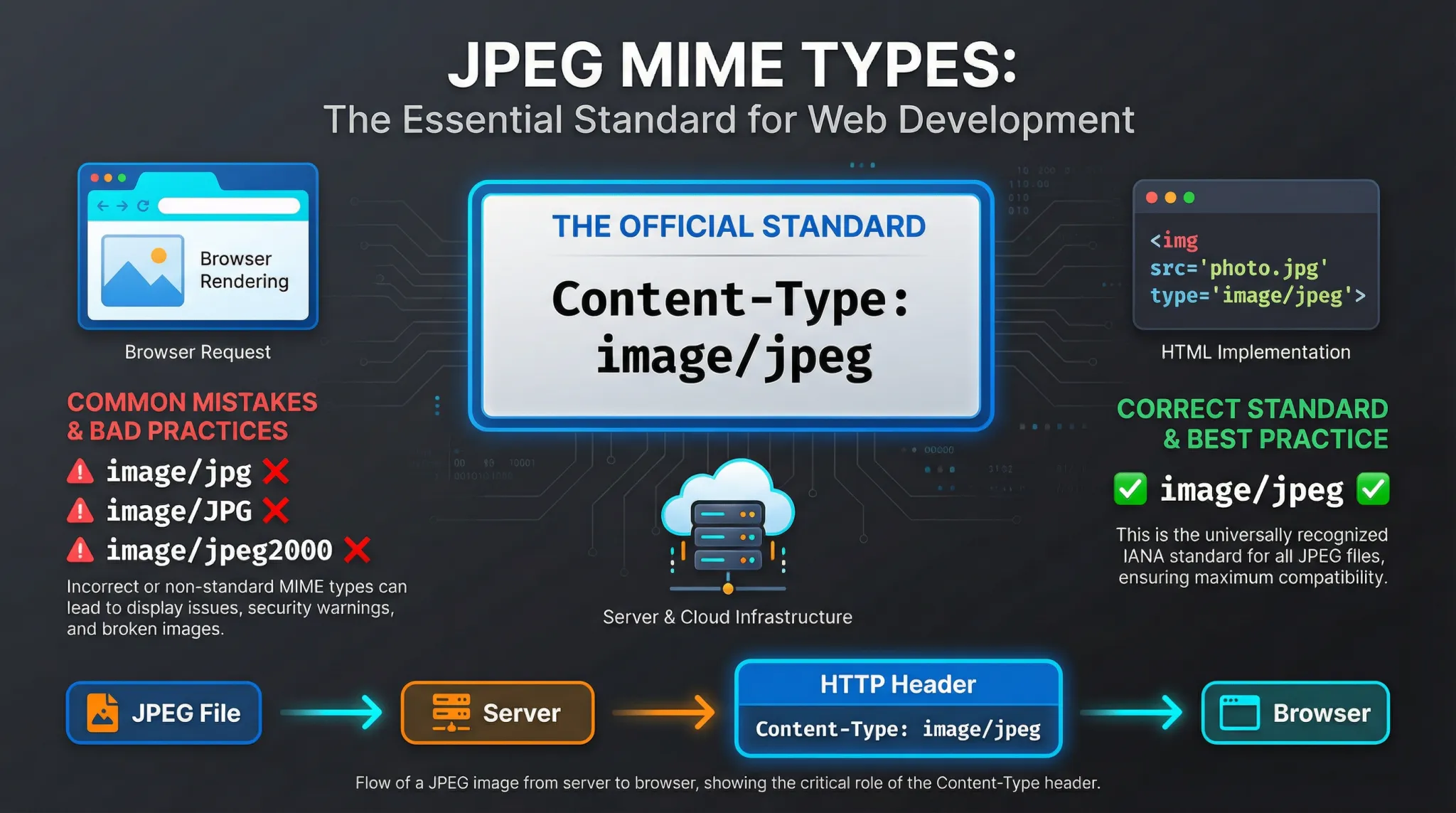
This guide explains everything you need to know about JPEG MIME type. You will learn what MIME types are, the correct type for JPEG, common mistakes to avoid, and how to configure it properly on your website.
If you have ever built a website or worked with web servers, you have likely encountered MIME types. They tell browsers what kind of file they are receiving. Getting them wrong can cause images not to display, files to download instead of showing, or even security issues.
Let us clear up everything about JPEG MIME types.
Let us clear up everything about JPEG MIME types.
What is a MIME type?
MIME stands for Multipurpose Internet Mail Extensions. It was originally created for email attachments but is now used everywhere on the web.
A MIME type tells the browser or client what kind of file it is receiving. It has two parts: a type and a subtype, separated by a slash. For example:
A MIME type tells the browser or client what kind of file it is receiving. It has two parts: a type and a subtype, separated by a slash. For example:
text/html– HTML documentimage/jpeg– JPEG imageimage/png– PNG imageapplication/pdf– PDF document
When your web server sends a file, it includes a
Content-Type header with the correct MIME type. If the MIME type is wrong, the browser might display the file incorrectly or offer it as a download.What is JPEG MIME type?
The correct MIME type for JPEG files is
This is the official MIME type registered with IANA (Internet Assigned Numbers Authority). It applies to files with .jpg, .jpeg, and .jpe extensions. The MIME type does not change based on the file extension.
When your web server sends a JPEG image, it should include this header:
image/jpeg. This is the official MIME type registered with IANA (Internet Assigned Numbers Authority). It applies to files with .jpg, .jpeg, and .jpe extensions. The MIME type does not change based on the file extension.
When your web server sends a JPEG image, it should include this header:
Content-Type: image/jpeg
This tells the browser "this is a JPEG image" regardless of whether the file is named image.jpg or image.jpeg.
What is the MIME type in an image?
The MIME type for an image tells the browser what kind of image it is. Different image formats have different MIME types:
For JPEG, always use
image/jpeg. For more on PNG, read our guide on MIME type for PNG.What is the difference between image/jpeg and image/jpg?
image/jpeg is the correct, registered MIME type. image/jpg is not a registered MIME type and is technically invalid. While some browsers may still display images with
image/jpg due to lenient error handling, it is not guaranteed to work everywhere. Always use image/jpeg for maximum compatibility. For a complete comparison, see JPG vs JPEG MIME type and JPG MIME type.
What is the MIME type for heic image?
The MIME type for HEIC images (Apple's HEIF format with HEVC compression) is
However, browser support for HEIC is limited to Safari. Most websites convert HEIC to JPEG for compatibility. For more on HEIF and HEVC, read HEIF vs HEVC.
image/heic. However, browser support for HEIC is limited to Safari. Most websites convert HEIC to JPEG for compatibility. For more on HEIF and HEVC, read HEIF vs HEVC.
What does file MIME type mean?
File MIME type tells software what kind of file it is dealing with. It is like a label that says "this is a JPEG image" or "this is a PDF document."
When you download a file, your browser checks the MIME type to decide what to do:
When you download a file, your browser checks the MIME type to decide what to do:
- If it's
image/jpeg, display the image - If it's
text/html, render the webpage - If it's
application/pdf, open a PDF viewer or offer to download
Getting the MIME type right ensures files are handled correctly.
Is JPEG an image type?
Yes, JPEG is one of the most common image types. It stands for Joint Photographic Experts Group, the committee that created the standard.
JPEG images use lossy compression to create smaller file sizes while maintaining good visual quality. They are the standard for photographs on the web and in digital cameras.
For a complete overview, read about JPEG advantages and disadvantages and most advantages of JPEG.
JPEG images use lossy compression to create smaller file sizes while maintaining good visual quality. They are the standard for photographs on the web and in digital cameras.
For a complete overview, read about JPEG advantages and disadvantages and most advantages of JPEG.
What file type is a JPEG?
A JPEG file is an image file that uses JPEG compression. It typically has one of these file extensions:
.jpg– most common, used on Windows systems.jpeg– also common, used on Mac/Linux.jpe– less common.jfif– JPEG File Interchange Format (rarely seen)
All of these are JPEG images and use the same MIME type:
image/jpeg.Why does the correct MIME type matter?
Using the correct MIME type is important for several reasons:
- Browser compatibility 📌 Browsers rely on MIME types to know how to handle files. A JPEG with the wrong MIME type might not display at all.
- Security 📌 Incorrect MIME types can lead to security issues. For example, if a server sends HTML as
image/jpeg, it might bypass security filters. - SEO 📌 Search engines use MIME types to understand content. Incorrect types can affect indexing.
- User experience 📌 Files open correctly instead of downloading unexpectedly.
- API consistency 📌 APIs that validate MIME types may reject files with incorrect types.
How to use the correct JPEG MIME type in HTML
In HTML, you do not set the MIME type directly for images. The server handles this. However, when using the
<picture> element with multiple formats, you specify the type attribute:<picture> <source srcset="image.avif"
type="image/avif"> <source srcset="image.webp"
type="image/webp"> <img src="image.jpg"
alt="Description"> </picture>
For the JPEG fallback, you do not need to specify a type. But if you were to specify, it would be
type="image/jpeg".How to set the correct JPEG MIME type on servers
On Apache
In your .htaccess file or Apache configuration:
AddType image/jpeg .jpg .jpeg .jpe
On Nginx
In your mime.types file or nginx.conf:
types {
    image/jpeg    jpg jpeg jpe;
}
On IIS
In your web.config file:
<staticContent>
  <mimeMap fileExtension=".jpg"
mimeType="image/jpeg" />
  <mimeMap fileExtension=".jpeg"
mimeType="image/jpeg" />
  <mimeMap fileExtension=".jpe"
mimeType="image/jpeg" />
</staticContent>
How to set the correct JPEG MIME type in APIs
Node.js / Express
res.setHeader('Content-Type', 'image/jpeg');
res.sendFile('image.jpg');
Python / Flask
from flask import send_file
response = send_file('image.jpg',
mimetype='image/jpeg')
PHP
header('Content-Type:
image/jpeg');
readfile('image.jpg');
How to check the MIME type of a JPEG file
You can check what content type your server is sending using browser developer tools:
- Open browser DevTools (F12)
- Go to the Network tab
- Reload the page
- Click on a JPEG image file
- Look for "Content-Type" in the response headers
You should see
You can also use command-line tools like
content-type: image/jpeg. If you see something else, your server needs reconfiguration. You can also use command-line tools like
curl:curl -I https://example.com/image.jpg
Look for the
Content-Type header in the response.Common MIME type mistakes with JPEG
- Using
image/jpginstead ofimage/jpeg - Using uppercase letters (
image/JPEG) - Forgetting to configure the server for .jpe extensions
- Sending
application/octet-streamfor JPEG images (forces download instead of display) - Using the wrong MIME type in email attachments
- Not checking what MIME type your server actually sends
Remember: The correct MIME type for JPEG files is always
image/jpeg. Never useimage/jpg. Configure your server correctly, and your images will display properly for all users.
Frequently asked questions about JPEG MIME type
Is the MIME type case-sensitive?
Yes. MIME types are case-sensitive and should always be lowercase.
image/JPEG may not be recognized correctly.Can I use image/jpg?
No,
image/jpg is not a registered MIME type. Always use image/jpeg.Does the file extension affect the MIME type?
No. The MIME type is determined by the server configuration, not the file extension. A properly configured server will send
image/jpeg for .jpg, .jpeg, and .jpe files.What happens if I use the wrong MIME type?
The image may not display, or the browser might try to download it instead of showing it. In some cases, it could cause security warnings.
The bottom line - JPEG MIME type
The correct MIME type for JPEG files is
Using the correct MIME type ensures:
image/jpeg. This applies to all JPEG files regardless of whether they use .jpg, .jpeg, or .jpe extensions. Using the correct MIME type ensures:
- JPEG images display correctly in all browsers
- No unexpected downloads
- Proper API validation
- Better security
- Standards compliance
Configure your server correctly, use the right MIME type in your APIs, and you will avoid common errors that cause images not to display.
For help with conversion, see how to convert an image to JPEG format.
For help with conversion, see how to convert an image to JPEG format.
Summary: The correct MIME type for JPEG files is
image/jpeg. Not image/jpg. Configure your server with AddType image/jpeg .jpg .jpeg .jpe (Apache) or the equivalent for your platform. Always use lowercase. This ensures your JPEG images display correctly in all browsers.