JPG MIME Type | What Is the Correct MIME Type for Images?
The correct MIME type for JPG files is
image/jpeg. Not image/jpg. Not image/JPG. Always use image/jpeg in your HTML, server configuration, and HTTP headers.Quick answer: The mime type image browsers expect for JPG/JPEG files is
image/jpeg. This is the mime type jpg servers should send in the Content-Type header — regardless of whether the file ends in .jpg, .jpeg, or .jpe.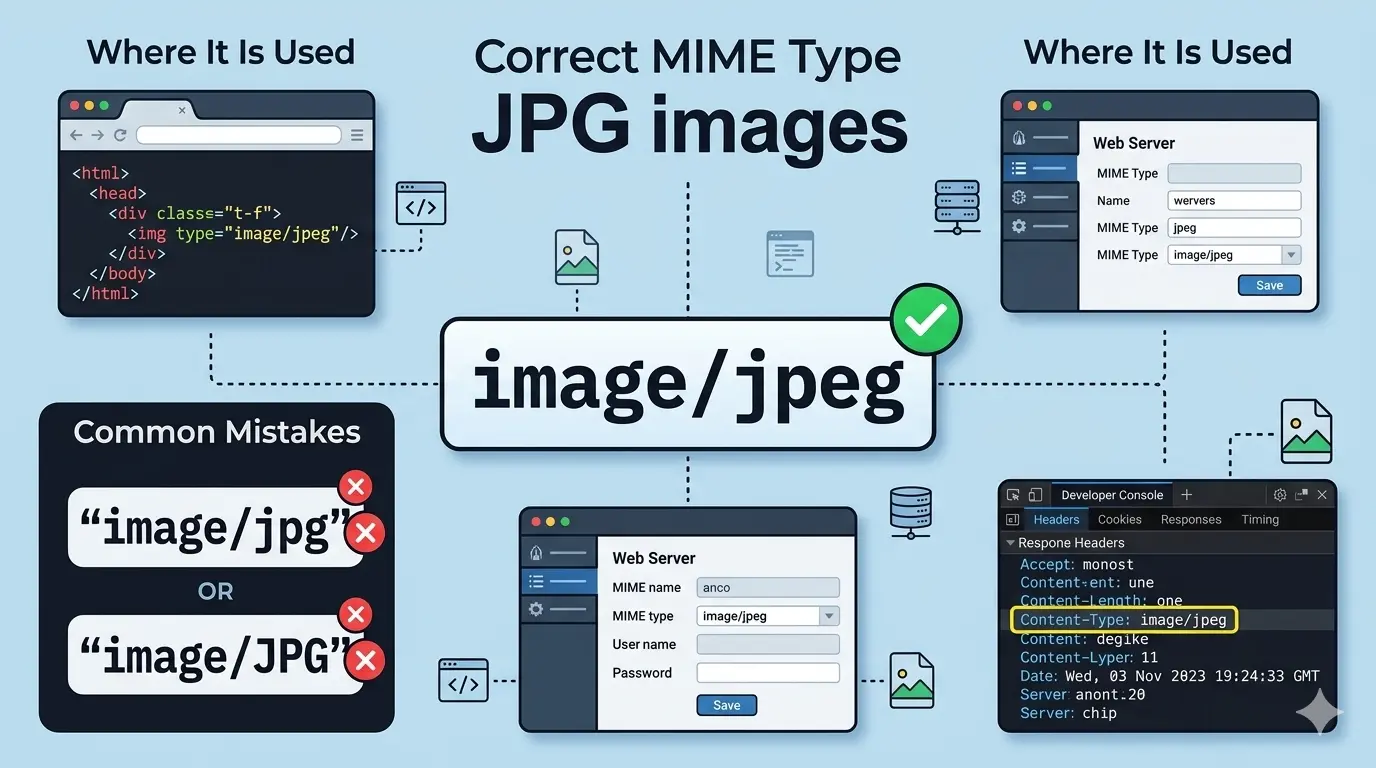
This guide explains everything you need to know about the JPG MIME type and mime type for images in general. You will learn what MIME types are, the correct mime image type for JPG, common mistakes to avoid, and how to configure it properly.
If you have ever built a website or worked with web servers, you have likely run into questions about the right mime type images should use. They tell browsers what kind of file they are receiving. Getting the mime type image setting wrong can cause images not to display, files to download instead of showing, or even security issues.
Let us clear up the confusion about the JPG MIME type once and for all.
Let us clear up the confusion about the JPG MIME type once and for all.
What is a MIME type?
MIME stands for Multipurpose Internet Mail Extensions. It was originally created for email attachments but is now used everywhere on the web.
A MIME type tells the browser or client what kind of file it is receiving. It has two parts: a type and a subtype, separated by a slash. For example:
A MIME type tells the browser or client what kind of file it is receiving. It has two parts: a type and a subtype, separated by a slash. For example:
text/html– HTML documentimage/jpeg– JPEG imageapplication/pdf– PDF document
When your web server sends a file, it includes a
Content-Type header with the correct MIME type. If the mime type image header is wrong, the browser might display the file incorrectly or offer it as a download.What is the mime type for images? (And for JPG specifically)
The mime type for images always starts with the
This is the official MIME type registered with IANA (Internet Assigned Numbers Authority). It applies to files with .jpg, .jpeg, and .jpe extensions. The mime image type does not change based on the file extension.
When your web server sends a JPG image, it should include this header:
image/ top-level type, followed by the specific format as the subtype. The correct mime type jpg files should use is image/jpeg. This is the official MIME type registered with IANA (Internet Assigned Numbers Authority). It applies to files with .jpg, .jpeg, and .jpe extensions. The mime image type does not change based on the file extension.
When your web server sends a JPG image, it should include this header:
Content-Type: image/jpeg
This tells the browser "this is a JPEG image" regardless of whether the file is named image.jpg or image.jpeg.
Is jpg a MIME type?
No, "jpg" by itself is not a MIME type. MIME types always have a type and subtype format like
The correct mime image type for JPG files is
For more details, read our guide on is image/jpg a valid MIME type.
image/jpeg. The correct mime image type for JPG files is
image/jpeg. Some people mistakenly use image/jpg, but this is not a registered MIME type and should be avoided. For more details, read our guide on is image/jpg a valid MIME type.
What is the difference between image/jpeg and image/jpg?
image/jpeg is the correct, registered MIME type. image/jpg is not a registered MIME type and is technically invalid. While some browsers may still display images with
image/jpg due to lenient error handling, it is not guaranteed to work everywhere. Always use image/jpeg for maximum compatibility. For a complete comparison, see JPG vs JPEG MIME type.
What are the three types of Mime?
MIME types are not limited to three types. They are organized into categories called "top-level media types." The main categories are:
- application: Application-specific files (PDF, JSON, XML, etc.)
- audio: Audio files (MP3, WAV, etc.)
- image: Image files (JPEG, PNG, GIF, etc.)
- text: Text files (HTML, CSS, plain text, etc.)
- video: Video files (MP4, AVI, etc.)
- multipart: Multipart documents (form data, etc.)
Each category contains many specific MIME types. For images, the correct mime type image format is
image/jpeg for JPG files.Is JPEG lossy or lossless?
JPEG is a lossy format. It achieves smaller file sizes by discarding some image data that the human eye is less likely to notice.
At high quality settings (90-100%), the loss is invisible to most viewers. But every time you save a JPEG, you lose a little more quality.
For lossless images, use PNG, TIFF, or lossless JPEG 2000.
At high quality settings (90-100%), the loss is invisible to most viewers. But every time you save a JPEG, you lose a little more quality.
For lossless images, use PNG, TIFF, or lossless JPEG 2000.
MIME Type Images Reference: JPG, PNG, and More
Beyond JPG, here is the correct mime type images use across the most common web formats. The correct MIME type for PNG files is
image/png:| Format | File Extensions | MIME Type |
|---|---|---|
| JPEG / JPG | .jpg, .jpeg, .jpe | image/jpeg |
| PNG | .png | image/png |
| GIF | .gif | image/gif |
| WebP | .webp | image/webp |
| TIFF | .tiff, .tif | image/tiff |
| BMP | .bmp | image/bmp |
| SVG | .svg | image/svg+xml |
What's banned MIME type?
Some MIME types are considered dangerous and may be blocked by browsers or security software. These are typically types that could execute code, such as:
application/x-msdownload– Executable filesapplication/x-sh– Shell scriptsapplication/x-javascript– JavaScript (though this is sometimes allowed)text/html– Can be dangerous if served from untrusted sources
image/jpeg is not banned. It is a safe, standard mime image type for the web.How to check the mime type image of a file
You can check the mime type images (or any file) are using in several ways:
- Using browser developer tools 📌 Open DevTools (F12), go to the Network tab, reload the page, and click on an image. Look for "Content-Type" in the response headers.
- Using command line 📌 On Linux/Mac, use the
filecommand:file --mime-type image.jpg - Using online tools 📌 Many websites can analyze a mime image and report its type.
- Using programming 📌 In Python, you can use the
mimetypesmodule or libraries likepython-magic.
How do I name JPG files?
JPG files can be named with either .jpg or .jpeg extensions. Both are valid and work the same way.
Best practices for naming JPG files:
Best practices for naming JPG files:
- Use lowercase extensions (.jpg or .jpeg) for consistency
- Avoid spaces – use hyphens or underscores instead
- Use descriptive names that reflect the content
- Keep filenames reasonably short but meaningful
- Example:
sunset-beach.jpginstead ofIMG_12345.jpg
The file extension does not affect the mime type image the server reports. A properly configured server will send
image/jpeg regardless of whether the file is named .jpg or .jpeg.How to set the correct mime type jpg on servers
On Apache
In your .htaccess file or Apache configuration:
AddType image/jpeg .jpg .jpeg .jpe
On Nginx
In your mime.types file or nginx.conf:
types {
    image/jpeg    jpg jpeg jpe;
}
On IIS
In your web.config file:
<staticContent>
  <mimeMap fileExtension=".jpg"
mimeType="image/jpeg" />
  <mimeMap fileExtension=".jpeg"
mimeType="image/jpeg" />
  <mimeMap fileExtension=".jpe"
mimeType="image/jpeg" />
</staticContent>
How to use the correct MIME type in HTML
In HTML, you don't set the MIME type directly for images. The server handles this. However, when using the
<picture> element, you specify the type attribute:<picture> <source srcset="image.avif"
type="image/avif"> <source srcset="image.webp"
type="image/webp"> <img src="image.jpg"
alt="Description"> </picture>
For the JPG fallback, you do not need to specify a type. But if you were to specify, it would be
type="image/jpeg".Common mime type image mistakes to avoid
- Using
image/jpginstead ofimage/jpeg - Using uppercase letters (
image/JPEG) - Forgetting to configure the server for .jpe extensions
- Sending
application/octet-streamfor a mime image (forces download instead of display) - Not checking what mime type image your server actually sends
- Confusing the mime type for images with the file extension — they are not the same thing
Remember: The correct mime type jpg files use is always
image/jpeg. Never useimage/jpg. Configure your server correctly, and your images will display properly for all users.
Frequently asked questions about the mime type for images
What is the mime type image for JPG?
The mime type image browsers and servers use for JPG/JPEG files is
image/jpeg. This is the only registered, correct mime type jpg files should be served with.What is the mime type for images in general?
Every mime image type starts with
image/ followed by the format: image/jpeg for JPG, image/png for PNG, image/gif for GIF, and image/webp for WebP.Is there a difference between mime image and mime image type?
A mime image is simply an image file being served with an image MIME type. The mime image type is the specific label (like
image/jpeg) that tells the browser exactly what kind of image it is.Why does my mime type images setting matter for SEO?
Search engines and social platforms rely on the correct MIME type to properly crawl, index, and preview your images. An incorrect mime type image setting can prevent images from appearing in search results or social share previews.
The bottom line: JPG MIME type
The correct MIME type for JPG files is
Using the correct mime type image ensures:
image/jpeg. This applies to all JPEG files regardless of whether they use .jpg, .jpeg, or .jpe extensions. Using the correct mime type image ensures:
- Images display correctly in all browsers
- No unexpected downloads
- Proper API validation
- Better security
- Standards compliance
Configure your server correctly, use the right mime type for images in your APIs, and you will avoid common errors that cause images not to display.
For more detailed information, read our complete guides on content type JPG and JPG content type.
For more detailed information, read our complete guides on content type JPG and JPG content type.
Summary: The correct mime type image for JPG files is
image/jpeg. Not image/jpg. Configure your server with AddType image/jpeg .jpg .jpeg .jpe (Apache) or the equivalent for your platform. Always use lowercase. This ensures the mime type for images on your site is correct and that images display properly in all browsers.