JPEG vs JPEG2000 vs JPEG XL: The Ultimate Full Comparison
Original JPEG is the universal standard—it works everywhere but has limited features. JPEG2000 offers better compression and lossless options but never gained browser support. JPEG XL is the true modern successor with excellent compression, modern features, and royalty‑free licensing, but browser support is still growing. For most web use today, JPEG with WebP fallbacks is practical. For archiving and future‑proofing, JPEG XL is the best choice.
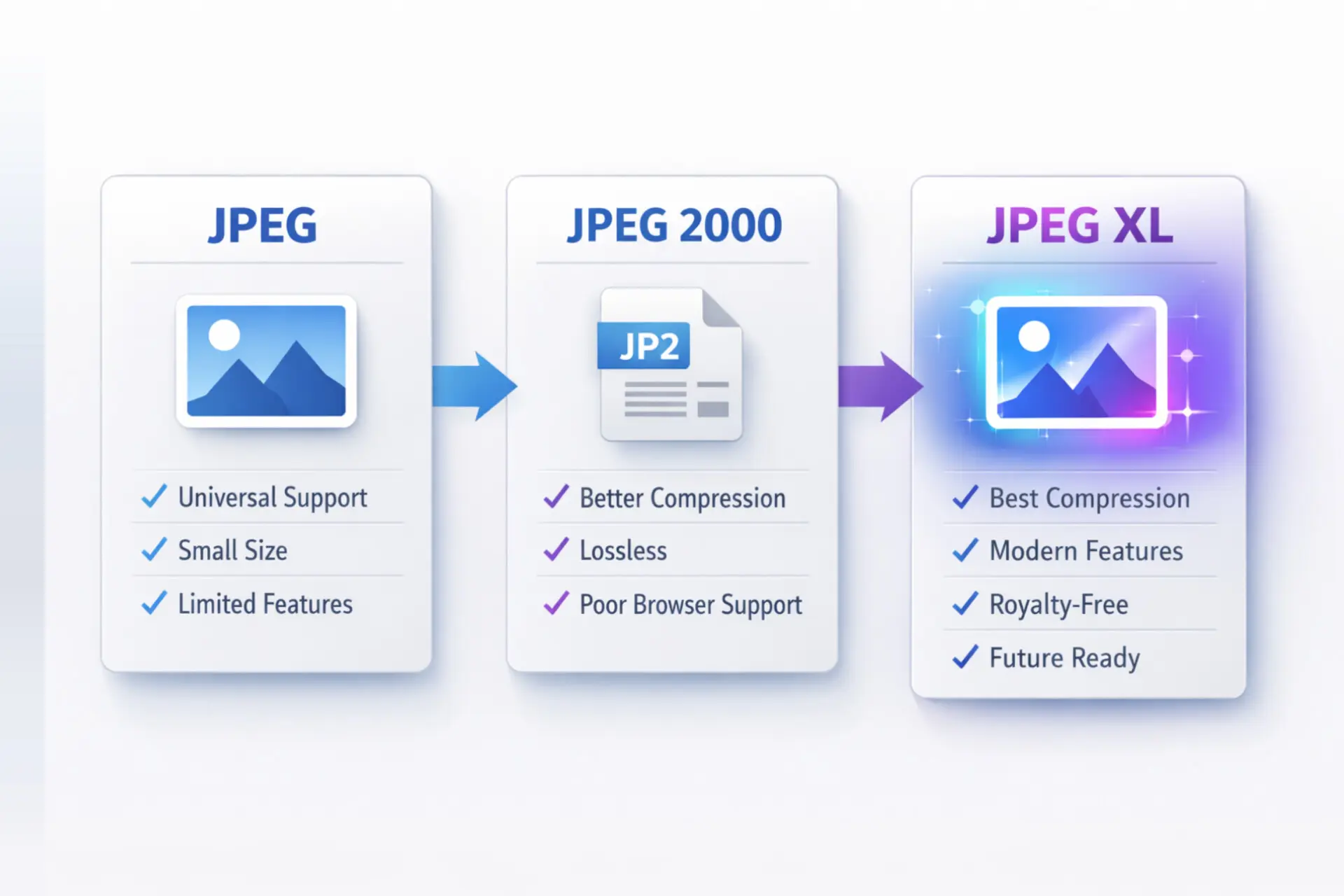
This guide compares JPEG vs JPEG2000 vs JPEG XL across image quality, file size, compression efficiency, modern features, and real‑world browser support. You will learn which format wins for photography, web use, printing, and archiving.
Let's dive deep into the ultimate comparison to help you choose the best format.
For over three decades, JPEG has been the undisputed king of image formats. Then came JPEG2000, promising better compression and lossless options. Now JPEG XL arrives as a fresh start from the same JPEG committee. So which one should you use?

Let us break down the differences honestly.
What is JPEG vs JPEG2000 vs JPEG XL?
Before comparing, let us understand what each format actually is:
- JPEG (original): Created in 1992, uses lossy DCT‑based compression. Universal support, excellent for photographs, but lossy only and no transparency.
- JPEG2000: Created in 2000, uses wavelet‑based compression. Supports lossy and lossless, higher bit depths, and transparency. Never gained web support due to patents and slow encoding.
- JPEG XL: Finalized in 2021, uses modern compression techniques. Offers lossy and lossless, HDR, transparency, animation, and lossless JPEG recompression. Royalty‑free and designed as a true JPEG successor.
Important Tip: For general web use today, stick with JPEG (or WebP) with fallbacks. For archiving and future‑proofing, convert your JPG library to JPEG XL using lossless recompression.
What is a JPEG XL?
JPEG XL is a next‑generation image format finalized in 2021. It was developed by the same JPEG committee that created the original JPEG and JPEG2000.
Key features of JPEG XL:
Key features of JPEG XL:
- 30‑50% better compression than original JPEG
- Lossy and lossless modes in one format
- HDR and wide color gamut support (Rec.2020, P3)
- Full alpha channel transparency
- Animation support
- Lossless JPEG recompression (unique feature)
- Fast encoding and decoding
- Royalty‑free, open standard
- Progressive decoding
For detailed technical information, read the JPEG XL specification and our guide on what is JPEG XL format.
💡 Important Tip:
If you want to future-proof your high-quality photography archives, saving them in JPEG XL format is a brilliant move. It provides better compression than standard formats while keeping every single pixel perfectly intact in its lossless mode.
If you want to future-proof your high-quality photography archives, saving them in JPEG XL format is a brilliant move. It provides better compression than standard formats while keeping every single pixel perfectly intact in its lossless mode.
What is the difference between JPEG and JPEG 2000?
The core difference between JPEG and JPEG 2000 lies in the mathematical algorithms they use to compress image data. Standard JPEG uses a method called Discrete Cosine Transform (DCT). This method groups pixels into blocks. When you compress a standard JPEG heavily, you start seeing ugly, blocky squares in your image—an effect known as macroblocking.
On the other hand, JPEG 2000 uses a more advanced technique called the Discrete Wavelet Transform (DWT). Instead of breaking the image into blocks, the wavelet method compresses the image as a continuous whole. As a result, heavily compressed JPEG 2000 images do not look blocky; they simply look a bit blurry or soft. Additionally, JPEG 2000 supports transparent backgrounds (alpha channels) and lossless compression, two features that standard legacy JPEG entirely lacks.
On the other hand, JPEG 2000 uses a more advanced technique called the Discrete Wavelet Transform (DWT). Instead of breaking the image into blocks, the wavelet method compresses the image as a continuous whole. As a result, heavily compressed JPEG 2000 images do not look blocky; they simply look a bit blurry or soft. Additionally, JPEG 2000 supports transparent backgrounds (alpha channels) and lossless compression, two features that standard legacy JPEG entirely lacks.
What is the difference between JPEG and JPEG XL?
The core difference between JPEG and JPEG XL is the compression engine behind them. Standard JPEG relies on a single method: block-based Discrete Cosine Transform (DCT), which is why heavy compression produces visible blocky artifacts. JPEG XL uses a more advanced hybrid system that combines a VarDCT mode (an improved, adaptive version of DCT) with a Modular mode for lossless and low-complexity images, switching between them based on what the image needs.
In practical terms, this means JPEG XL produces files that are typically 30% to 50% smaller than an equivalent-quality JPEG, without the blocky degradation. JPEG XL also adds features standard JPEG never had: full alpha channel transparency, HDR and wide color gamut support, animation, and a true lossless mode. It can even losslessly repackage an existing JPEG file into the JPEG XL container, shrinking it by roughly 20% with zero quality loss and no re-encoding artifacts—something JPEG 2000 cannot do.
The trade-off is compatibility. Standard JPEG opens on every device and browser ever made. JPEG XL, as covered below, is still gaining support—strong on Apple platforms, but disabled by default in Chrome.
What is JPEG XL vs JPEG 2000?
When comparing JPEG 2000 vs JPEG XL, you are looking at two completely different generations of technology trying to solve similar problems. The Joint Photographic Experts Group introduced JPEG 2000 at the turn of the millennium.
Its goal was to replace standard JPEG, but it failed to gain mainstream traction due to its high processing power requirements at the time and complicated licensing issues.
JPEG XL is the modern champion. Released in 2021, developers built it specifically for today's high-speed internet and multi-device environment. While JPEG 2000 is still heavy and slow to decode on standard web browsers, JPEG XL decodes incredibly fast.
JPEG XL is the modern champion. Released in 2021, developers built it specifically for today's high-speed internet and multi-device environment. While JPEG 2000 is still heavy and slow to decode on standard web browsers, JPEG XL decodes incredibly fast.
Furthermore, JPEG XL offers much better compression rates, handles HDR content natively, and features a progressive decoding system that loads images smoothly on slow internet connections.
Should I use JPEG or JPEG XL?
Choosing between these two formats depends entirely on your immediate needs and your target audience. You might wonder, should I use JPG or JPEG XL? Here is the practical breakdown:
- Use Legacy JPEG if: You need 100% universal compatibility right now. Every smartphone, camera, web browser, and smart TV on the planet opens standard JPEG files without any issues. If you are uploading a profile picture to a social media site or sending a photo to a non-technical relative, stick to standard JPEG.
- Use JPEG XL if: You control the viewing environment (like a native mobile app) or you are archiving master copies of your photography. It is also excellent for web developers who use content delivery networks that automatically serve the right image format based on browser support.
Which JPEG quality is the best?
If you decide to stick with the traditional format, you need to understand compression levels to get the best results. Finding the sweet spot for image quality involves balancing visual clarity with file size. Generally, saving a standard legacy JPEG at a quality setting of 80% to 85% provides the best balance.
At this level, the human eye cannot detect the compression artifacts, yet the file size drops significantly compared to a 100% quality save.
Understanding the most advantages of JPEG helps you utilize it properly. Its primary advantage is universal readiness. You can also explore niche variations like JPEG Stereo vs standard JPEG if you work with 3D stereoscopic images, though standard JPEG remains the undisputed king of everyday 2D photography.
Understanding the most advantages of JPEG helps you utilize it properly. Its primary advantage is universal readiness. You can also explore niche variations like JPEG Stereo vs standard JPEG if you work with 3D stereoscopic images, though standard JPEG remains the undisputed king of everyday 2D photography.
⚠️ Warning:
Never save a legacy JPEG at 100% quality for a website. It creates an unnecessarily massive file size that will slow down your page loading speed, hurting both user experience and your SEO rankings. Aim for 80% to 85%.
Never save a legacy JPEG at 100% quality for a website. It creates an unnecessarily massive file size that will slow down your page loading speed, hurting both user experience and your SEO rankings. Aim for 80% to 85%.
Is JPEG 2000 better quality than JPEG?
Yes, from a purely technical and mathematical standpoint, JPEG 2000 offers vastly superior image quality compared to a standard JPEG at the exact same file size. When you examine JPEG 2000 vs JPEG, the newer wavelet compression technology simply outperforms the old block-based system.
You will notice the quality difference most prominently in areas of high detail, such as text over an image or sharp architectural lines. The legacy format tends to create a "halo" effect or jagged edges around sharp lines.
You will notice the quality difference most prominently in areas of high detail, such as text over an image or sharp architectural lines. The legacy format tends to create a "halo" effect or jagged edges around sharp lines.
JPEG 2000 smooths these out beautifully. To understand the broader pros and cons of the legacy format, reading about the JPEG advantages and disadvantages can provide more context on why it struggles with sharp contrast areas.
Is JPEG 2000 still used?
Despite its failure to conquer the world wide web, JPEG 2000 is still heavily used today. However, its usage occurs primarily behind the scenes in professional and enterprise environments rather than on consumer smartphones or typical websites.
It found its true calling in industries that prioritize absolute image fidelity and scalability over universal consumer compatibility.
What is JPEG 2000 used for?
Because of its unique ability to compress files losslessly and handle massive image dimensions, professionals rely on JPEG 2000 for highly specialized tasks:
- Digital Cinema: Every time you watch a movie in a modern digital theater, you are likely watching a sequence of JPEG 2000 frames. The Digital Cinema Package (DCP) standard uses JPEG 2000 exclusively.
- Healthcare and Medicine: The DICOM standard for medical imaging (like MRI scans and X-rays) uses JPEG 2000 because doctors cannot risk diagnosing patients based on images distorted by blocky compression artifacts.
- Satellite Imaging: High-resolution geospatial and weather mapping systems use it to compress massive photos taken from space.
- Museum Archiving: Digital libraries and museums scan historical documents and art using this format to preserve every microscopic detail losslessly.
What is JPEG 2000 lossless mode?
JPEG 2000 lossless mode uses a reversible wavelet transform to compress an image without discarding any pixel data—when you decompress it, you get back the exact original file, bit for bit. This is different from JPEG 2000's lossy mode, which discards some data for a smaller file, similar to standard JPEG but with far less visible degradation. Lossless JPEG 2000 is the mode used in medical imaging and archiving, where losing even a single pixel of diagnostic or historical data is unacceptable.
Is JPEG 2000 good for printing?
Absolutely. In fact, it is one of the best formats you can use for high-end professional printing. If you compare JPEG vs JPEG2000 for printing, the 2000 format wins comfortably.
Standard JPEGs are limited to an 8-bit color depth, which can sometimes lead to color banding in subtle gradients (like a smooth blue sky).
Standard JPEGs are limited to an 8-bit color depth, which can sometimes lead to color banding in subtle gradients (like a smooth blue sky).
JPEG 2000 supports higher color depths (up to 16-bit or more) and handles different color spaces flawlessly, making it perfect for the CMYK color profiles used by professional printing presses. Your printed posters, magazines, and fine art prints will look noticeably richer and sharper.
If you are choosing between the two for a print job specifically, JPEG 2000 currently has the edge for professional pre-press workflows, since most commercial printing software and RIP systems have supported it for over a decade. JPEG XL is technically capable of the same high bit-depth, CMYK-ready output, but printer and press software support for it is still catching up, so JPEG 2000 remains the safer choice for sending files directly to a print shop today.
Does the iPhone support JPEG 2000?
Yes, the iPhone fully supports JPEG 2000. Apple has been the primary champion of the JPEG 2000 format for many years. You can seamlessly open, view, and save JPEG 2000 files across the entire Apple ecosystem, including iOS (iPhone and iPad), macOS, and the Safari web browser.
However, while Apple supports it, they currently push HEIC (High-Efficiency Image Container) as their default camera format to save storage space.
💡 Important Tip:
If you design a website specifically for Apple users, utilizing JPEG 2000 via Safari can provide stunning, high-quality transparent images. Just make sure to use an HTML picture tag with a standard JPEG or WebP fallback for Android and Windows users!
If you design a website specifically for Apple users, utilizing JPEG 2000 via Safari can provide stunning, high-quality transparent images. Just make sure to use an HTML picture tag with a standard JPEG or WebP fallback for Android and Windows users!
Does Windows or Photoshop support JPEG XL and JPEG 2000?
Windows does not support either format natively in File Explorer or Photos without an extension. Microsoft removed built-in HEIF/JPEG XL codecs from some Windows versions, so you typically need a free extension from the Microsoft Store to preview JPEG XL or JPEG 2000 files directly on the desktop.
Adobe Photoshop has supported JPEG 2000 for years through its native import/export dialog. JPEG XL support in Photoshop is newer and depends on your Photoshop version and installed plugins—check Adobe's current format list before relying on it for a production workflow, since support has been rolling out gradually rather than all at once.
Is JPEG 2000 better than PNG?
This depends entirely on the type of image you are working with.
For complex photographs that require a transparent background, JPEG 2000 is undeniably better.
For complex photographs that require a transparent background, JPEG 2000 is undeniably better.
It can compress the photographic data efficiently while maintaining the transparent alpha channel, resulting in a much smaller file than a PNG.
However, for simple web graphics, logos, icons, and images with large areas of flat color, PNG remains superior. PNG is universally supported across all web browsers and handles flat digital art perfectly without any loss of quality.
However, for simple web graphics, logos, icons, and images with large areas of flat color, PNG remains superior. PNG is universally supported across all web browsers and handles flat digital art perfectly without any loss of quality.
What is the difference between JPEG XR and JPEG 2000?
Compared to standard JPEG, JPEG XR offers better compression efficiency, higher bit depth, and HDR support—but it never replaced JPEG because almost no web browsers adopted it. Here is how it compares to JPEG2000 specifically:
- Compression: JPEG2000 generally offers better compression, especially at low bitrates.
- Speed: JPEG XR is faster to encode and decode than JPEG2000.
- Features: Both support HDR and transparency, but JPEG2000 has more advanced features like region of interest coding.
- Adoption: Neither gained widespread web support. JPEG XR was used mostly in Windows ecosystems.
JPEG XL outperforms both. For a detailed comparison, read JPEG XL vs JPEG XR.
Why is JPEG XL not supported?
This is one of the most controversial topics in the web development community. Despite its incredible performance, wide feature set, and support from major tech entities like Facebook and Adobe, JPEG XL faces a major hurdle: Google Chrome.
In Chrome version 110, Google unexpectedly decided to remove experimental support for JPEG XL. Google stated that there was not enough interest from the entire ecosystem to justify maintaining the code, and they preferred to focus on their own WebP and AVIF formats. The web community strongly disagreed with this decision, sparking widespread debate.
In Chrome version 110, Google unexpectedly decided to remove experimental support for JPEG XL. Google stated that there was not enough interest from the entire ecosystem to justify maintaining the code, and they preferred to focus on their own WebP and AVIF formats. The web community strongly disagreed with this decision, sparking widespread debate.
Apple, conversely, added robust support for JPEG XL in iOS 17 and macOS Sonoma. As it stands, JPEG XL support is growing on Apple devices, but web developers remain hesitant to use it fully until Chromium-based browsers bring it back natively.
Is JPEG XL lossless the best?
When it comes to lossless compression, JPEG XL is widely considered the absolute best format currently available. It mathematically preserves the exact original image data while shrinking the file size significantly better than older lossless formats.
When researchers test it against PNG, JPEG XL consistently delivers file sizes that are 35% to 50% smaller, without losing a single pixel of quality. If you have a massive library of PNG files taking up space, you can use a free PNG to JPEG converter without compression loss to shift them to JPEG XL, saving gigabytes of storage space while retaining perfect archival quality.
When researchers test it against PNG, JPEG XL consistently delivers file sizes that are 35% to 50% smaller, without losing a single pixel of quality. If you have a massive library of PNG files taking up space, you can use a free PNG to JPEG converter without compression loss to shift them to JPEG XL, saving gigabytes of storage space while retaining perfect archival quality.
⚠️ Warning:
Keep in mind that while JPEG XL lossless is the best for storage and archiving, uploading a massive lossless JPEG XL file directly to a live website might still result in large file sizes. Always use lossy compression for public-facing web images to ensure fast load speeds.
Keep in mind that while JPEG XL lossless is the best for storage and archiving, uploading a massive lossless JPEG XL file directly to a live website might still result in large file sizes. Always use lossy compression for public-facing web images to ensure fast load speeds.
What size JPEG is considered high resolution?
Whether you use standard JPEG, JPEG 2000, or JPEG XL, understanding resolution is crucial for quality. A JPEG is generally considered "high resolution" if it meets the requirements for sharp, professional physical printing.
In pixel terms, an image should have at least 300 Pixels Per Inch (PPI) for its intended print size. For a standard 8x10 inch print, your JPEG needs to be at least 2400 x 3000 pixels. For digital displays, any JPEG exceeding 1920 x 1080 pixels (Full HD) is typically considered high resolution, while 3840 x 2160 pixels reaches modern 4K clarity.
In pixel terms, an image should have at least 300 Pixels Per Inch (PPI) for its intended print size. For a standard 8x10 inch print, your JPEG needs to be at least 2400 x 3000 pixels. For digital displays, any JPEG exceeding 1920 x 1080 pixels (Full HD) is typically considered high resolution, while 3840 x 2160 pixels reaches modern 4K clarity.
How to convert JPEG 2000 to JPEG?
Because JPEG 2000 lacks universal browser support, you will often find yourself needing to convert these files into standard JPEGs to share them easily via email, social media, or WordPress. The process is remarkably simple if you use the right tools.
- Locate a reliable converter: Use a fast web-based tool. We highly recommend the best free image converter no limit tool for hassle-free processing.
- Upload your file: Drag and drop your `.jp2` or `.j2k` file into the upload area.
- Select your output format: Choose standard JPEG (or JPG). You can learn more about the specific steps on how to convert an image to JPEG format securely.
- Adjust quality settings: Set your quality slider to around 85% for the best balance of size and clarity.
- Download: Click convert and download your universally compatible image.
Final Conclusion:
Navigating the world of image formats doesn't have to be overwhelming. Standard legacy JPEG remains the undisputed champion of everyday universal compatibility. It works everywhere, every time, making it the safest bet for general web use and social media sharing.
However, JPEG 2000 holds its ground firmly in professional sectors like healthcare, digital cinema, and high-end printing, thanks to its powerful wavelet compression and massive resolution limits. Meanwhile, JPEG XL represents the exciting future of digital imaging.
Navigating the world of image formats doesn't have to be overwhelming. Standard legacy JPEG remains the undisputed champion of everyday universal compatibility. It works everywhere, every time, making it the safest bet for general web use and social media sharing.
However, JPEG 2000 holds its ground firmly in professional sectors like healthcare, digital cinema, and high-end printing, thanks to its powerful wavelet compression and massive resolution limits. Meanwhile, JPEG XL represents the exciting future of digital imaging.
It offers the ultimate blend of extreme compression, lossless archiving, and modern web features. By understanding the strengths and weaknesses of each format, you can confidently choose the perfect image type for your specific project, ensuring maximum quality and optimal performance.
Fast • Free • Unlimited
Convert, Optimize, and Manage Images with Ease
Simplify your workflow with Image Converter 24. Convert between popular formats, reduce file sizes, and prepare images for websites, documents, social media, or professional projects — all directly from your browser with no limits and no complicated steps.
Try Image Converter 24