Batch Convert PNG to DDS Online
Yes, you can batch convert PNG to DDS online for free with no sign up. Image Converter 24 lets you upload multiple PNG files and convert them all to DDS format in seconds, perfect for game developers and 3D artists who need texture files fast.
This guide explains everything you need to know about batch convert PNG to DDS and why our tool is the best choice for game development workflows.
This guide explains everything you need to know about batch convert PNG to DDS and why our tool is the best choice for game development workflows.
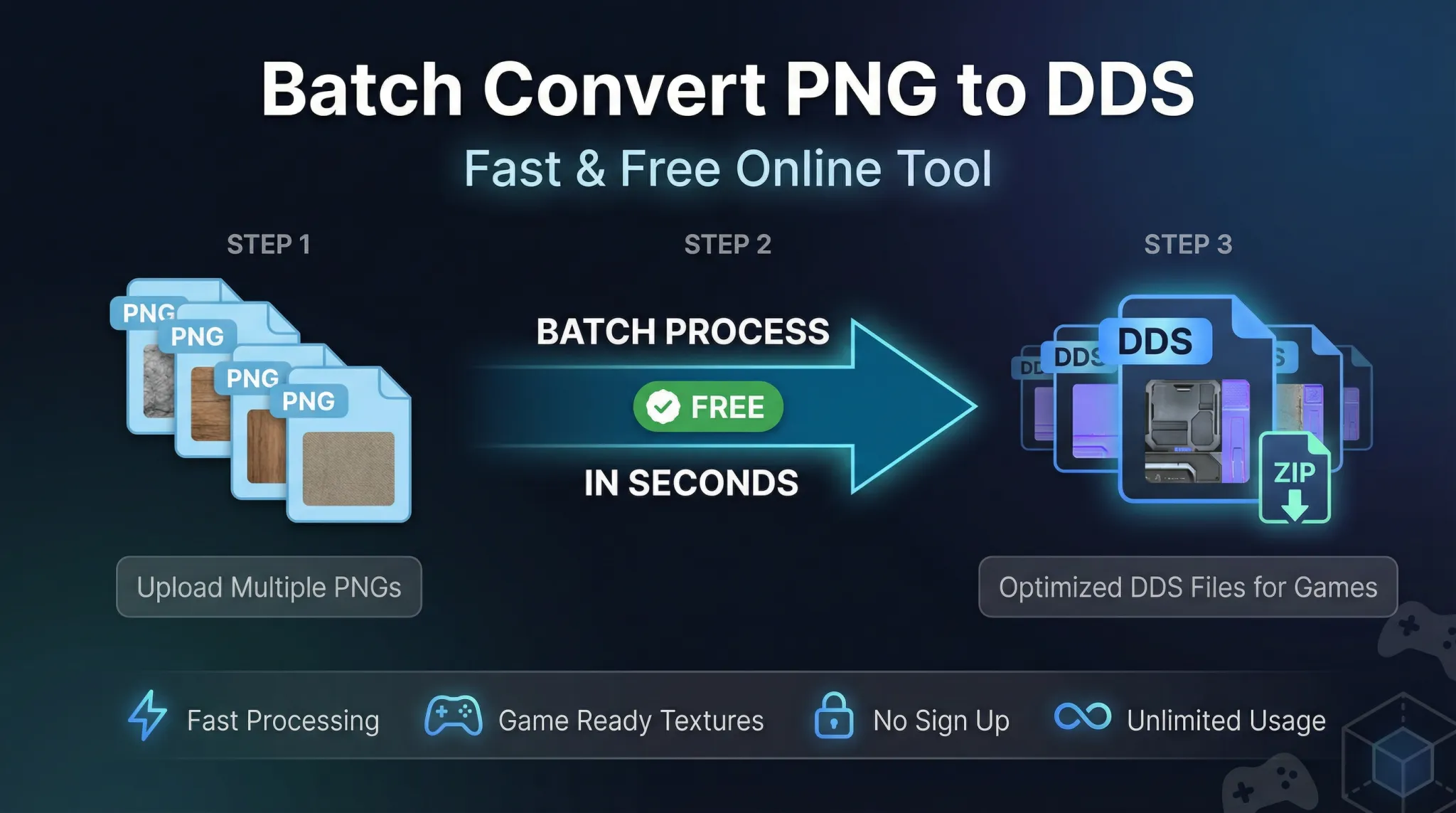 |
| Convert multiple PNG files to DDS in one click – perfect for game developers. |
If you work with game development or 3D graphics, you know the frustration of converting textures one by one. PNG is great for editing, but DDS is what game engines actually use. Doing this manually for dozens of files is tedious and time-consuming.
Let us show you a better way.
Let us show you a better way.
What is DDS and why use it?
DDS stands for DirectDraw Surface. It is a file format developed by Microsoft for storing textures in video games and 3D applications.
Key features of DDS:
Key features of DDS:
- Supports GPU compression (DXT1, DXT5, etc.) – textures load directly into video memory
- Mipmaps support – multiple resolution levels for better performance
- Cubemaps and volume textures – essential for advanced 3D graphics
- Fast loading – game engines prefer DDS over PNG
- Industry standard – used by Unity, Unreal Engine, and most game engines
PNG is great for source files and editing, but for game development, DDS is the professional choice.
Why batch convert PNG to DDS?
Converting one file is easy. Converting fifty files one by one is a nightmare. Batch conversion saves you:
- Time 📌 Upload all files at once, convert them together, download them all. Minutes instead of hours.
- Frustration 📌 No repetitive clicking, no waiting for each file individually.
- Consistency 📌 All files converted with the same settings, no mistakes.
- Sanity 📌 Focus on your game, not on tedious file conversion.
Image Converter 24 makes batch conversion simple and fast.
How to batch convert PNG to DDS online
Follow these simple steps to convert multiple PNG files to DDS:
- Go to Image Converter 24 📌 Open your browser and visit our website. No software to download.
- Upload multiple PNG files 📌 Click the upload button and select all the PNG files you want to convert. You can also drag and drop multiple files at once.
- Choose DDS as output format 📌 Select DDS from the format options. You can also choose compression settings if available.
- Convert and download 📌 Click the convert button. All your files will be processed together. Download them as individual DDS files or as a ZIP archive.
That is it. No sign up, no limits, completely free.
Pro tip: Use the ZIP download option to get all your converted DDS files in one convenient package.
What is the main drawback of PNG for game development?
PNG is excellent for many purposes, but for game development, it has significant drawbacks:
- Large file size: PNG files are much larger than compressed DDS textures, increasing game download size.
- No GPU compression: PNG must be decompressed by the CPU before sending to the GPU, slowing down loading.
- No mipmaps: PNG does not store multiple resolution levels, so the game must generate them at runtime.
- Slower loading: Games load DDS textures directly into VRAM; PNG requires processing first.
- Not optimized for 3D: PNG lacks support for cubemaps, volume textures, and other 3D features.
For a deeper look, read about the main drawback of the PNG file format.
Why use an online batch converter instead of software?
You might wonder why not just download a program. Here is why online is better:
For occasional use or even regular use, online converters are simply more practical.
What DDS compression options are available?
DDS supports several compression formats. The right choice depends on your texture type:
- DXT1 (BC1): Best for RGB textures with no alpha. Highest compression ratio.
- DXT3 (BC2): Good for textures with sharp alpha transitions.
- DXT5 (BC3): Best for smooth alpha gradients, like transparency and gloss maps.
- BC4: For single-channel grayscale data (height maps, roughness).
- BC5: For two-channel data (normal maps).
- BC6H: For HDR textures.
- BC7: Highest quality RGB and RGBA, best for modern games.
Image Converter 24 supports the most common DDS compression formats for game development.
Is it safe to upload game textures online?
Yes, with Image Converter 24. We take privacy seriously:
- Files are automatically deleted – All uploaded PNG files and generated DDS files are removed from our servers within a few hours. We do not store your textures.
- No registration required – You do not need to create an account or share your email. No personal data is collected.
- Secure connection – Our site uses HTTPS encryption to protect your files during transfer.
- No third-party sharing – We do not sell or share your textures with anyone.
- No watermarks – Your DDS files are clean, with no added logos.
Your game assets are safe with us.
How many files can I batch convert?
With Image Converter 24, there is no fixed limit. You can convert as many PNG files as you need in one batch.
Practical considerations:
Practical considerations:
- Upload speed depends on your internet connection and total file size
- Processing time depends on the number and size of files
- We recommend batches of 50-100 files for optimal performance, but you can do more
- There is no daily or monthly limit – convert as much as you need
For large projects, batch conversion saves enormous amounts of time.
What size PNG files can be converted?
Image Converter 24 supports PNG files up to 200MB each. For game textures, this is more than enough – most game textures are under 10MB.
If you have extremely large textures (like 4K or 8K), they will still work as long as they are under the size limit. For massive batches, consider splitting into smaller groups.
If you have extremely large textures (like 4K or 8K), they will still work as long as they are under the size limit. For massive batches, consider splitting into smaller groups.
Real-world use cases
Game developers and 3D artists use batch PNG to DDS conversion for:
- Texture atlases: Converting multiple sprite sheets for 2D games
- Environment textures: Converting diffuse, normal, and specular maps
- Material libraries: Converting hundreds of PBR textures
- UI assets: Converting interface elements for game engines
- Legacy projects: Updating older PNG assets to DDS for better performance
User story: "I was working on a game with over 200 textures. Converting them one by one in Photoshop would have taken days. Image Converter 24 did the whole batch in under 5 minutes. Absolute lifesaver." – Alex, indie game developer
PNG vs DDS for game development
Here is a quick comparison to help you understand when to use each:
Tips for best DDS conversion results
Follow these tips to get the best quality DDS files:
- Start with high-quality PNGs 📌 The DDS quality depends on your source. Use lossless PNGs for best results.
- Choose the right compression format 📌 Use DXT5 for textures with alpha, DXT1 for opaque textures, BC5 for normal maps.
- Generate mipmaps 📌 Most game engines expect mipmaps. Our converter can generate them automatically.
- Use power-of-two dimensions 📌 DDS works best with textures sized 2, 4, 8, 16, 32, 64, 128, 256, 512, 1024, etc.
- Keep original PNGs 📌 Always keep your source PNGs for future editing. DDS is a delivery format.
Common problems and solutions
Here are issues you might encounter and how to fix them:
- Textures look blocky: You may have used too much compression. Try a higher quality setting or BC7 compression.
- Alpha channel issues: Make sure your PNG has a proper alpha channel. Use DXT5 for smooth transparency.
- Wrong dimensions: DDS works best with power-of-two sizes. Resize your PNGs before converting.
- Normal maps look wrong: Use BC5 compression for normal maps. Standard DXT compressions will ruin them.
- Files too large: Use more aggressive compression or reduce texture resolution.
Why Image Converter 24 is the best choice
There are many converters out there. Here is why Image Converter 24 stands out for batch PNG to DDS conversion:
- True batch conversion: Convert dozens of files at once, not one by one
- No sign up: Just upload and convert – no account needed
- Completely free: No hidden costs, no premium tiers
- Fast processing: Optimized servers handle large batches quickly
- ZIP download: Get all your converted files in one archive
- Privacy focused: Files automatically deleted, no tracking
- Works on any device: Use on Windows, Mac, Linux – any browser works
For a complete list of features, visit our best image converter website free guide.
The bottom line: Batch convert PNG to DDS
Image Converter 24 is the simplest way to batch convert PNG to DDS online. It is:
- Completely free – no hidden costs
- No sign up – just use it instantly
- Fast – converts multiple files in seconds
- Secure – files automatically deleted
- Easy – works on any device, no software needed
- Unlimited – convert as many files as you need
- Professional – supports all common DDS compression formats
Whether you are an indie developer working on your first game or a professional studio with hundreds of textures, Image Converter 24 saves you time and frustration.
Ready to batch convert your PNG textures?
Stop wasting time converting textures one by one. Try our batch converter now.
Visit Image Converter 24 now and convert your first batch of PNG files to DDS. It takes seconds, it is completely free, and you do not even need to sign up.
Bookmark the site, and you will always have a reliable, fast batch converter at your fingertips.
Visit Image Converter 24 now and convert your first batch of PNG files to DDS. It takes seconds, it is completely free, and you do not even need to sign up.
Bookmark the site, and you will always have a reliable, fast batch converter at your fingertips.
🚀 Start converting now
Batch convert PNG to DDS online for free. No sign up, unlimited conversions, fully secure, and fast. Perfect for game developers looking for efficiency and quality.
👉 Go to Image Converter 24 – Free & Unlimited