Difference Between JPEG and JPEG2000 What You Should Know
Understanding the difference between jpeg and jpeg2000 is essential for anyone dealing with digital images. The main difference lies in their compression methods. JPEG uses a standard lossy compression that reduces file size but loses some image data. In contrast, JPEG 2000 uses advanced wavelet technology, allowing for both lossy and lossless compression while maintaining significantly better image quality.
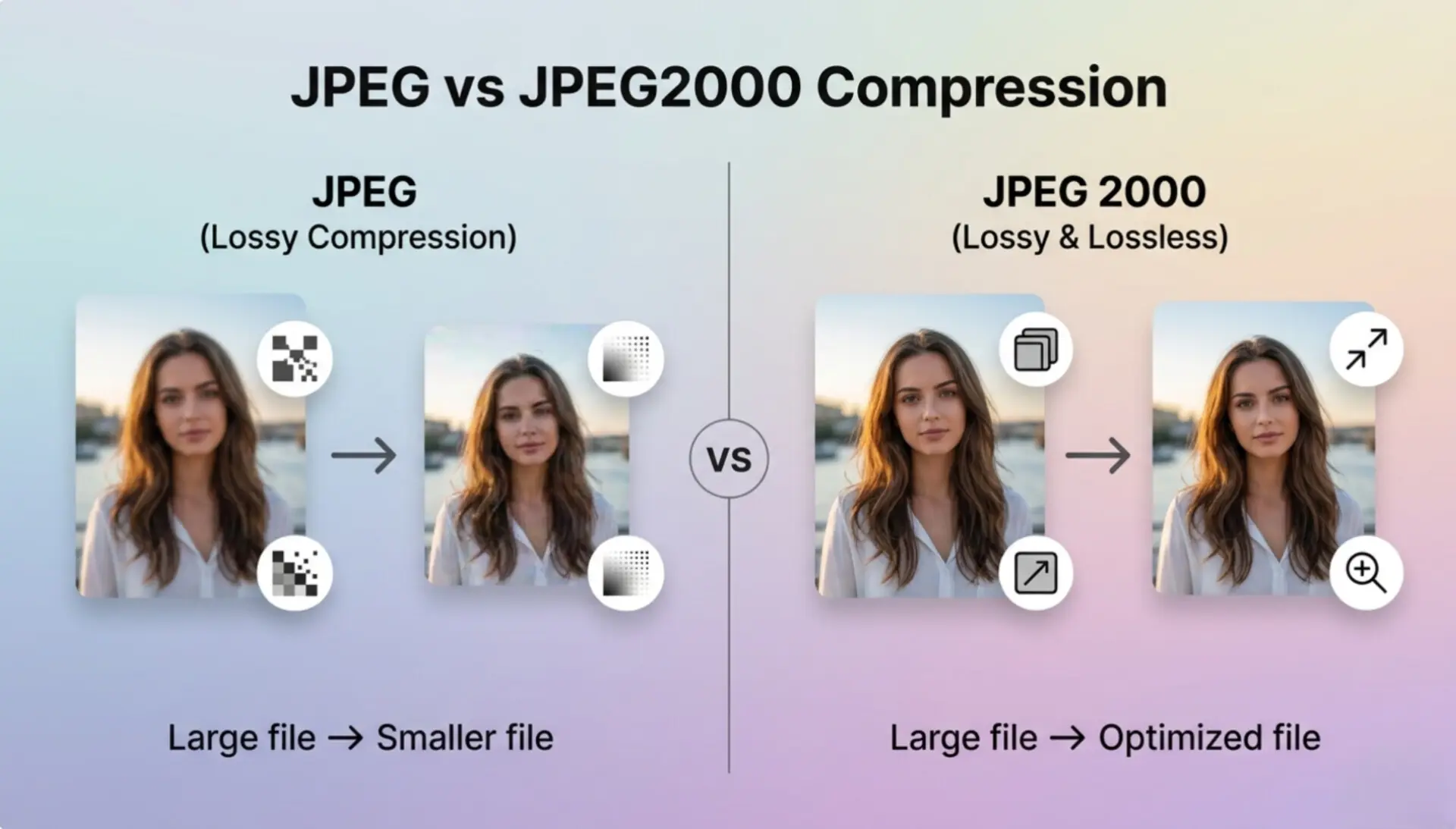
Choosing the right image format can impact your website speed, print quality, and storage space. For web developers, professional photographers, and anyone organizing family photos, knowing which format serves your specific needs is essential This guide will explore everything you need to know about these two formats and help you make the right choice.
What is JPEG? An Overview
JPEG stands for Joint Photographic Experts Group. It is the most popular image format in the world today. Created in 1992, developers designed JPEG to compress large photographic files into smaller, manageable sizes. This made it perfect for the early internet and digital cameras.
JPEG uses a compression method called Discrete Cosine Transform (DCT). When you save an image as a JPEG, the format permanently discards some data to make the file smaller. This process is called lossy compression. While this reduces the file size significantly, it can also create visible blocky artifacts if you compress the image too much. To fully understand its benefits, you can explore the most advantages of JPEG for everyday web use.
Key Features of Standard JPEG
- Universal Compatibility Every device, operating system, and web browser supports standard JPEG files without any extra software.
- Small File Size JPEG creates highly compressed files that take up very little storage space.
- Fast Loading Speeds Because of their small size, JPEG images load incredibly fast on websites.
- Adjustable Compression Users can choose the level of compression when saving a file, balancing quality and size.
What is JPEG 2000? An Overview
JPEG 2000 is an updated image format introduced by the Joint Photographic Experts Group in the year 2000. The group intended it to replace the original JPEG format by offering better performance and superior image quality. The key to its performance is a different mathematical algorithm called wavelet compression.
Wavelet compression allows the image to be compressed without creating the blocky artifacts seen in standard JPEGs. Furthermore, JPEG 2000 supports lossless compression. This means you can compress the file to save space, but perfectly reconstruct the original image data when you open it again. Despite these impressive features, it never became as popular as the original format for daily web use.
Key Features of JPEG 2000
- Advanced Compression It offers both lossy and lossless compression within the same file format.
- Transparency Support Unlike standard JPEG, JPEG 2000 supports alpha channels and transparent backgrounds.
- Error Resilience The format resists bit errors better, making it highly reliable for transmission over noisy network environments.
- High Dynamic Range It handles more color bits, providing deeper and more accurate colors.
Important Note: While JPEG 2000 is technically superior, its complexity requires more processing power to open and edit, which delayed its early adoption on older devices.
What is better quality, JPEG or JPEG 2000?
JPEG 2000 offers much better image quality than standard JPEG. The reason is its advanced wavelet compression algorithm, which preserves fine details and colors without causing heavy pixelation.
When you compare the two formats side by side at the same file size, the difference is obvious. A standard JPEG might show blurred edges and color bleeding, especially around text or sharp lines. A JPEG 2000 file will remain crisp and clear. Because JPEG 2000 supports lossless compression, you can save the file multiple times without degrading the image quality over time. This is a common problem with standard JPEGs, known as generation loss.
If you want to understand the complete picture of image degradation, you should review the advantages and disadvantages of JPEG. This will help you see why professionals who need pristine quality often prefer newer or raw formats over the classic standard.
Is JPEG 2000 high resolution?
Yes, JPEG 2000 is a high-resolution format. It was built specifically to handle extremely large and complex images without failing or losing critical detail.
The format supports an massive number of pixels, making it ideal for high-resolution tasks. For example, the medical field uses JPEG 2000 for MRI and X-ray scans. These images require absolute precision, and doctors cannot afford to lose any detail due to compression. Similarly, satellite imaging and digital cinema also rely heavily on this format. Digital movie theaters often receive films packaged as sequential JPEG 2000 files because they hold massive 4K and 8K resolutions perfectly.
Is JPEG 2000 good for printing?
Yes, JPEG 2000 is excellent for professional printing. Its ability to retain lossless data and support high dynamic color ranges makes it a superior choice for physical print media.
Printers require sharp edges and accurate colors to produce a good physical product. Because standard JPEGs use lossy compression, they can introduce compression artifacts that look bad when printed on large canvases or glossy paper. JPEG 2000 eliminates this problem. Furthermore, it handles CMYK color spaces much better than standard JPEG, which is a crucial requirement for commercial printing machines. If you are preparing a physical photography portfolio, understanding the details of comparing JPEG vs JPEG 2000 for printing can save you from costly printing errors.
Analyzing the Core Differences
To truly grasp the difference between jpeg and jpeg2000, we need to compare them across several technical and practical categories. While the newer format seems better on paper, the older format still dominates the digital landscape for very specific practical reasons.
Why Didn't JPEG 2000 Replace Standard JPEG?
If JPEG 2000 is technically superior, why didn't it replace the older format? The answer comes down to timing, processing power, and browser support.
When developers released JPEG 2000, the average computer and digital camera did not have enough memory or processing speed to handle the complex wavelet compression quickly. Saving and opening these files took too long. By the time computers became fast enough, standard JPEG had already established itself as the unbreakable universal standard. Furthermore, major web browsers like Chrome and Firefox decided not to support JPEG 2000, pushing other modern formats like WebP instead. Apple's Safari is the only major browser that natively supports JPEG 2000.
How do I convert a JPEG 2000 to JPG?
You can easily convert a JPEG 2000 file to a standard JPG using online image conversion tools. This process is necessary if you want to upload your image to a website or share it with someone who uses a Windows PC or an Android phone.
Because browser compatibility is limited for the newer format, conversion is a daily reality for many users. Thankfully, the process requires zero technical skills and no expensive software. You can simply use a fast, free unlimited image converter directly from your browser.
Step-by-Step Desktop Conversion Guide
- Open the Tool Open your web browser and visit an online converter platform.
- Upload Your File Click the upload button and select the JPEG 2000 file (often ending in .jp2 or .j2k) from your computer.
- Select Output Format Choose standard JPEG or JPG as your desired output format.
- Start Conversion Click the convert button. The tool will process the file in a few seconds.
- Download Image Once finished, click download to save the new standard JPEG to your computer.
If you need more detailed instructions on navigating format changes, you can read this dedicated guide on how to convert an image to JPEG format effectively without losing visual appeal.
Converting on Mobile Devices
You do not need a computer to convert your images. Mobile users can perform the exact same task directly from their smartphone browsers. Across iPhone and Android devices, online tools work perfectly on mobile screens. If you need step-by-step guidance for your smartphone, check out how to convert your photo to JPEG on mobile for free.
Quick Tip: Always check your converted image to ensure the compression did not ruin important details. If you are converting a lossless JPEG 2000 file into a lossy standard JPEG, you might notice a slight drop in absolute sharpness. Set the quality slider to 90% or higher during conversion if the tool allows it.
Common Uses for Each Format
The difference between jpeg and jpeg2000 becomes most clear when we look at how different industries use them. They serve entirely different purposes in the modern digital world.
When to use Standard JPEG
- Website Images Web developers use JPEGs to keep page loading times fast. Search engines love fast websites.
- Social Media Uploads Platforms like Instagram, Facebook, and Twitter compress your images anyway. Starting with a standard JPEG ensures smooth uploading.
- Email Attachments Due to strict file size limits on email servers, JPEGs are the safest choice for sending photos to colleagues and friends.
- Everyday Photography Most consumer smartphones and digital cameras save photos as JPEGs by default to save internal storage space.
When to use JPEG 2000
- Medical Imaging Hospitals rely on this format for MRI, CT scans, and X-rays because lossless compression ensures zero diagnostic data is lost.
- Digital Cinema The movie industry uses JPEG 2000 for storing and broadcasting digital films to theaters worldwide in flawless 4K resolution.
- Archival Storage Museums and digital libraries use it to archive historical documents and artworks digitally without degrading the image quality.
- Satellite Photography Aerospace agencies use it to compress massive aerial and satellite images, as the format handles extremely large files elegantly.
Image Quality vs File Size: Finding the Balance
When discussing the difference between jpeg and jpeg2000, we must talk about the balance between file size and image quality. This is the biggest challenge content creators face today.
With standard JPEG, you are always trading quality for a smaller file. If you save a photo at 50% quality, the file size shrinks dramatically, but the photo might look blurry. With JPEG 2000, you have much more flexibility. You can reduce the file size significantly using its advanced algorithms while retaining a much cleaner image than standard JPEG could ever produce at the same size.
However, this mathematical advantage does not solve the compatibility problem. A beautiful, small JPEG 2000 file is useless if your client cannot open it on their Windows laptop or Android phone. For broad distribution, you almost always have to revert to standard JPEG.
Which Format Should You Choose?
Your choice depends entirely on your final goal. There is no single "best" format; there is only the right format for your specific project.
Choose standard JPEG if your main goal is sharing. If you are building a website, posting on social media, sending emails, or sharing files with clients, standard JPEG is the safest, most reliable choice. You will never have to worry about the receiver downloading special software to view your image.
Choose JPEG 2000 if your main goal is preservation and absolute quality. If you are printing a large photography exhibition, archiving historical documents, or working in specialized fields like medical or broadcast media, this format provides the flawless quality you need.
Whenever you find yourself with the wrong file type, remember that you are not stuck. You can quickly visit ImageConverter24 to switch between formats securely and quickly. Having a reliable conversion tool in your workflow saves time and eliminates compatibility stress.
Conclusion: In summary, understanding the difference between jpeg and jpeg2000 empowers you to handle digital media like a professional. Standard JPEG remains the undisputed king of the web and daily sharing due to its universal compatibility and small file size. Meanwhile, JPEG 2000 stands as a premium, highly specialized format perfect for printing, archiving, and professional broadcasting where quality cannot be compromised. By recognizing the strengths and weaknesses of each, and keeping a reliable image converter handy, you can ensure your photos always look great and function perfectly across all platforms.
A Better Way to Convert Images
Image Converter 24 streamlines your workflow by letting you convert image formats instantly — no software, no delays, and no unnecessary steps.
✔ Fast conversion with high-quality output
✔ Supports TIFF, JPG, PNG, WebP and more
✔ No installation or account required
✔ Works directly in your browser