How to Convert an Image to 512x512: The Complete Guide
The 512x512 pixel resolution is a specific standard you will encounter frequently. It’s the perfect size for app icons, profile pictures, favicons, and game assets. So, what do you do when your image is a completely different size? You have two main paths: you can manually crop and resize using desktop software, or you can use a fast online converter. For most users, the quickest way to get a perfect 512x512 image is to use a dedicated tool that handles the resizing and format conversion simultaneously.
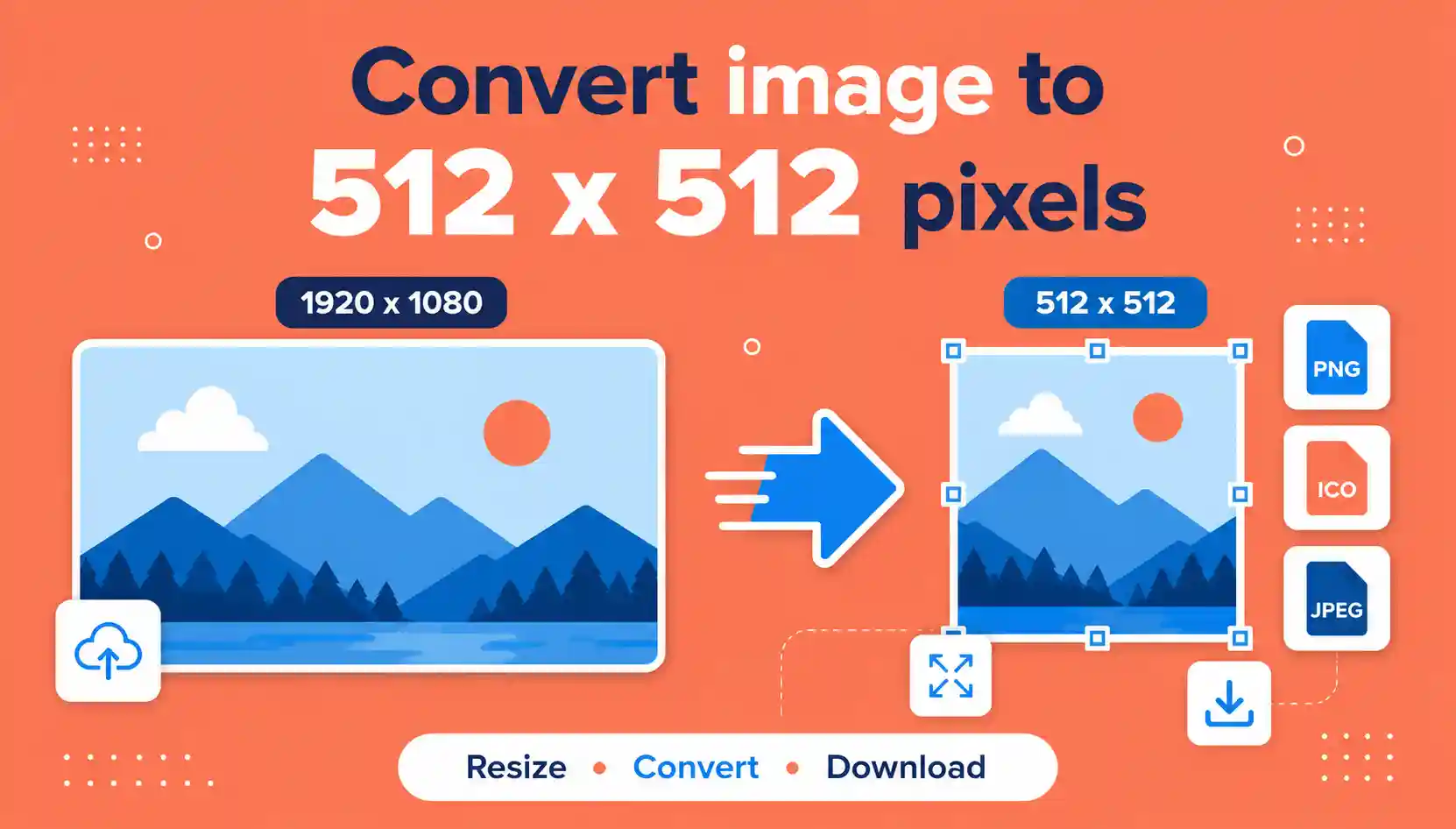
Short Answer: To convert an image to 512x512, use a specialized online tool. Upload your image, set the output dimensions to 512 by 512 pixels, choose your desired format (like PNG), and download the resized file. This is the fastest method for most users.
This guide will walk you through everything you need to know about converting images to the 512x512 format. We will cover why this specific size is so important, the best methods to achieve it, and compare the pros and cons of different approaches. Whether you are a developer needing an icon or a social media manager creating a brand asset, you will find the answers you need here.
Why the 512x512 Resolution is So Important
The 512x512 resolution is not just a random number. It has become a standard for a variety of reasons, primarily driven by software and operating system requirements. Understanding why you need this specific size can help you appreciate the conversion process better.
The Standard for Icons and UI Elements
In the world of user interface (UI) design and software development, the 512x512 size is the go-to for application icons. Both Apple's iOS and Google's Android ecosystems use this resolution as a base for high-resolution app icons. For instance, when you submit an app to the Apple App Store, you are required to provide a 512x512 icon. Similarly, many game development platforms, like Unity or Unreal Engine, use 512x512 textures for certain assets. Furthermore, best unlimited image converter free online without watermark services have recognized this need and often include presets for this exact size to streamline the workflow for developers and designers.
The Two Main Methods: Manual vs. Automated Conversion
When it comes to transforming your image to 512x512, you have a choice between two distinct approaches. Each method has its own strengths and weaknesses, and the best one for you depends on your technical comfort level and your specific needs. We’ll break down both so you can make an informed decision.
| Feature | Online Converters (Recommended) | Desktop Software (Manual) |
|---|---|---|
| Speed | Very fast, often a few seconds. | Slower, requires opening software, waiting for it to load, and multiple steps. |
| Ease of Use | Extremely easy, designed for anyone to use. | Can be complex and intimidating for beginners. |
| Format Support | Usually supports a wide array of common formats. | Supports most formats if using a comprehensive tool like Photoshop or GIMP. |
| Cost | Often free for basic conversions. | Can be expensive (e.g., Adobe Photoshop) or free with limited features (e.g., GIMP). |
| Batch Processing | Some tools support batch processing, some don't. | Can handle batch processing with macros or advanced features. |
The Process of Manual Conversion
If you choose the manual route, you are likely using a program like Adobe Photoshop, GIMP, or even Microsoft Paint. The process typically involves opening the image and selecting the ‘Image Size’ or ‘Resize’ option. You would then set the width and height to 512 pixels. The crucial step here is to ensure the 'Constrain Proportions' or 'Maintain Aspect Ratio' setting is unchecked. If it's left on, your image will only resize to 512x512 if it's already a perfect square. By unchecking it, you force the image to the exact dimensions, which will inevitably cause it to stretch or distort. You would then save the file in your desired format.
The Process of Automated Conversion
Automated tools, like online Best Free Image Converter Online platforms, simplify the process massively. You simply upload your image, and the tool handles the complex resizing and encoding automatically. These services are designed with user-friendliness in mind and often include specific presets for common resolutions like 512x512. Many also allow you to convert image to 512x512 png directly, ensuring you get the exact file type you need without any extra steps. It’s the ideal solution for those who need a quick, hassle-free conversion.
The Best Way to Convert Your Image to 512x512 Online
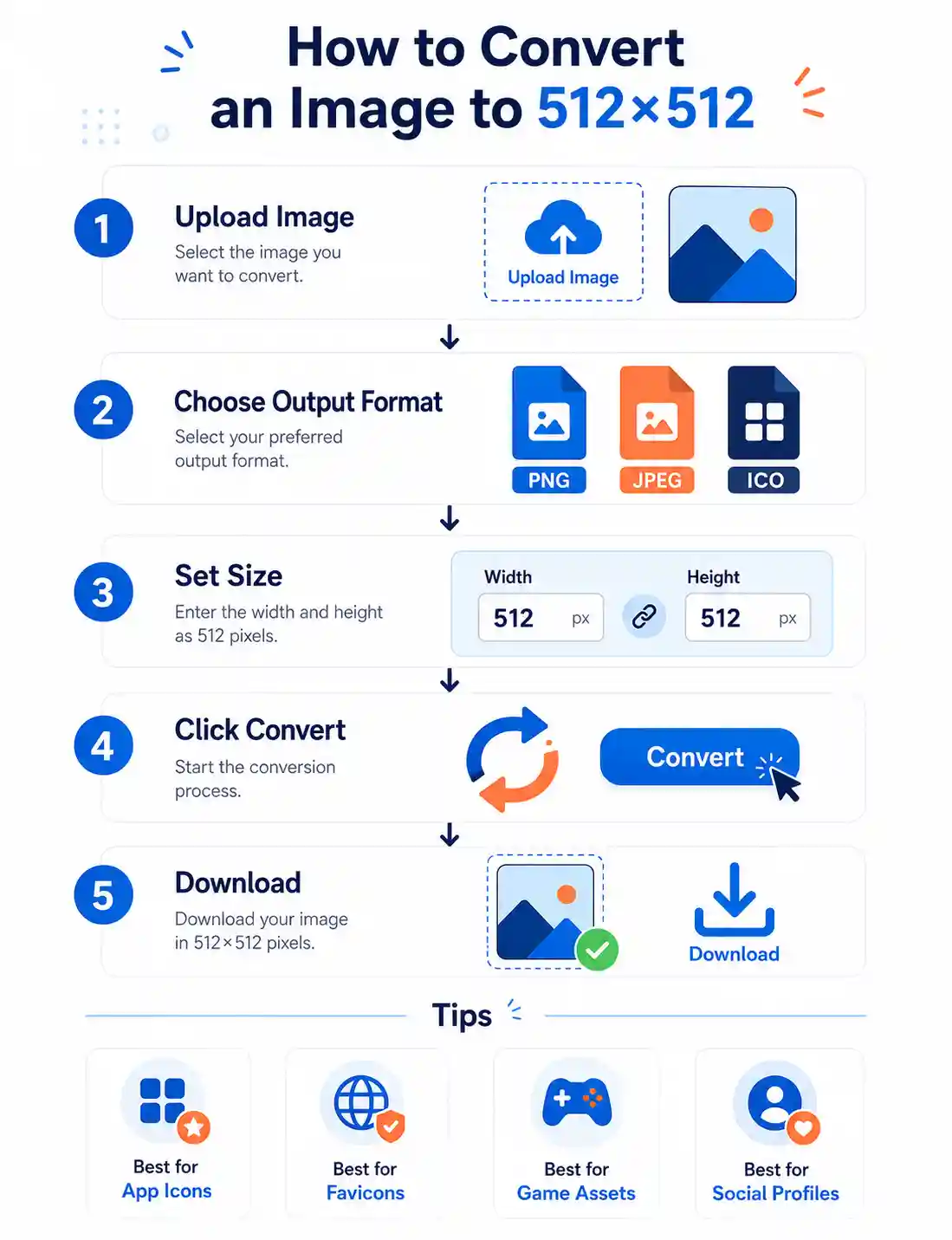
After exploring the theoretical differences between manual and automated methods, the most direct way to actually do this is to use a dedicated online image converter. These tools have been optimized for this specific purpose and remove the need to purchase and learn complex software. They are particularly useful if you need to convert image to 512x512 quickly. For the most reliable and user-friendly experience, Image Converter 24 offers a simple and effective solution.
Here’s a step-by-step walkthrough using the Image Converter 24 tool, which is specifically designed to handle these kinds of conversions. This walkthrough is based on a real session to give you an accurate picture of the process.
- Navigate to the Tool: Open your browser and go to the Image Converter 24 website. The page loads quickly and features a clear, uncluttered interface. The upload area is prominently displayed, making it easy to find.
- Upload Your Image: Click on the upload button or simply drag and drop your image file from your computer into the designated area. The tool supports a wide variety of formats, including JPEG, PNG, GIF, WEBP, and BMP. Once the file is dropped, you'll see a preview of your image appear on the screen.
- Select Output Settings: The interface will show options for the output format and quality. Here, you can choose your desired format. The tool is particularly effective if you want to convert image to icon 512x512, as it's optimized for the ICO format, but it also handles standard PNG and other formats well. You will also see the dimension settings. If a preset for 512x512 isn't available, you can simply type '512' into the width and height boxes.
- Set Dimensions: The tool will automatically adjust the height to match the width if you set it to a specific value. This ensures your output is exactly 512 pixels by 512 pixels.
- Start the Conversion: Once you're happy with the settings, click the 'Convert' button. The conversion process is remarkably fast, taking only 2 to 3 seconds for most files. A progress bar will indicate that the conversion is underway, and you'll see a confirmation message once it is complete.
- Preview and Download: After the conversion, a preview of the new 512x512 image is displayed alongside a prominent download button. Click the button to save the file to your computer. The tool uses your original file name and appends the new format extension, making it easy to manage.
This tool is particularly suited to this task because it maintains the PNG Advantages and Disadvantages when converting to PNG, preserving transparency and image quality. It is designed to be responsive, so it works perfectly on both desktop and mobile devices, allowing you to convert your image no matter where you are.
Honest Limitation: Like most online tools, Image Converter 24 has a file size limit. While it’s generous enough for the vast majority of images, if you are trying to convert a massive, high-resolution photograph, you might hit a limit. In such cases, consider compressing the file first or using a desktop application.
Troubleshooting Common Issues
Sometimes, you might run into a minor hiccup. If the tool doesn't seem to be working, ensure your image isn't corrupted. A common fix is to simply refresh the page and try uploading it again. Another issue could be that your file name contains special characters (like #, %, &), which can sometimes interfere with the upload process. Try renaming the file to something simple, like "my_image.jpg".
Understanding Image Formats and Their Impact
When you resize an image to 512x512, the choice of output format is just as important as the size itself. The format determines the file's quality, size, and capabilities, such as transparency and animation. You can convert image to 512x512 pixels in nearly any format, but some are better suited for specific tasks.
When to Use PNG vs. JPEG
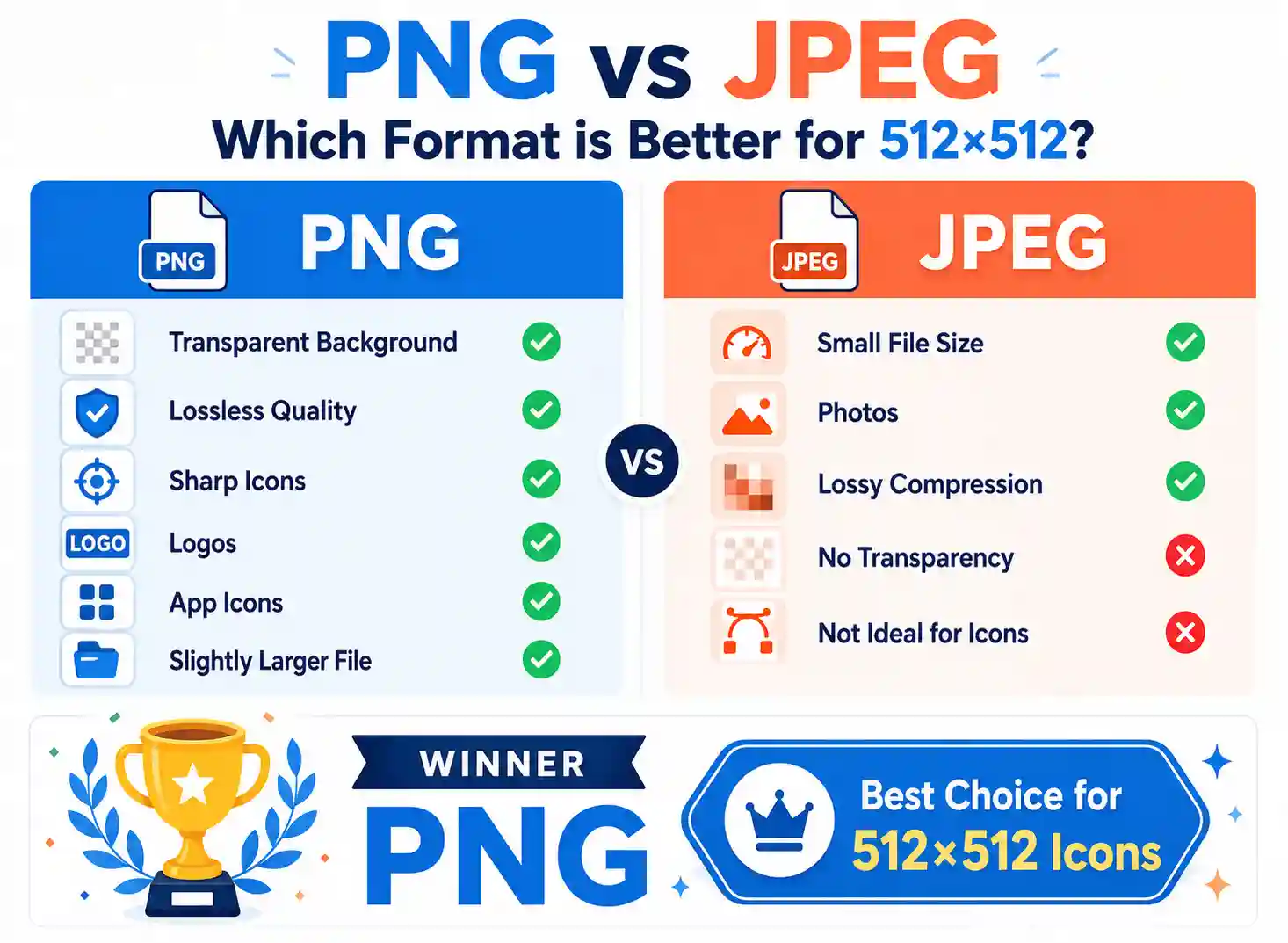
The PNG and JPEG formats are the most common. PNG is a lossless format, meaning it preserves all the original image data, leading to higher quality and larger file sizes. It also supports transparency, which is essential for logos and icons that need to sit on various backgrounds. JPEG is a lossy format, meaning it compresses the image by discarding some data to create a smaller file size, which is ideal for photographs. When you convert image to 512x512 png, you are ensuring your icon or graphic will look crisp and clean with a transparent background.
Image Quality: Lossy vs. Lossless
Understanding the difference between lossy and lossless formats is crucial for your conversion. If you are creating an app icon or a favicon, lossless formats like PNG are essential to keep the image sharp. If you are resizing a photo for a quick web post, a lossy format like JPEG will be more efficient. Many tools, including the one we recommend, give you the option to choose your output quality, which is a great feature to have.
A Detailed Comparison of Common Methods
To help you decide on the best approach for your specific needs, we’ve compiled a detailed comparison table. This table contrasts the manual desktop software approach with the automated online approach, and also highlights the specific utility of web tools. This can help you decide whether you need to convert my image to 512x512 using a desktop application or an online tool.
| Method | Key Benefit | Best Use Case |
|---|---|---|
| Desktop Software | Full control over every aspect of the image. | Professional designers who need advanced editing tools. |
| Online Converters | Speed, ease of use, and no installation required. | Quick conversions for web use, icons, and general projects. |
| Built-in OS Tools | Convenience, available to everyone. | Simple, quick resizing without needing to download anything. |
Frequently Asked Questions
Can I resize an image to 512x512?
Yes, absolutely. You can resize an image to 512x512 using various methods. The easiest way is to use a free online tool. You can also use desktop software like Adobe Photoshop, GIMP, or even built-in tools like Microsoft Paint. The specific steps may vary depending on the tool, but the core concept of setting the width and height to 512 pixels is the same.
Can I export a 512x512 image as a png?
Certainly. Most image editing and conversion tools support exporting or saving in the PNG format. When you use an online converter, you can often select 'PNG' from the output format dropdown menu. This will produce a 512x512 pixel image with a transparent background, which is ideal for logos, icons, and other graphics that need to blend seamlessly into different designs.
How long does it take to convert an image to 512 512?
The conversion process is very fast. For an online tool, it typically takes between 2 to 5 seconds, depending on the file size and your internet connection. Desktop software is also quick, taking only slightly longer due to the time it takes to open and navigate the software. If you are using an online tool, you can convert image to 512x512 online and have it ready to download almost instantly.
What is the best tool to convert image to 512x512 pixels?
The best tool depends on your needs. For a quick, free, and easy conversion, a dedicated online tool like the one from Image Converter 24 is an excellent choice. If you are a professional who needs to edit many other aspects of the image, a desktop application like Adobe Photoshop or GIMP offers more control. However, for most people who simply want to convert image to 512x512px without any hassle, an online converter is the clear winner.
Conclusion
Converting an image to 512x512 pixels is a fundamental task for many digital projects. We've explored the importance of this specific resolution, the differences between manual and automated conversion methods, and the nuances of image formats like PNG and JPEG. The key takeaway is that while you can achieve this using complex software, the most efficient and user-friendly method is to use a dedicated online converter.
By using the Image Converter 24 tool, you can convert image to 512x512 in just a few clicks. It's free, fast, and doesn't require any technical expertise or software downloads. Whether you are a developer, a social media manager, or just someone who needs a specific image size, this tool simplifies the process and delivers high-quality results every time. For more insights on image formats, you can also check out our guide on Best Image Converter Website Free and explore other best unlimited image converter free online without watermark options.
In summary, the need to convert an image to the 512x512 standard arises frequently, and you now have all the knowledge to tackle it confidently. For the best balance of speed, quality, and convenience, we highly recommend using an online converter for your next project.