TIFF vs JPEG2000 for the Web: Best Use Cases
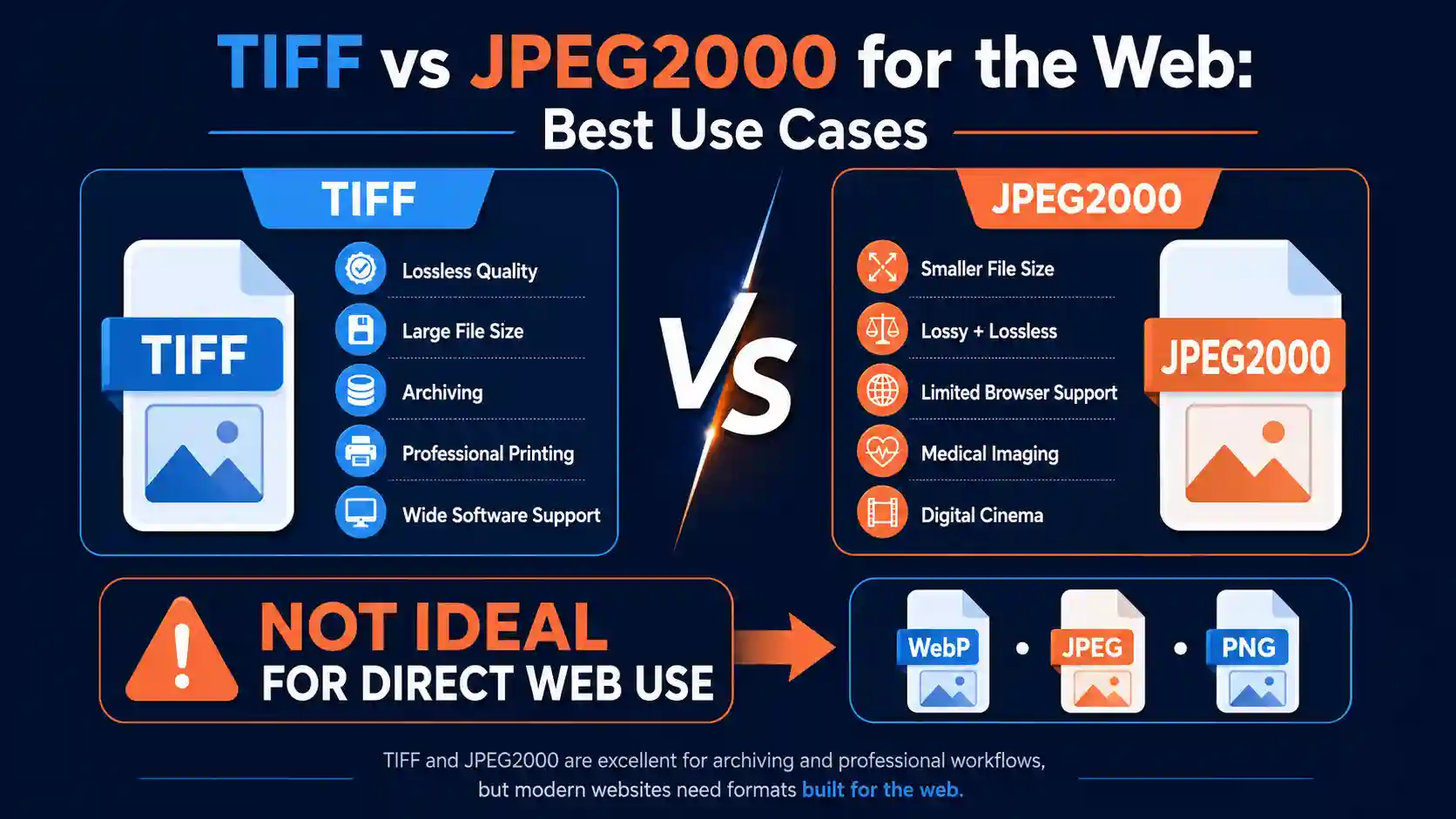
If you're choosing between TIFF and JPEG2000 for images that need to load on a website, the short version is that neither format was really built for the modern web, and the reasons why are worth understanding before you pick one. Both formats come from the world of professional imaging and archiving, and both carry technical baggage that can quietly slow down your site or break for visitors depending on their browser.
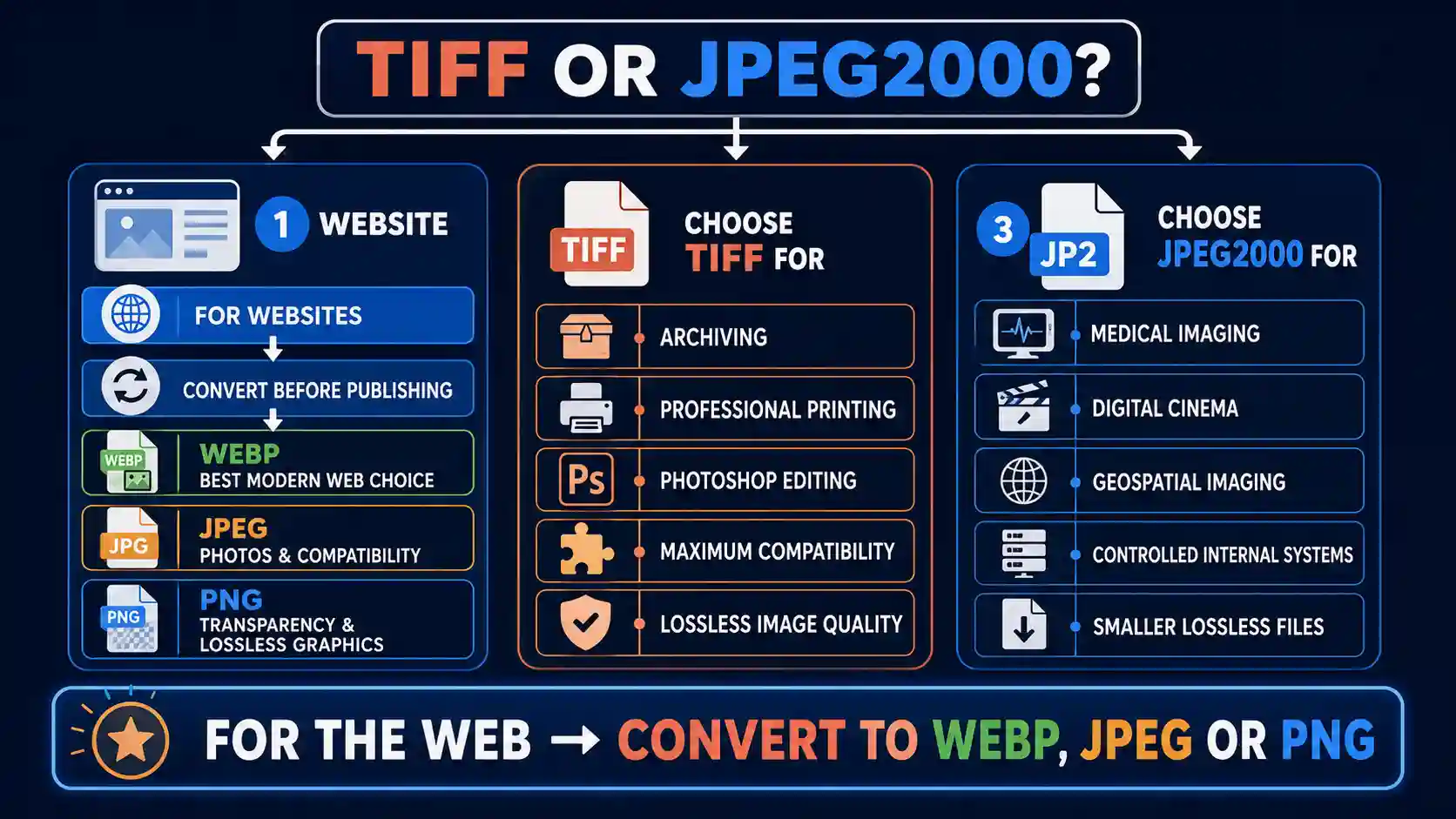
For most websites, neither TIFF nor JPEG2000 is the right final format. TIFF is too large and largely unsupported in browsers, while JPEG2000 has excellent compression but almost no native browser support outside Safari. The practical fix is to keep your TIFF or JPEG2000 as your master/archival file, then use a browser-based image converter to generate a web-safe version (typically JPEG, PNG, or WebP) for anything that actually needs to display on a page.
This guide walks through how TIFF and JPEG2000 actually differ, where each one genuinely earns its place, why browsers treat them so differently, and exactly how to convert between them or into a format your website can actually render. By the end you'll know which format fits your specific situation, whether that's archiving, print, video, or a live website.
What TIFF and JPEG2000 Actually Are
TIFF (Tagged Image File Format) has been around since the mid-1980s and became the standard for professional photography, scanning, and print production because it can store images with no compression at all, or with lossless compression that preserves every pixel exactly. A TIFF file can hold multiple layers, alpha channels, CMYK color data, and even multiple pages in a single file, which is part of why it's still the default export format in many scanning and photography workflows.
JPEG2000, standardized in 2000 as the intended successor to standard JPEG, takes a fundamentally different technical approach. Instead of the discrete cosine transform that regular JPEG uses, JPEG2000 relies on wavelet compression, which allows it to achieve significantly smaller file sizes at equivalent visual quality, and it supports both lossy and lossless modes in the same format. It also supports progressive decoding, meaning a viewer can see a low-resolution version of the image load first and sharpen gradually, which sounds like a natural fit for the web. In practice, that promise never really materialized outside of specific industries.
JPEG2000 is widely used in digital cinema (DCP files), medical imaging (DICOM), and satellite/geospatial imagery, precisely the fields where lossless quality at a manageable file size matters more than universal compatibility.
Browser Support: The Deciding Factor for Web Use
This is where the comparison stops being theoretical. No major browser renders TIFF files natively. Chrome, Firefox, and Edge will all either download a TIFF file instead of displaying it, or show a broken image icon, depending on the server's content-type headers. JPEG2000 support is even more fragmented: Safari has supported it for years through Apple's ImageIO framework, but Chrome, Firefox, and Edge have never added native JPEG2000 decoding, largely due to licensing complexity around the format's patents.
| Browser | TIFF Support | JPEG2000 Support |
|---|---|---|
| Chrome | No | No |
| Firefox | No | No |
| Safari | No | Yes |
| Edge | No | No |
In other words, if you embed either format directly on a live page with an
<img> tag, the majority of your visitors will see nothing. That single fact is really the whole story for web use, and it's why every serious workflow treats TIFF and JPEG2000 as source or archival formats rather than delivery formats.File Size and Quality: Where JPEG2000 Pulls Ahead
Set browser support aside for a moment and just compare the formats on compression efficiency, because this matters for storage costs and for any internal tooling that does support JPEG2000. At equivalent visual quality, JPEG2000 typically produces files 20 to 50 percent smaller than uncompressed or lightly compressed TIFF, and it can do this while staying fully lossless if you choose that mode. TIFF, when saved without compression, is often the largest common image format in existence for a given resolution — a 24-megapixel photo can easily reach 100MB or more as an uncompressed TIFF.
TIFF does support lossless compression through LZW or ZIP/Deflate, which brings file sizes down considerably without losing any data, but it still can't match JPEG2000's wavelet-based efficiency. If your priority is squeezing maximum quality into the smallest possible file, and you have software that can actually open the result, JPEG2000 wins that comparison decisively. If you want a full breakdown of how JPEG2000 stacks up against standard JPEG rather than TIFF, our guide on JPEG2000 vs JPEG covers that specific comparison in depth.
Practical note: file size advantages on paper don't matter if the format can't be displayed. A smaller JPEG2000 file that fails to load for 90% of visitors is worse for your website than a larger JPEG that loads instantly for everyone.
Where TIFF Still Makes Sense
- Archival storage and scanning: Libraries, museums, and government archives standardize on TIFF because its lossless nature guarantees the file will still be readable and pixel-perfect decades from now.
- Print production: Print shops and professional designers rely on TIFF's CMYK color support and lack of compression artifacts, which matters enormously at high print resolutions.
- Multi-page and layered documents: TIFF can bundle scanned pages or Photoshop layers into a single file, something JPEG2000 and web formats generally can't do.
- Software compatibility: Nearly every image editor, scanner, and photo management tool reads and writes TIFF without issue, making it the safest common denominator for professional handoffs.
If your workflow touches print, our dedicated comparison on jpeg2000 vs tiff for printing goes into more depth on which format print shops actually prefer and why.
Where JPEG2000 Still Makes Sense
- Medical and geospatial imaging: Fields with dedicated software (DICOM viewers, GIS platforms) benefit from JPEG2000's efficient handling of extremely large, high-precision images.
- Digital cinema: JPEG2000 is the mandated format inside Digital Cinema Package (DCP) files used to distribute movies to theaters.
- Controlled internal systems: If every device accessing the images is known and configured (e.g., an internal document management system), JPEG2000's compression advantage can be used safely.
Neither Format Belongs on a Live Web Page — Here's the Practical Fix
Given everything above, the real-world takeaway isn't "TIFF vs JPEG2000" as a final decision for your website — it's recognizing that whichever one you're currently holding needs to become something else before it touches your site. The most direct way to actually do this is with a dedicated online image converter, since it removes the manual export/re-save cycle that most photo editors require and handles the format-specific quirks (ICC color profiles, multi-page TIFFs, JPEG2000 codestream wrapping) automatically.
The free unlimited image converter online at imageconverter24.com is built for exactly this kind of conversion — TIFF or JPEG2000 in, a browser-ready format out — without installing desktop software or hitting a file-count cap.
Step-by-Step: Converting TIFF or JPEG2000 to a Web-Ready Format
- Open the image converter and select your TIFF or JPEG2000 file from your device, or drag it directly onto the upload area.
- Choose your target format. For most websites, JPEG offers the best balance of quality and size for photos, while PNG is better if the image needs transparency; WebP is worth choosing if your site's audience is mostly on modern browsers, since it compresses even further than JPEG at similar quality.
- If the tool offers a quality or compression slider, start around 80-85% for photographic images — this is usually indistinguishable from the original to the human eye while cutting file size substantially.
- Run the conversion and review the preview against your original before downloading, particularly checking that colors and fine detail weren't flattened during the conversion.
- Download the converted file and upload it to your website's media library or CDN as you normally would.
This approach fits the TIFF/JPEG2000 problem specifically well because both source formats often carry embedded color profiles and, in TIFF's case, sometimes multiple pages or layers that a naive conversion can mishandle — a purpose-built converter accounts for that instead of just re-encoding pixels blindly, which matters if you've ever opened a converted file and noticed the colors looked slightly off from the original.
Honest limitation: if your JPEG2000 file uses lossless encoding at very high bit depth (common in medical or scientific imaging), converting it to standard web formats like JPEG will discard that extra precision, since JPEG is capped at 8-bit color per channel. For that specific case, PNG is a better lossless target than JPEG, though the file will be larger.
Troubleshooting tip: if a multi-page TIFF only converts its first page, that's expected behavior for most web-format converters, since JPEG, PNG, and WebP don't support multiple pages at all. Split the TIFF into individual pages first, or export each page separately from your scanning software, before converting.
jpeg2000 vs tiff for photoshop
Photoshop handles both formats natively, but they behave differently once you're inside a working file. TIFF is the more forgiving choice for active editing because Photoshop can save layers, adjustment layers, smart objects, and alpha channels directly into a TIFF without flattening anything, which means you can close the file and reopen it later with your full edit history intact through the layer stack.
JPEG2000 support in Photoshop, meanwhile, has been inconsistent across versions — it required a separate plugin in some releases and has occasionally been removed entirely from newer builds due to licensing changes on Adobe's end. If your workflow depends on opening JPEG2000 files inside Photoshop reliably, it's worth checking your specific version's format support before committing to it as a working format, since Adobe has changed this more than once.
For a deeper look specifically at how these two formats behave inside Photoshop workflows, including export settings and known quirks, see our guide on jpeg2000 vs tiff for photoshop.
jpeg2000 vs tiff for printing
Print production has historically favored TIFF, and that preference still holds for most commercial and fine-art printing today. TIFF's uncompressed or losslessly compressed nature means there's zero risk of compression artifacts showing up in a large-format print, and its native CMYK support matches how printing presses actually reproduce color, unlike the RGB color space most web formats assume.
JPEG2000 can technically deliver print-quality results too, especially in its lossless mode, but far fewer print shops and RIP (raster image processor) software packages are built around it, so you risk compatibility friction at the point of actually sending a file to press. Unless a specific printer has explicitly told you they accept JPEG2000, TIFF remains the safer default for anything headed to a physical press.
jpeg2000 vs tiff for web
For the web specifically, this comparison has a somewhat unsatisfying but accurate answer: neither format should be used directly, for the browser-support reasons covered earlier in this guide. What actually matters for a web use case is which format converts more cleanly and predictably into something browsers can render.
In practice, TIFF tends to convert to JPEG or PNG more predictably because its structure is simpler and more universally understood by conversion software, while JPEG2000's wavelet compression and optional multi-resolution tiling can occasionally confuse less capable converters. If you're starting from JPEG2000 and heading to the web, using a converter specifically built to handle its codestream structure (rather than a generic one) reduces the risk of quality loss or failed conversions.
jpeg2000 vs tiff for photos
For everyday photography — travel photos, portraits, product shots — most photographers who care about lossless quality still default to TIFF simply because of how universally it's supported across editing software, printers, and photo labs. It's the safe, unglamorous choice that works everywhere.
JPEG2000 can technically preserve the same quality in a smaller file, and photographers working in fields like fine-art printing or archival photo preservation sometimes do choose it deliberately for that reason. But the smaller ecosystem of software that reliably supports JPEG2000 means it's a choice you make only if you've confirmed your entire workflow, from camera or scanner through to final output, can actually handle it end to end.
For a closer photo-specific comparison, including how each format handles noise, fine detail, and skin tones, our guide on jpeg2000 vs tiff for photos breaks this down further. And if your images are headed into a video project rather than a photo library or website, the considerations shift again — our jpeg2000 vs tiff for video guide covers frame-sequence workflows specifically.
Frequently Asked Questions
Is JPEG2000 better than TIFF for web use?
Neither is genuinely suitable for direct web use, since major browsers don't render either format reliably — Chrome, Firefox, and Edge support neither natively, and Safari only supports JPEG2000. If you're forced to choose one as a source file to convert from, JPEG2000's smaller file sizes can make the conversion process slightly faster, but the safer approach for any website is converting both to JPEG, PNG, or WebP before publishing.
Which format is better for large or high-resolution images on websites: JPEG2000 or TIFF?
For very large source images, JPEG2000 compresses more efficiently while preserving quality, which can make it a better intermediate format if your tools support it. However, since neither format displays in most browsers, what actually determines "better for your website" is how well the image converts to WebP or JPEG afterward — and TIFF generally converts with fewer surprises due to its simpler internal structure.
Does JPEG2000 support transparency and compression like TIFF?
Yes, JPEG2000 supports alpha channel transparency and offers both lossy and lossless compression modes within the same format specification, similar to TIFF's flexibility. Where they differ is efficiency: JPEG2000's wavelet-based compression typically produces smaller files than TIFF at equivalent quality, even in lossless mode.
Why isn't TIFF widely supported by web browsers?
Browser vendors have historically prioritized formats designed specifically for network delivery — small file sizes, progressive loading, broad hardware decoding support — and TIFF was never designed with those goals in mind. Its large, often uncompressed file sizes and complex feature set (multi-page support, arbitrary metadata, various compression schemes) made it a poor fit for browser engines optimized for speed, so native support was never added.
What is the best image format for fast-loading websites: JPEG2000, TIFF, or something else (like WebP/AVIF)?
For actual website delivery, WebP and AVIF are the better modern choices, offering strong compression with broad current browser support, well ahead of both TIFF and JPEG2000 in terms of universal compatibility. JPEG remains the safest universal fallback for older browsers or systems. TIFF and JPEG2000 should be treated as source or archival formats that you convert away from before publishing, not as final web delivery formats.
Conclusion
TIFF and JPEG2000 solve different problems well. TIFF remains the dependable choice for archiving, print production, and any workflow where lossless quality and universal software compatibility matter more than file size. JPEG2000 earns its place in specialized fields like medical imaging, digital cinema, and geospatial data, where its compression efficiency and lossless flexibility genuinely pay off. To understand TIFF's broader strengths and weaknesses outside this specific comparison, our guide on TIFF Advantages and Disadvantages is worth a read.
For a live website, though, the real decision isn't between these two formats at all — it's about converting whichever one you're holding into something browsers can actually display. That's the one step neither format skips.
The fastest way to handle that conversion is with the free unlimited image converter online at imageconverter24.com. Upload your TIFF or JPEG2000 file, choose JPEG, PNG, or WebP as your target format, and download a version that's ready to publish — no software installation, no file-count limits, and no leftover compatibility guesswork for your visitors.