JPEG to BMP Converter | Convert JPEG to Bitmap Online
Convert JPEG images to BMP (Bitmap) format online with full quality and no software required
- Home
- JPEG to BMP
Drag & Drop up to 20 File(s) Here
ORMax size is 10 MB
The file will be deleted after 1 hour(s).
JPEG to BMP Converter – Free Online
Image Converter 24 converts JPEG to BMP for free, online. Upload one or more JPEG files (up to 10 MB each), click Convert, and download your BMP files. No registration or software is needed, and uploaded files are deleted after 1 hour.
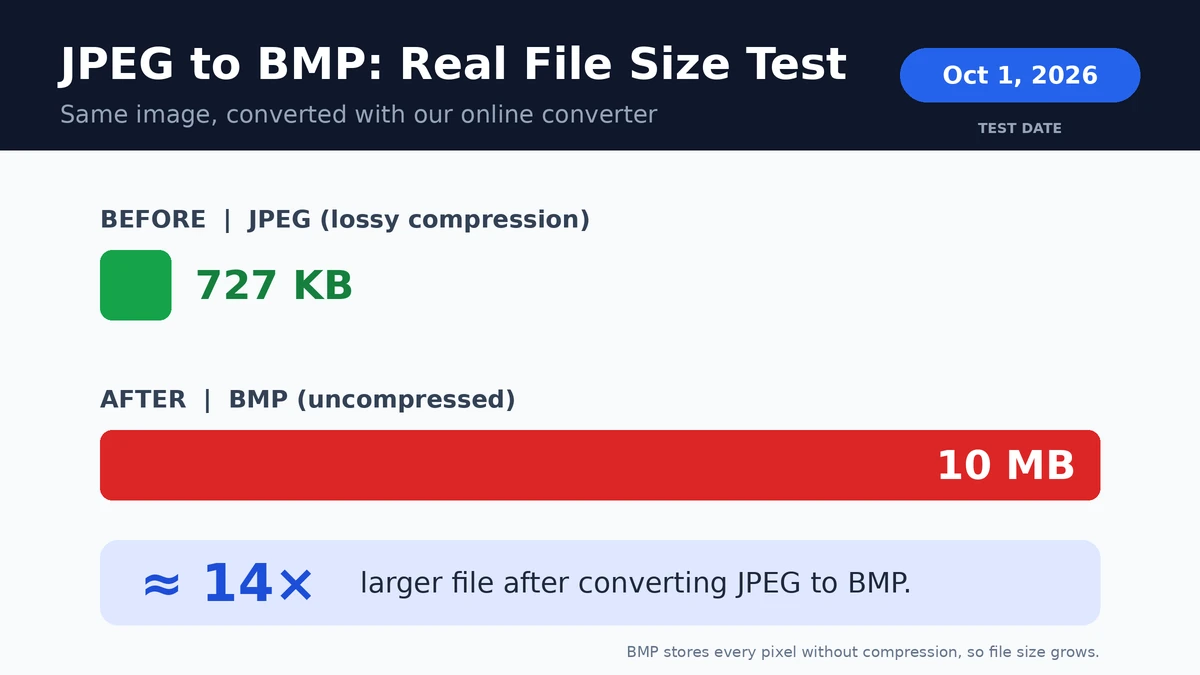
Quick answer: Upload your JPEG, convert it, and download the BMP. Expect the BMP to be much larger than the original, because BMP is uncompressed. In our test, a 727 KB JPEG became a 10 MB BMP.
How do I convert JPEG to BMP online?
Upload your JPEG, click Convert, then download the BMP. The process takes a few seconds, works in any modern browser, and also works on iPhone and Android.
- Upload your JPEG or JPG file, or select multiple files (maximum 10 MB each).
- Click Convert.
- Download your BMP file.
How to convert JPEG to BMP on Windows or Mac
You can also convert without any website, using the free tools already on your computer.
How to convert JPEG to BMP on Windows (Paint)
Open the JPEG in Paint, click File > Save as, and choose BMP picture. Name the file and save.
How to convert JPEG to BMP on Mac (Preview)
Open the image in Preview and click File > Export. Hold the Option key while opening the Format menu, choose Microsoft BMP, and save.
JPEG to BMP file size test
Test results
Our test: We converted one JPEG of 1080×2460 pixels with this tool and compared the two files. Test date: October 1, 2026.
| File | Format | Dimensions | File size |
|---|---|---|---|
| Original image | JPEG | 1080×2460 | 727 KB |
| Converted image | BMP | 1080×2460 | 10 MB |
Result: the BMP was about 14 times larger than the JPEG, with the same dimensions. If storage space, upload limits, or page speed matter, keep the JPEG and convert to BMP only when a tool or device requires it.
Why is the BMP so much bigger than the JPEG?
BMP stores every pixel without compression. Our test image has 1080 × 2460 = 2,656,800 pixels. At 4 bytes per pixel, that is about 10.6 million bytes (roughly 10 MB), which matches the file we got. A 24-bit BMP uses 3 bytes per pixel, so it would be about 25% smaller, and the size always depends on the image dimensions and color depth, not on how complex the photo is.
Limitations: this result comes from a single test image, so your own files may grow by a different factor.
What is the difference between JPEG and BMP?
JPEG uses lossy compression to keep files small, while BMP is an uncompressed bitmap format that stores every pixel exactly. JPEG suits photos, websites, and sharing, and BMP suits legacy software, technical workflows, and tools that only accept bitmap files.
| Feature | JPEG | BMP |
|---|---|---|
| Compression | Lossy | None (uncompressed) |
| File size | Small | Much larger |
| Best for | Photos, web pages, social media | Legacy software, development, technical use |
| MIME type | image/jpeg | image/bmp |
| Quality after re-saving | Drops each time | Stays the same |
Is BMP higher quality than JPEG?
Not automatically. BMP does not lose quality when you save it again, while JPEG does. But a BMP made from a JPEG looks identical to the original JPEG, because the detail removed by JPEG compression cannot be restored.
Why convert JPEG to BMP?
- You will edit the image repeatedly and don't want new compression artifacts each time.
- A program, device, or older system only accepts BMP files.
- You are developing a desktop application that needs simple, uncompressed bitmap input.
JPEG to BMP conversion: common questions
Does converting JPEG to BMP increase file size?
Yes, always by a large amount. BMP has no compression, so a JPEG usually becomes many times larger. In our test, a 727 KB JPEG became a 10 MB BMP.
Can I convert JPEG to BMP for free?
Yes. This converter is free, and so are Paint on Windows and Preview on Mac. Whichever you use, check that an online tool deletes your files after conversion.
Can I just rename a JPEG to BMP?
No. Changing the extension from .jpeg to .bmp does not change the file's real format, and many programs will fail to open it. The pixel data has to be converted to the bitmap structure.
Does JPEG to BMP make the background transparent?
No. A JPEG has no transparency, so the BMP keeps the same solid background.
Can I convert a JPEG larger than 10 MB to BMP?
Each file can be up to 10 MB. If your JPEG is larger, reduce its size or dimensions in an image editor first. Remember that the BMP will be many times bigger than the JPEG, so large photos can become very heavy.
Can I convert the BMP back to JPEG?
Yes, but the image is compressed again and loses some quality. If you only need a smaller file, keep your original JPEG.
About BMP files
What programs can open BMP files?
BMP is supported by most systems, and no extra software is needed.
Windows
Open BMP files with Photos or Paint.
Mac
Open BMP files with Preview.
Editors and browsers
Photoshop, GIMP, and most web browsers can also display BMP files.
Are BMP files still used?
Yes, but less often than JPEG or PNG. BMP is still used in legacy software, embedded systems, and technical workflows that need simple, uncompressed image data.
Is it safe to convert my images here? Are they stored?
Your files are uploaded to our server only to be converted. They are deleted automatically 1 hour after upload, and each file can be up to 10 MB. We process images on our own server, and we do not share your images with third parties. See our Privacy Policy for details.
When should you use BMP instead of JPEG?
Use BMP when
- You are editing an image repeatedly without adding new compression.
- You work with legacy systems or older software.
- A device or tool only accepts BMP files.
Keep the JPEG when
- You are sharing the image, emailing it, or using it on a website.
- Storage space or upload limits matter.
Last updated: October 1, 2026.
More Converters
JPEG to PNG
JPEG to PNG converter
1567JPEG to WEBP
JPEG to WEBP converter
1562PNG to JPEG
PNG to JPEG converter
1492PNG to WEBP
PNG to WEBP converter
1448PNG to BMP
PNG to BMP converter
1358WEBP to JPEG
WEBP to JPEG converter
1319WEBP to PNG
WEBP to PNG converter
1378WEBP to BMP
WEBP to BMP converter
1489BMP to JPEG
BMP to JPEG converter
1456BMP to PNG
BMP to PNG converter
1510BMP to WEBP
BMP to WEBP converter
1535AVIF to AI
AVIF to AI converter
1381GIF to DIB
GIF to DIB converter
1345GIF to WEBP
GIF to WEBP converter
1385HEIC to JP2
HEIC to JP2 converter
1397TIFF to WEBP
TIFF to WEBP converter
1533JPEG to PDF
JPEG to PDF converter
1424PDF to PNG
PDF to PNG converter
1410PDF to JPEG
PDF to JPEG converter
1502SVG to DIB
SVG to DIB converter
1448SVG to PNG
SVG to PNG converter
1408SVG to JPEG
SVG to JPEG converter
886Best PDF to TIFF Converter
PDF to TIFF Converter
892PDF to PNG converter online
Best PDF to PNG converter online free without email