JPEG Advantages and Disadvantages Your Most Important
In the digital world, the JPEG image format is as common as the air we breathe. From family photos to website banners, it’s everywhere. But what makes JPEG so popular, and when should you consider a different format? Understanding the JPEG advantages and disadvantages is crucial for anyone who works with digital images, whether you're a photographer, a web designer, or just sharing memories online. This complete 2026 guide will break down everything you need to know, helping you make smarter choices for your projects and digital assets.
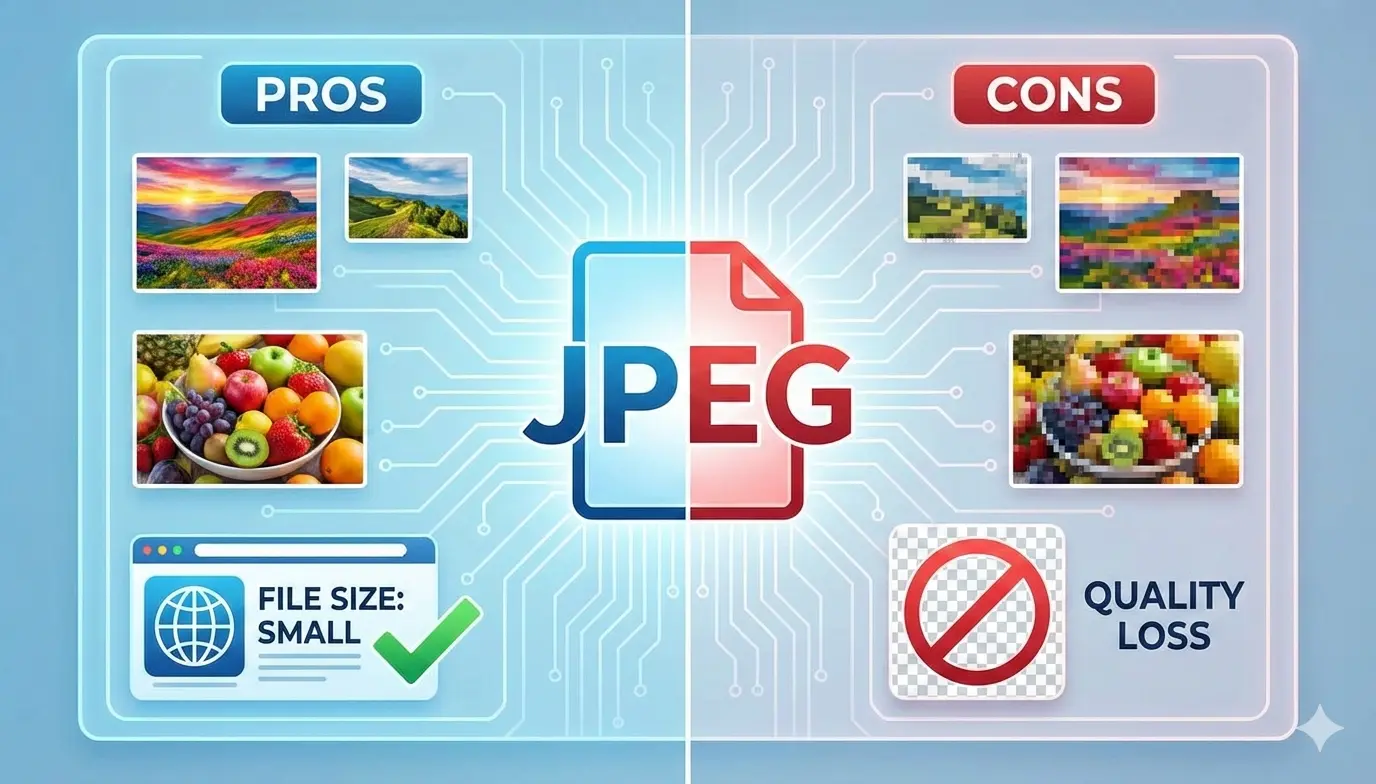
This guide will dive deep into the technical and practical sides of JPEG. We'll explore its core strengths, its notable weaknesses, and put it side-by-side with other major formats like PNG, GIF, and WebP. By the end, you'll know exactly when to save as a JPEG and when to convert JPEG to PNG or another format for better results. Let’s demystify this cornerstone of digital imagery together.
What is JPEG? A Brief History and Purpose
JPEG, which stands for Joint Photographic Experts Group (the committee that created it), is a method of compression for digital images. Introduced in 1992, its primary goal was to make photographic image files smaller for storage and transmission, which was a huge challenge in the early days of the internet.
The format uses a "lossy" compression technique. This means it reduces file size by permanently deleting some image data, particularly information the human eye is less likely to notice. It’s designed specifically for complex images with smooth color transitions, like photographs, realistic artwork, and gradients.
Key Takeaway: JPEG was born from a need for efficiency. It’s not about perfect preservation, but about achieving the best possible visual quality at the smallest practical file size.
The Major Advantages of Using JPEG Format
JPEG’s dominance isn’t an accident. It offers a powerful set of benefits that solve real-world problems for millions of users every day.
- Small File Size 📉 This is JPEG's superstar feature. By using lossy compression, JPEG can shrink photo file sizes by 50-90% with minimal perceived quality loss. This means faster website loading times, less storage space used on your devices and servers, and quicker uploads/downloads.
- Universal Compatibility 🌐 JPEG is the closest thing to a universal image format. Every web browser, operating system, image viewer, editing software, and social media platform on the planet supports it. You never have to worry if someone can open your file.
- Excellent for Photographs 🖼️ The compression algorithm is tailored for real-world scenes. It handles the millions of colors and subtle gradients in a photograph far more efficiently than formats like GIF or PNG-8.
- Adjustable Compression 🔧 You’re in control. When saving a JPEG, you can usually choose a quality level (e.g., 1-100 or Low/Medium/High). This lets you find the perfect balance between visual fidelity and file size for each specific use case.
- Wide Color Support 🎨 JPEG supports 24-bit color (over 16 million colors), making it ideal for full-color images without the banding or limitation you see in 8-bit formats.
Pro Tip for the Web: The small file size of JPEG is the number one reason it's the default for photographs on websites. Faster loading pages lead to better user experience and improved SEO rankings. For web photos, JPEG is often the best first choice.
The Notable Disadvantages and Limitations of JPEG
No format is perfect. JPEG’s strengths come with specific trade-offs that you must understand to avoid poor results.
- Lossy Compression Artifacts 🌀 The biggest drawback. Over-compression creates visible flaws called "artifacts." These appear as blurry, blocky patches (especially in detailed areas) or "halos" around high-contrast edges. Once created, these artifacts are permanent.
- No Transparency Support 🚫 JPEG does not support alpha channels. This means you cannot have transparent backgrounds. Every JPEG has a solid rectangular background, which is often unsuitable for logos, icons, or graphics meant to overlay other elements.
- Poor for Text and Line Art ✏️ The compression is terrible for images with sharp edges, solid colors, and text. It introduces blur and artifacts that make text look unclean and crisp lines appear fuzzy.
- Degradation with Repeated Editing 🔄 Every time you open, edit, and re-save a JPEG, it undergoes compression again. This "generational loss" progressively degrades image quality. For editing, it’s best to work in a lossless format like TIFF or PSD and only export to JPEG as a final step.
- No Animation Support 🎞️ JPEG is a still-image format. It cannot create animated images like GIF or WebP can.
Important Note: If your image contains text, logos, sharp graphics, or requires a transparent background, JPEG is the wrong choice. Saving such an image as a JPEG will guarantee a poor-quality result. Consider converting it to PNG instead.
JPEG vs. Other Image Formats
To truly understand JPEG, you need to see how it stacks up against the competition. The right format depends entirely on the image content and its intended use.
| Format | Best For | Key Advantage / Disadvantage vs. JPEG |
|---|---|---|
| JPEG | Photographs, complex art | Advantage: Small file size for photos / Disadvantage: Artifacts, no transparency |
| PNG | Logos, text, graphics, screenshots | Advantage: Perfect quality & transparency / Disadvantage: Larger file sizes for photos |
| GIF | Simple animations, very simple graphics | Advantage: Supports animation / Disadvantage: Limited colors, poor for photos |
| WebP | Modern web images (photos & graphics) | Advantage: Smaller size with similar quality / Disadvantage: Not fully supported on all platforms |
| BMP | Windows graphics, archival | Advantage: Pure uncompressed data / Disadvantage: Very large, inefficient files |
The Modern Choice - WebP: Developed by Google, WebP is increasingly becoming the gold standard for the web. It often creates files 25-35% smaller than JPEG at equivalent quality, while also supporting transparency. If your target audience uses modern browsers, consider converting your JPEGs to WebP for significant performance gains.
When Should You Use JPEG? (The Golden Rules)
Follow these simple rules to ensure you're always using JPEG correctly.
- ✅ For web-ready photographs (portraits, landscapes, product photos).
- ✅ For email attachments where file size matters.
- ✅ For printing photographs at high quality settings (use maximum quality or TIFF for professional prints).
- ✅ For sharing images on social media, as platforms compress everything anyway.
- ✅ When universal compatibility is your top priority.
When Should You AVOID JPEG? (Red Flags)
Using JPEG in these scenarios will damage your image quality and professionalism.
- ❌ For logos, icons, or any graphic with a transparent background. Use PNG.
- ❌ For screenshots, especially of text or UI interfaces. Use PNG.
- ❌ For images containing large areas of solid color and text. Use PNG.
- ❌ As a working/editing format. Use PSD, TIFF, or other lossless formats.
- ❌ For simple graphics with fewer than 256 colors. Consider PNG-8 or GIF.
- ❌ When every single pixel must be preserved exactly. Use a lossless format.
How to Convert Images From and To JPEG Easily
Now that you know the rules, you might need to switch formats. Perhaps you have a JPEG logo that needs a transparent background (convert to PNG), or a large BMP you need for the web (convert to JPEG). This is where a dedicated, reliable conversion tool is essential.
Manually saving images in different software can be slow and confusing. A specialized online converter is fast, hassle-free, and designed for this exact purpose.
Your Go-To Solution: A Free Unlimited Image Converter
For quick, high-quality conversions without any limits, we recommend using a dedicated service. The ideal tool should be:
- Free: No hidden costs or subscriptions.
- Unlimited: Convert as many images as you need.
- Easy: A simple drag-and-drop interface.
- Fast: Quick processing without compromising quality.
Such tools empower you to adapt your images to any project requirement instantly. Whether you need to convert JPEG to BMP for a specific application or explore other formats, the process should be seamless.
The Conversion Process is Simple:
- Visit your chosen converter platform (like Image Converter 24).
- Upload your image file (JPEG, PNG, etc.).
- Select your desired target format (e.g., PNG, WebP, BMP).
- Click "Convert" and download your perfectly converted file.
It takes less than a minute and solves countless compatibility and optimization problems.
Optimizing JPEG Files | Best Practices for 2026
If you’ve decided JPEG is right for your image, follow these tips to get the best results.
- Use the Right Quality Setting: For web, a quality setting of 70-85% often provides an excellent balance. For print, use 90-100%.
- Resize Before Compressing: Never save a massive high-res image as a JPEG and then rely on HTML to resize it down. Resize the image to its exact display dimensions first, then apply JPEG compression.
- Consider Progressive JPEGs: For larger web images, progressive JPEGs load in multiple passes (from blurry to clear), improving perceived load time.
- Strip Metadata: Tools allow you to remove EXIF data (camera info, location) to save a few extra kilobytes.
The Future of JPEG and Emerging Alternatives
JPEG isn't going away, but its role is evolving. The future is about choosing the right tool for the job.
WebP and AVIF: These modern formats (especially AVIF) offer superior compression efficiency over JPEG. As browser support becomes complete, they will likely become the new default for web images, with JPEG remaining as a universal fallback.
JPEG XL: This new, royalty-free format is designed to be a successor to JPEG. It offers both lossless and lossy compression, supports transparency, and avoids generational loss. Its adoption is pending but promising.
The key lesson is to stay informed. The landscape of image formats is shifting towards greater efficiency and flexibility.
Conclusion: Mastering JPEG for Smart Digital Work
Final Summary: Understanding the JPEG advantages and disadvantages is fundamental digital literacy. JPEG is an incredibly powerful tool for compressing photographs, but it's a specialized tool. Its lossy nature makes it unsuitable for graphics, text, and any image requiring transparency.
By comparing it to formats like PNG (for graphics), WebP (for modern web efficiency), and GIF (for simple animations), you can build a versatile toolkit. Always let the image content and its final use guide your format choice.
And when you need to switch formats, don't struggle with complex software. Use a dedicated, free unlimited image converter to get the job done in seconds, ensuring your images are always optimized for their purpose.
Ready to Optimize Your Images?
Put this knowledge into practice. If you have images in the wrong format, convert them today. Experience the ease of a tool designed for this very purpose.
Convert Your Images for Free at Image Converter 24
No registration. No limits. Just simple, fast conversion.
By making informed choices about image formats, you enhance your projects, improve website performance, and ensure your digital content always looks its best. Here's to creating and sharing sharper, faster, and more professional visuals in 2026 and beyond.