JPEG to PNG Converter – Free Online, No Signup
Convert JPEG to PNG online quickly and for free using our fast and reliable jpeg to png converter—no downloads or accounts needed.
- Home
- JPEG to PNG
Drag & Drop up to 20 File(s) Here
ORMax size is 10 MB
The file will be deleted after 1 hour(s).
Image Converter 24 converts JPEG to PNG for free, online. Upload one or more JPEG files (up to 10 MB each), click Convert, and download your PNGs one by one or all together as a ZIP file. No registration or software is needed, and uploaded files are deleted after 1 hour.
How do I change a JPEG image into a PNG?
Upload your JPEG, click Convert, then download the PNG. The whole process takes a few seconds and works in any modern browser. You can also upload several images at once and convert them together.
- Upload your JPEG or JPG file, or select multiple files (maximum 10 MB each).
- Click Convert.
- Download your PNG file.
How to convert JPEG to PNG on a phone?
Open Image Converter 24 in your phone's browser, upload the JPEG from your gallery, tap Convert, and download the PNG. No app is required on iPhone or Android. The converted file is saved to your Downloads folder (on iPhone, in the Files app), and depending on your device it may also appear in your Gallery.
- Open this page in Chrome, Safari, or another browser.
- Tap the upload area and choose a photo from your gallery or files.
- Tap Convert, then Download.
Quality and file size after converting JPEG to PNG
PNG is lossless, so converting adds no further quality loss. It keeps the JPEG's pixels exactly as they are, but it cannot bring back detail that JPEG compression already discarded. Blocky patches or fuzzy halos around text that were already in the JPEG will still be there in the PNG. A PNG made from a JPEG looks identical to the original, and it is not higher quality just because of the format. For the best result, start from the highest-quality JPEG you have.
- Use the original JPEG, not a copy that was already re-saved or shared through a messaging app.
- Avoid converting the PNG back to JPEG, which compresses it again.
- Keep the original size. Enlarging an image does not add detail.
JPEG to PNG test: file size before and after
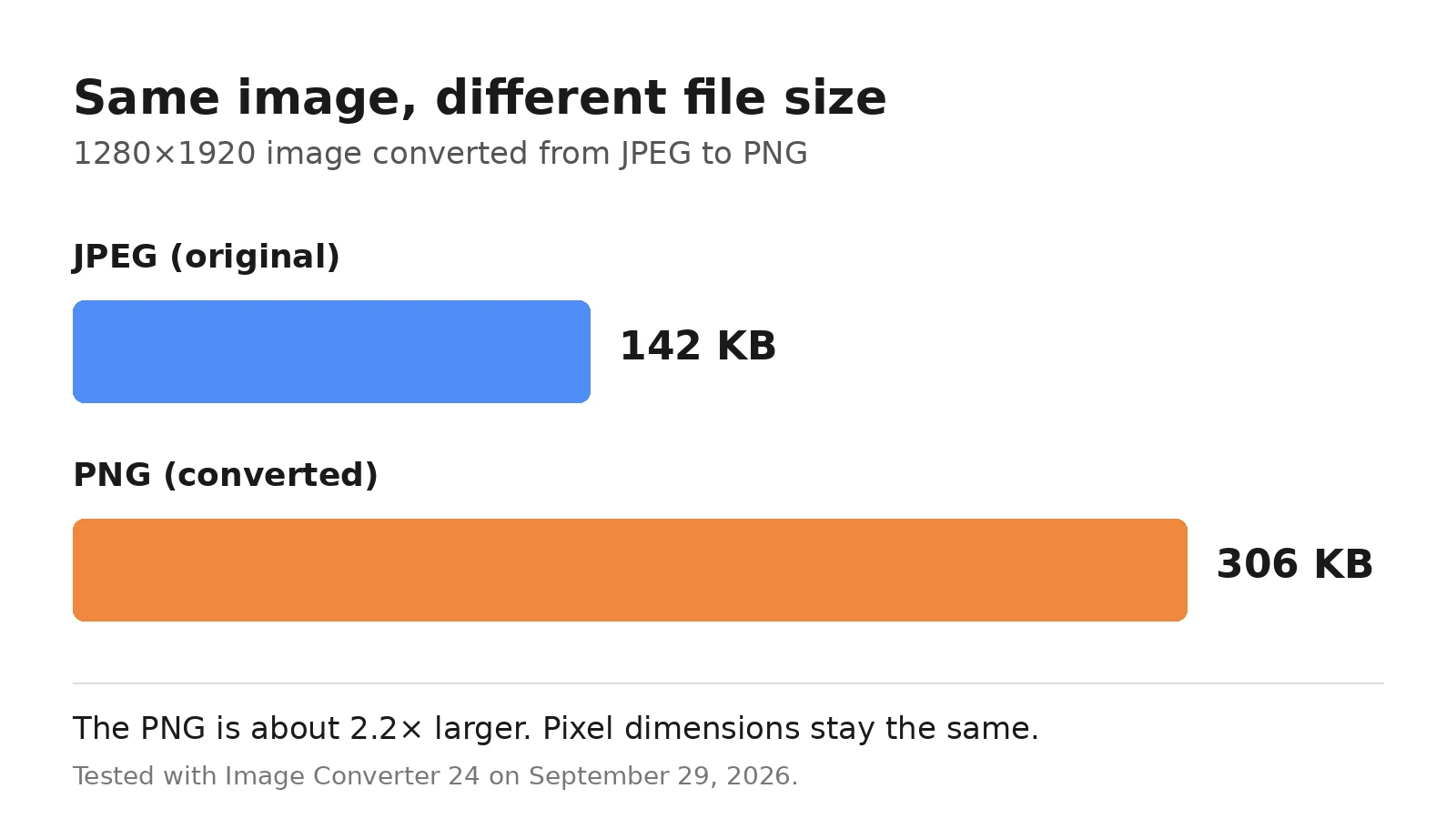
Our test: We converted a 1280×1920 JPEG of 142 KB with this tool. The resulting PNG was 306 KB, about 2.2 times larger, with the same dimensions. Tested in Chrome on September 29, 2026. This is one sample: results vary with the photo, and simple graphics with flat colors can stay small.
When should I convert JPEG to PNG?
- You will edit the image several times and don't want repeated quality loss.
- The image contains text, lines, or interface elements that need to stay sharp.
- A website, app, or design tool asks for a PNG file.
If you only need a smaller file for a website or email, keep the JPEG instead.
JPEG or PNG: which format should I use?
JPEG uses lossy compression for small files and suits photos. PNG uses lossless compression, supports transparency, and suits logos, screenshots, and graphics. Learn more in the advantages and disadvantages of JPEG, the advantages and disadvantages of PNG, the main advantages of JPEG, and the main drawback of the PNG format.
For websites: use JPEG for photos and banners, and PNG for logos, icons, and anything that needs transparency. If each photo on a page grew by the 164 KB we saw in our test, ten photos would add about 1.6 MB. See PNG vs JPEG for websites: which format is better.
For printing: resolution matters more than format, so aim for about 300 pixels per inch at the printed size. Converting to PNG does not add pixels, and PNG does not support CMYK, so check with your print shop first if they ask for CMYK files. More in our guide on whether PNG or JPEG is better for printing.
JPEG to PNG conversion: common questions
Can I convert several JPEG files at once?
Yes. Select multiple JPEG files when you upload them (each up to 10 MB), and click Convert once. When they are ready, you can download each PNG separately or get all of them together in one ZIP file.
Does converting JPEG to PNG make the background transparent?
No. A JPEG has no transparency, so the PNG keeps the same solid background. To get a transparent PNG, you need to remove the background in an image editor after converting.
Can I convert a JPEG larger than 10 MB to PNG?
Each file can be up to 10 MB. If your JPEG is larger, reduce its size or dimensions in an image editor first, then convert it. Converting to PNG makes the file bigger, so large photos can quickly become very heavy.
Can I convert the PNG back to JPEG?
Yes, but the image is compressed again and loses some quality, and any transparency is replaced with a solid color. If you only need a smaller file, it is better to keep your original JPEG. If you do need it, here is how to convert an image to JPEG format.
Can I just rename .jpg to .png?
No. Renaming a file does not change its real format, and some websites will reject it. To get a true PNG, convert the file with a tool like this one.
Is it safe to convert my images here? Are they stored?
Your files are uploaded to our server only to be converted. They are deleted automatically 1 hour after upload, and each file can be up to 10 MB. We process images on our own server, and we do not share your images with third parties. See our Privacy Policy for details.
Last updated: September 30, 2026.
More Converters
JPEG to WEBP
JPEG to WEBP converter
1553JPEG to BMP
JPEG to BMP converter
1562PNG to JPEG
PNG to JPEG converter
1492PNG to WEBP
PNG to WEBP converter
1448PNG to BMP
PNG to BMP converter
1358WEBP to JPEG
WEBP to JPEG converter
1319WEBP to PNG
WEBP to PNG converter
1378WEBP to BMP
WEBP to BMP converter
1489BMP to JPEG
BMP to JPEG converter
1456BMP to PNG
BMP to PNG converter
1510BMP to WEBP
BMP to WEBP converter
1535AVIF to AI
AVIF to AI converter
1381GIF to DIB
GIF to DIB converter
1345GIF to WEBP
GIF to WEBP converter
1385HEIC to JP2
HEIC to JP2 converter
1397TIFF to WEBP
TIFF to WEBP converter
1533JPEG to PDF
JPEG to PDF converter
1424PDF to PNG
PDF to PNG converter
1410PDF to JPEG
PDF to JPEG converter
1502SVG to DIB
SVG to DIB converter
1448SVG to PNG
SVG to PNG converter
1408SVG to JPEG
SVG to JPEG converter
886Best PDF to TIFF Converter
PDF to TIFF Converter
892PDF to PNG converter online
Best PDF to PNG converter online free without email