JPEG 2000 vs JPEG XL: What Is the Difference
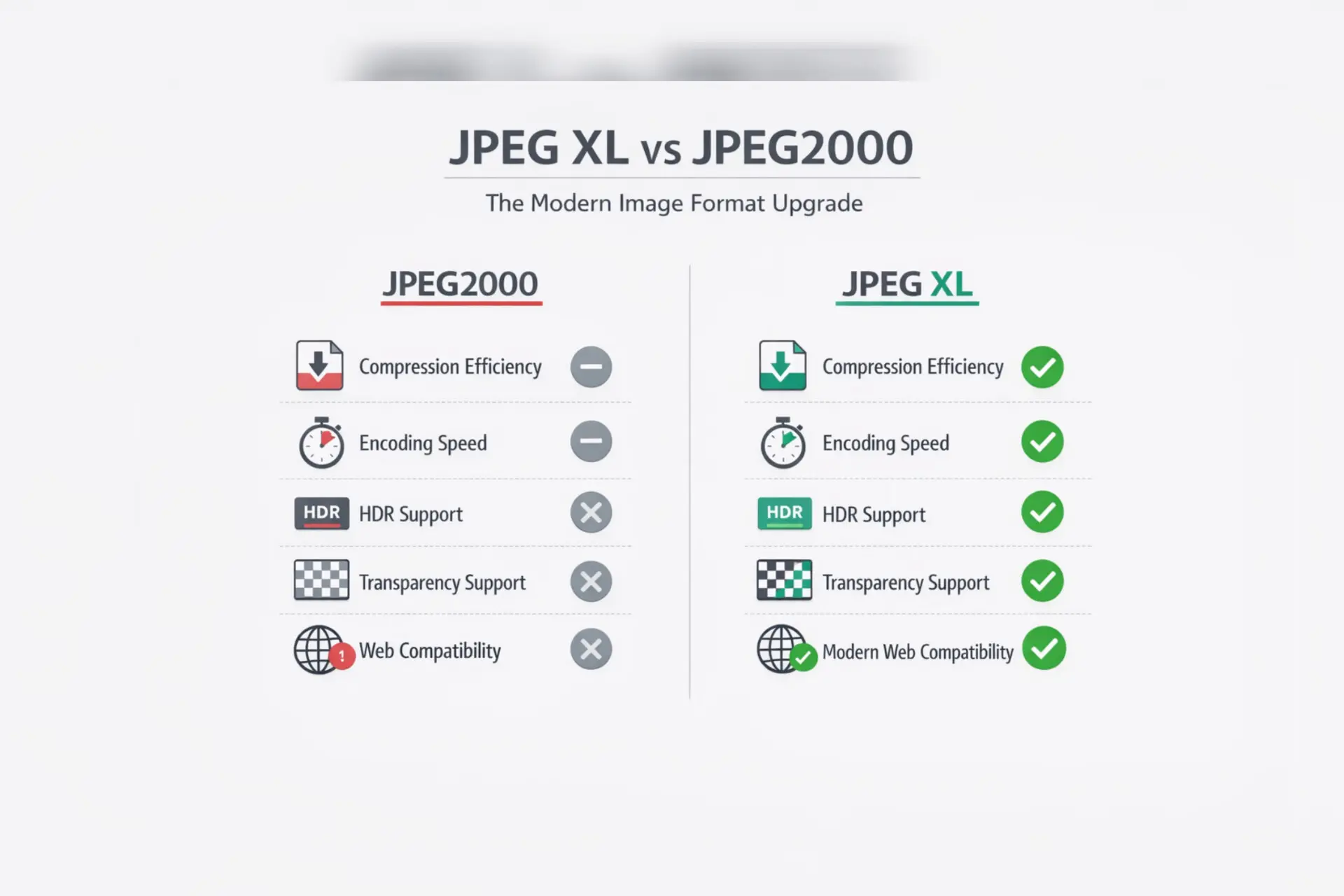
This guide compares JPEG 2000 vs JPEG XL (also written JPEG2000 vs JPEG XL, or JPEG XL vs JPEG 2000) on compression, quality, speed, features and browser support, then tells you which one to pick for each use case.
JPEG 2000 vs JPEG XL: quick comparison
| Feature | JPEG 2000 | JPEG XL |
|---|---|---|
| Introduced | 2000 | Standardized as ISO/IEC 18181 in 2022 |
| Compression method | Wavelet-based | Modern transform-based (VarDCT and Modular) |
| Lossy and lossless | Both | Both |
| HDR and wide gamut | High bit depth, limited HDR workflow | Built in (PQ, HLG, Rec.2020, P3) |
| Transparency (alpha) | Yes | Yes |
| Animation | Only via Motion JPEG 2000 (separate standard) | Yes, built in |
| Lossless JPEG recompression | No | Yes, about 20% smaller and fully reversible |
| Progressive decoding | Yes (resolution and quality layers) | Yes |
| Speed | Computationally heavy | Fast decoding, adjustable encoder effort |
| Browser support (Oct 2026) | Safari only | Safari, Chrome 155+, Firefox 157+ |
| Best for | Digital cinema, DICOM, archives, geospatial | Web, photography, HDR, JPEG library archiving |
What is JPEG 2000?
JPEG 2000 (file extension .jp2) was created by the JPEG committee in 2000 as a successor to the original JPEG. It uses wavelet compression instead of the 8x8 block transform used by JPEG, which avoids blocky artifacts and gives smooth results at low bitrates. Key features:
- Lossy and mathematically lossless compression in one format
- Alpha channel transparency
- Resolution and quality scalability (progressive decoding)
- Region of interest coding
- High bit depths up to 16-bit and beyond
It never became a mainstream web format because encoding and decoding are heavy, the codec is complex, and browsers other than Safari never adopted it. It thrived in specialist fields instead.
What is JPEG XL?
JPEG XL (.jxl) was designed by the JPEG committee as a long-term replacement for JPEG, PNG and GIF. It became an ISO standard (ISO/IEC 18181) in 2022. Google reports it can deliver 30 to 50% smaller files than JPEG at comparable quality. Key features:
- Lossy and lossless modes
- HDR and wide color gamut
- Full alpha transparency and animation
- Lossless recompression of existing JPEG files (reversible, about 20% savings)
- Progressive decoding, good for very large images
- Royalty-free, open specification
Read more in our JPEG XL specification guide.
What is the difference between JPEG 2000 and JPEG XL?
The main differences are efficiency, features and support:
- Compression: JPEG XL generally matches or beats JPEG 2000 at similar visual quality, but results depend on the image and encoder settings. Test your own files before converting a large library.
- Features: JPEG XL adds built-in HDR signaling, native animation and reversible JPEG recompression. JPEG 2000 keeps niche strengths such as region of interest coding.
- Speed: JPEG 2000 is heavier to encode and decode. JPEG XL decoders are fast, and encoders let you trade speed for size.
- Ecosystem: JPEG 2000 is entrenched in cinema (DCP), medical imaging (DICOM) and archives. JPEG XL is growing quickly in browsers, editors and operating systems.
Browser support in 2026: JPEG 2000 vs JPEG XL
This is where things changed the most in 2026.
| Browser | JPEG 2000 | JPEG XL |
|---|---|---|
| Safari | Yes (native) | Yes |
| Chrome | No | Yes, on by default from Chrome 155 (October 2026) |
| Firefox | No | On by default from Firefox 157 (Mozilla's announced plan for late September 2026) |
| Edge | No | Chromium-based; check your version with a test page |
Chrome removed JPEG XL support in 2022, brought the decoder back behind a flag in Chrome 145 (February 2026), and turned it on by default in Chrome 155. Because support is still rolling out, serve JPEG XL with a fallback using the HTML picture element (AVIF, WebP or JPEG behind it) and check support with the Can I use JPEG XL table.
Is JPEG 2000 the same as JPEG? (JPEG vs JPEG 2000)
No. JPEG and JPEG 2000 come from the same committee but use different algorithms. Original JPEG uses the discrete cosine transform and is lossy only. JPEG 2000 uses wavelets, supports lossless mode, and avoids blocking at low bitrates, but it is slower and far less supported. JPEG 2000 vs JPEG is a trade of better efficiency and flexibility against universal compatibility, and JPEG still wins on compatibility.
For a full breakdown of the difference between JPEG and JPEG 2000, read our dedicated guide: JPEG 2000 vs JPEG: full comparison.
Should I use JPEG or JPEG XL?
For new work where you can control delivery, JPEG XL is usually the better format. It gives smaller files than JPEG at the same quality and supports HDR and transparency. For email, legacy systems and maximum compatibility, stay with JPEG. On websites, serve JPEG XL with a JPEG fallback. More detail: JPG vs JPEG XL.
What is the difference between JPEG XR and JPEG 2000?
JPEG XR was Microsoft's format, standardized in 2009. It is faster to encode and decode than JPEG 2000, but JPEG 2000 generally compresses better and has more advanced features. Neither achieved broad web adoption. Details: JPEG XL vs JPEG XR.
JPEG XS vs JPEG 2000
JPEG XS is a different tool for a different job. It is a lightweight, very low-latency codec for live video production and network transport, where speed matters more than the smallest file. JPEG 2000 is heavier but compresses more, so it suits distribution and archiving. They do not compete with JPEG XL for photos.
Where JPEG 2000 is still used
- Digital cinema: the DCP standard uses JPEG 2000 for movie distribution.
- Medical imaging: DICOM supports JPEG 2000 for diagnostic images.
- Archives and libraries: preservation workflows often specify .jp2.
- Geospatial: satellite and mapping imagery commonly uses it.
These systems are built around JPEG 2000, so it will stay relevant for years even as JPEG XL grows.
Where JPEG XL is the better choice
- Web images: smaller files with fallbacks for older browsers.
- Photo archiving: lossless compression without losing pixels.
- HDR photography: built-in HDR and wide gamut.
- Existing JPEG libraries: reversible recompression saves about 20% instantly.
Compare it with other modern formats: JPEG XL vs WebP, AVIF vs JPEG XL, HEIC vs JPEG XL and JPEG XL vs PNG.
Which format should you choose? (JPEG 2000 or JPEG XL)
| Use case | Choose | Why |
|---|---|---|
| Web images | JPEG XL | Smaller files; keep a JPEG or AVIF fallback |
| Photo archive | JPEG XL (lossless) | Saves space with no quality loss |
| HDR photography | JPEG XL | Built-in HDR and wide gamut |
| Converting JPG libraries | JPEG XL | Reversible JPEG recompression |
| Digital cinema | JPEG 2000 | Required by the DCP standard |
| Medical imaging | JPEG 2000 | Supported in DICOM workflows |
Convert JPEG 2000 to JPEG XL
Have .jp2 files you want to use on the web or store more efficiently? Use our free converter to convert JPEG 2000 to JPEG XL online in seconds, and keep your originals until you have checked the results.
Frequently asked questions
Is JPEG XL better than JPEG 2000?
For most new projects, yes. JPEG XL offers efficient compression, HDR, animation and reversible JPEG recompression, and it is gaining browser support. JPEG 2000 is still preferred in cinema and medical imaging.
Does Chrome support JPEG XL?
Yes. Chrome 155, released in October 2026, decodes JPEG XL by default. Earlier versions only supported it behind a flag from Chrome 145.
Does any browser support JPEG 2000?
Safari is the only major browser that supports JPEG 2000 natively. Chrome, Firefox and Edge do not.
Can I convert JPEG 2000 to JPEG XL without losing quality?
Yes, if you use JPEG XL's lossless mode, the pixels are preserved. Lossy modes trade some quality for smaller files, so keep the originals.
Is JPEG 2000 the same as JPEG?
No. They use different compression algorithms. JPEG 2000 uses wavelets and supports lossless mode, while JPEG uses block-based DCT and is lossy only.